Secure Raspberry Pi Connect at scale
We recently released a major upgrade to our secure boot provisioning software, rpi-sb-provisioner, making it easier to provision more complex operating system images and deploy Raspberry Pi Connect at scale.
In my many years as a software engineer, I always found working with secure boot more complicated than it had any right to be. So, in 2024, we released the first version of rpi-sb-provisioner: a system designed to help you provision your OS on devices with secure boot and full disk encryption enabled in a boring and predictable way.
Since then, we’ve received plenty of feedback from users, and the provisioner has evolved significantly — from a collection of shell scripts and tools to a system with a manufacturing database, an audit log, and a web UI. Every change was designed to address a concrete user problem.
Of course, there’s more to making Raspberry Pi–powered devices and projects than simply getting your OS onto the system; we also had to teach rpi-sb-provisioner to play nicely with our other tools.
Integrating Raspberry Pi Connect
Users continue to tell us how useful they find Raspberry Pi Connect for remotely managing their devices. But when you’re provisioning devices at scale, you can’t afford to slow down to manually associate each one; you also want those associations to survive OS updates, factory resets, and so on.
Version 2.3 of rpi-sb-provisioner makes use of the new device identity support in Raspberry Pi Connect for Organisations, allowing you to automatically give your devices an immutable identity and tie them to your Raspberry Pi Connect for Organisations account.
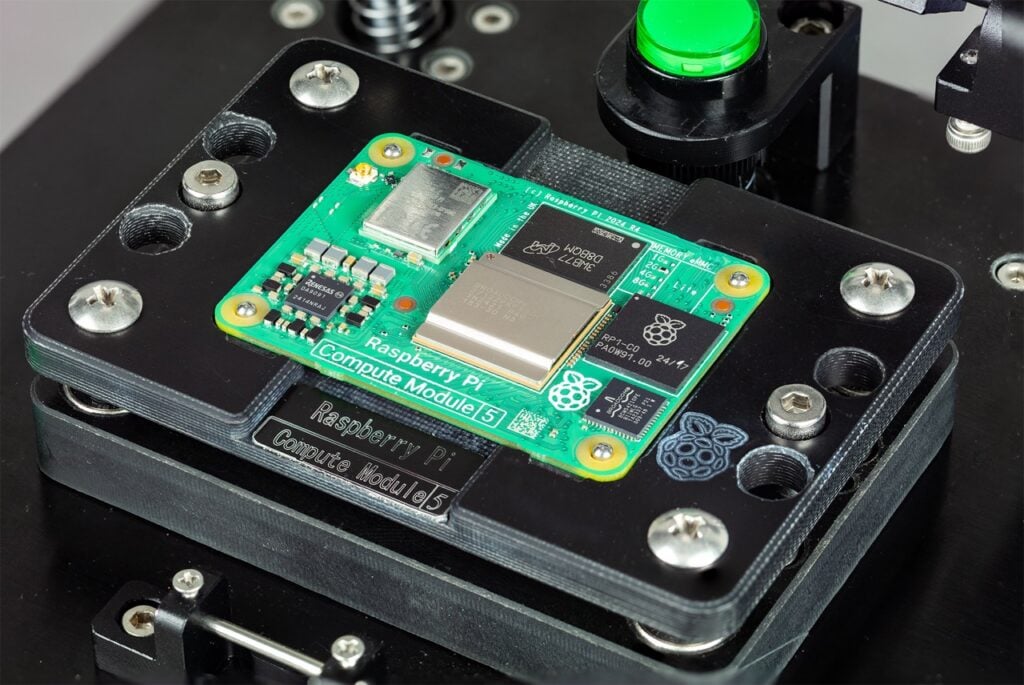
Flexible image description provisioning
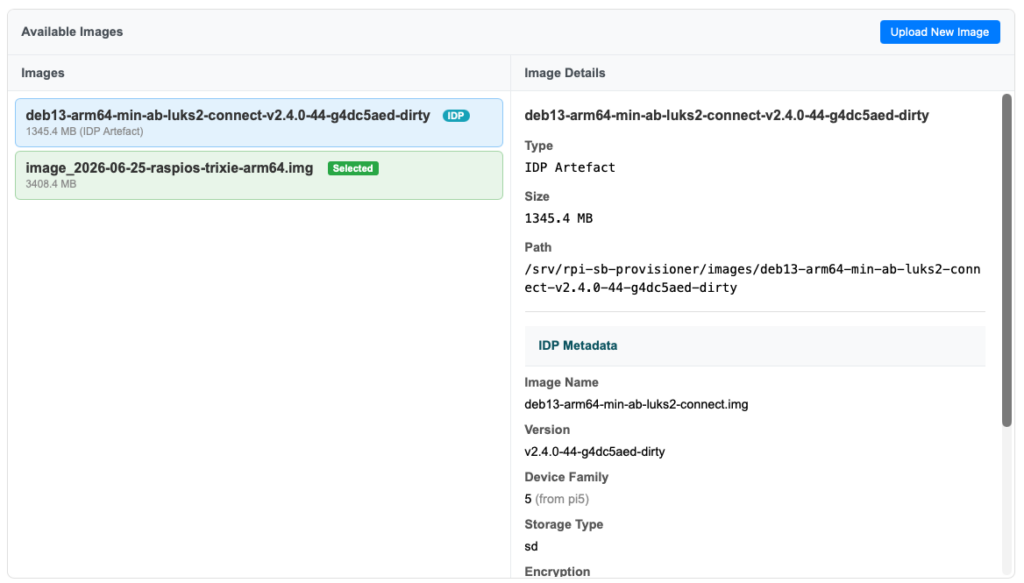
Previous releases of rpi-sb-provisioner assumed that you had created a traditional Raspberry Pi OS–derived image using pi-gen. After the initial release, however, we received a range of questions from users who wanted to provision more complex layouts or build images in a more ergonomic way. To address both needs, we introduced image description provisioning (IDP) in rpi-image-gen, which is now integrated into version 2.3 of rpi-sb-provisioner.
Image description provisioning transforms rpi-sb-provisioner from a fixed-function provisioner into a fully programmable provisioning system, enabling you to specify a wide range of partition layouts, types, and other attributes. IDP can also be used to provision operating systems that weren’t created with rpi-image-gen: if you can describe it, you can provision it.
Making use of rpi-fw-crypto
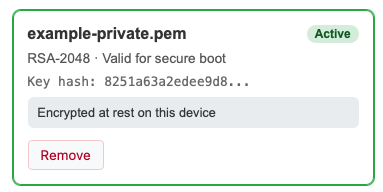
With the release of rpi-fw-crypto, Raspberry Pi devices now have a mechanism for using asymmetric cryptography without unduly exposing the device-unique private key written by rpi-sb-provisioner. We make use of this function in two major areas:
- On the provisioning server, to encrypt and bind the signing material (a PEM file or HSM PIN) to the provisioning server.
- On the provisioned devices, as part of the material used to calculate a full disk encryption key, either through a supplied pre-boot authentication environment or one you build with rpi-image-gen.
More to come
The rpi-sb-provisioner system will continue to evolve to respond to user needs. Sharing feedback on the tool and how it has or hasn’t worked for you, or just hard-earned tales from manufacturing devices at scale, helps us make the system better for our customers — industrial, embedded, and enthusiast alike.
Find out more about provisioning Raspberry Pi Connect at scale in our bulk provisioning documentation.
rpi-sb-provisioner, rpi-fw-crypto, and rpi-image-gen are all open source projects available on our software sources page.


3 comments
Jump to the comment form
Jesse Korhonen
Thanks for article. This solved one of my problems and provided information how to configure Raspberry Pi 4 and 5 boards with full disk encryption. Also rpi-sb-provisioner was great tool to (re)image Raspberry Pi 5 boards with nvme disks. This make it much easier than starting onboard network installer.
Only thing that I found little bit harder is the miss of more clearer “Getting started” guide for rpi-image-gen. I would like to see basic examples how to build (“Hands on, step by step tutorial”) minimal Trixie image for different boards, how to enable FDE and how to add new repos and packages from new repos to image.
rpi-sb-provisioner was easy tool to configure and only fail that I noticed was when I used official Raspberry Pi OS Lite image with FDE before I moved to rpi-image-gen images. Some first boot services failed to start that was related disk and swap.
With these tools I can now reinstall or add new nodes to my Pi test/demo Kubernetes cluster in matter of minutes than hours when I did installation of node OS manually.
Raspberry Pi Staff Gordon Hollingworth
Hi, agree some tutorial like material around rpi-image-gen would help, but what I would say is I have had a huge amount of success just pointing Claude at rpi-image-gen and telling it what you want. The great thing about the design of rpi-image-gen is the resulting files it creates are really easy to understand so you can easily go through and code review what it does. The documentation in the repo as well as the scripts themselves and the examples provided really work well with LLMs.
Stikdebug
What about backing up the private key? Copying it to other admin stations, etc.