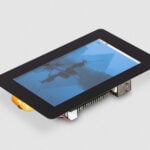
A new 10″ Raspberry Pi Touch Display 2, available now at $80
Regular readers will be familiar with the 7″ Raspberry Pi Touch Display 2, which refreshed our original Touch Display product with a slimmer form factor and higher-resolution panel. Since its 2024 launch, we’ve released a 5″ variant, bringing the same high resolution and easy setup to a smaller footprint that suits more compact end devices and deployments.
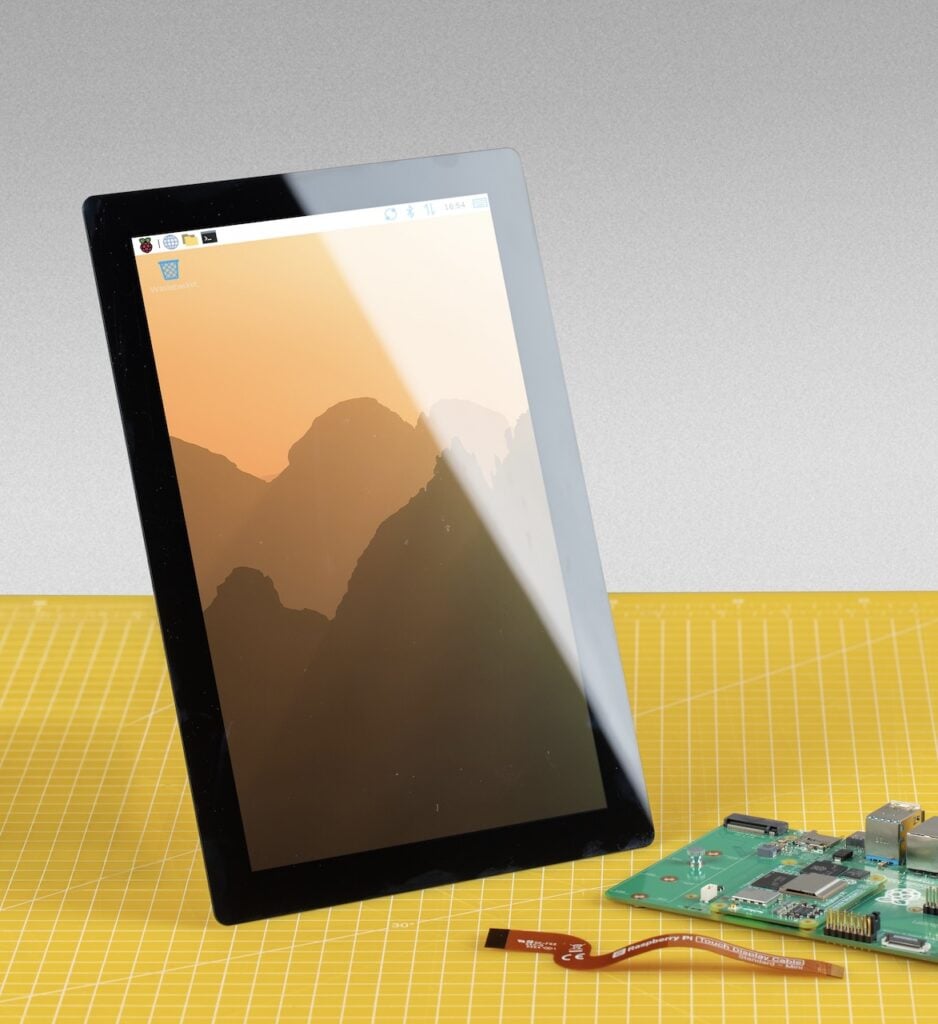
Today, we are excited to go one step further — and three inches bigger — with the new 10″ Raspberry Pi Touch Display 2, available to buy now at $80.
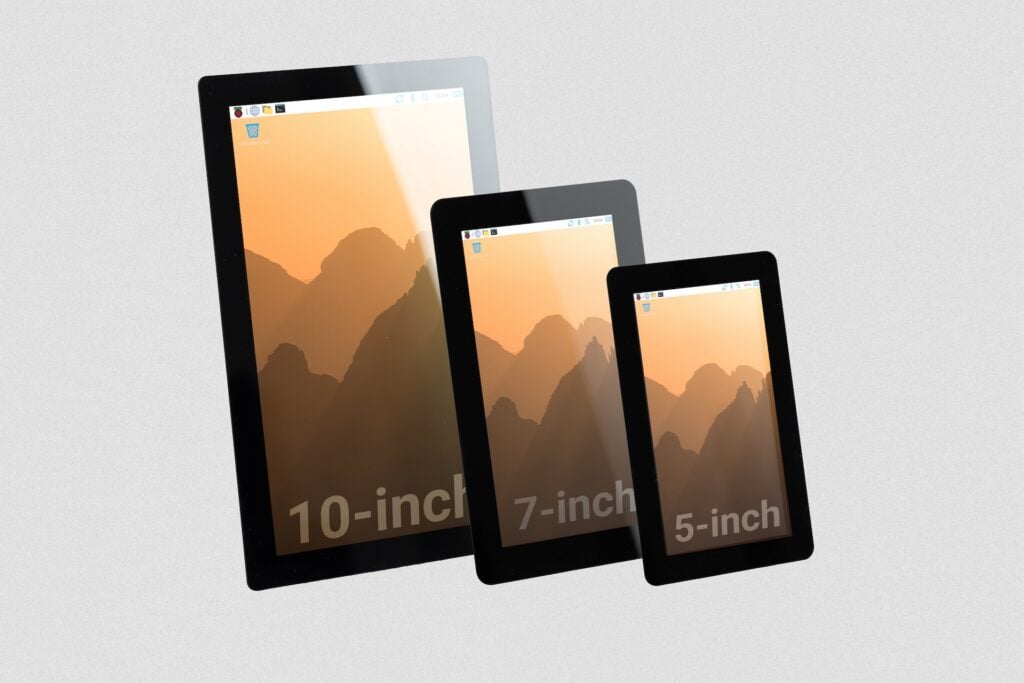
Sometimes bigger is better
Physical size is not the only upgrade. Our new 10″ display features a higher 1200×1920–pixel resolution, a more generous 85-degree viewing angle, and a touchscreen controller with support for ten-finger touch, up from five-finger touch in the 5″ and 7″ variants.
As with all our display products, the 10″ Raspberry Pi Touch Display 2 integrates seamlessly with the rest of the Raspberry Pi ecosystem. It is powered directly from the host Raspberry Pi, and comes with all the necessary cables, connectors, and mounting hardware. The capacitive touchscreen benefits from full driver support in Raspberry Pi OS straight out of the box, with no manual calibration required — just hook it up to your host Raspberry Pi 5 or Raspberry Pi Compute Module (any model, with a Raspberry Pi Compute Module IO Board or another suitable motherboard) and go.
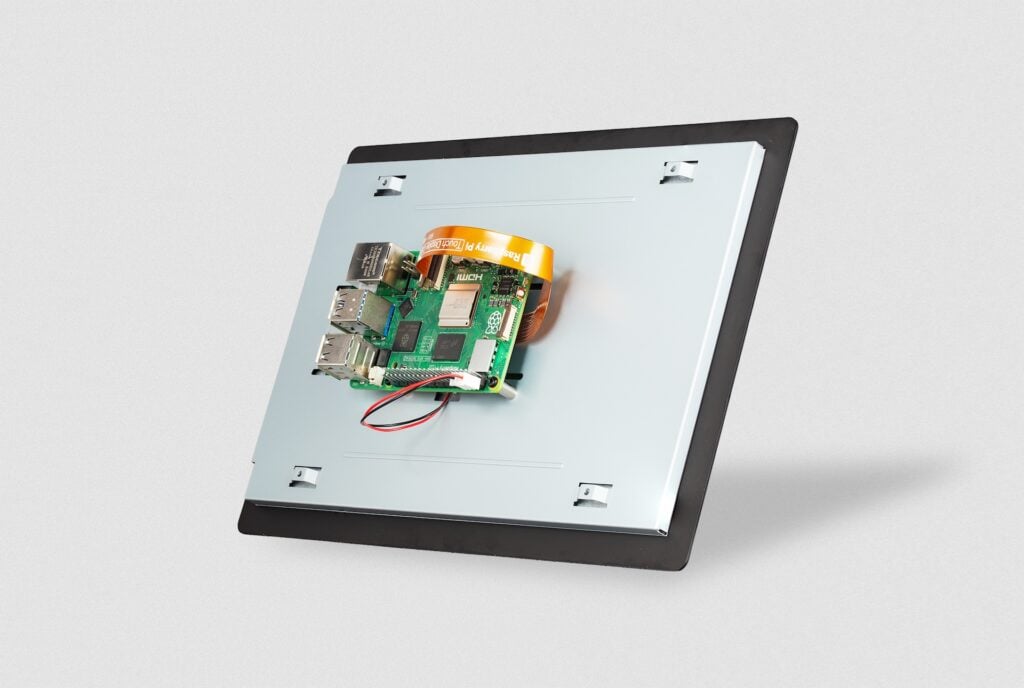
The 10″ Touch Display 2 is not compatible with Raspberry Pi 4 or earlier models, or with the Raspberry Pi Zero series. While previously released Touch Displays use only two lanes of DSI data to communicate with the host Raspberry Pi — which works well with the older display connector on Raspberry Pi 1, 2, 3 and 4 — the higher resolution of the new 10″ variant requires four DSI lanes. This in turn requires our narrower, but higher-bandwidth, ribbon cable and the newer display connector found only on Raspberry Pi 5 and the Compute Module IO boards. For display options you can use with earlier Raspberry Pi computers, take a look at the 5″ and 7″ variants of Raspberry Pi Touch Display 2, or consider the Raspberry Pi Monitor.
From dashboards to desktops to ambitious builds
The 10″ Raspberry Pi Touch Display 2 is a perfect fit for a wide range of applications, including home automation dashboards, kiosks, robotics interfaces, digital signage, gaming systems, workshop or lab equipment control panels, and more. We have no doubt you’ll find uses for it beyond anything we could possibly imagine.
The 10″ Raspberry Pi Touch Display 2 is available to buy now from our worldwide network of Raspberry Pi Approved Resellers.

20 comments
Jump to the comment form
ukscone
Very nice.
Do you know if any of the usual suspects are working on a case for it yet.
Paul Webster
From memory, this fulfils a very old commitment by Eben from around the time of the very first touch display release that a 10-inch variant would come.
If someone ran it at a lower resolution or with infrequent updates … could an adapter site between it and older RPi models to make it work?
Paul Webster
Old video from back at time of launch of first screen- in this one it is not a promise but a plan … 2:40 into the video. 11 years later and here we are!
Not a complaint at all just a recognition that some things take time.
https://youtu.be/ZHRhiCPXFIA?is=oQ5xKeQnaU01n7tw
Dave Stevenson
Sadly no, it can’t be run on 2 data lanes with earlier standard Pis. It will work on Compute Modules 1/3/4 on DISP1 though.
We did investigate 2 lane mode, but this display does a load of things within panel based on the video clock (even touch screen polling!), and it goes wrong in weird ways if it’s not getting a 60Hz overall refresh rate.
I’ll try to dig out my notes to see if we ever got it vaguely reasonable behaviour from it, but it will never be officially supported.
Govert
Pi + Active Cooler + M.2/SSD HAT does not have an easy power solution for the displays. Please make a nice plan for this – it’s the natural combination for a lovely little computer.
crumble
Which power states are supported?
Can we turn it off an on again by software?
Ssm
It says $80, but is that NZ dollars (applies to where I’m reading this from) or US dollars just because? Thx.
Bianca McLean
US Dollars
Salvador Limones
It’s $97 + tax + shipping in the US (pishop.us).
Raspberry Pi Staff Helen Lynn
We’ll take a look.
Anders
Possibly there are tariffs applied.
Jan
So that could be a nice Home Assistant display. If we could get a nice case for it, to hang on the wall.
Jeff Remec
LOL, it’s not $80 at CanaKit.
Raspberry Pi Staff Helen Lynn
We always set prices in US dollars (because that’s the currency in which we buy componentry), and they always exclude shipping costs and any applicable taxes (because those vary greatly between regions). US$80 is very close to the CA$114.95 at which CanaKit is listing the new display, so their pricing is correct, as we’d expect from our long-term partner.
Scott Allendorf
And when you switch the Canakit site to USD, the 114.95 CAD becomes 97.00 USD…
solar3000
Here. Take my money.
mark
great to see this. is there a screen / energy saver function, so this can function like a laptop or desktop computer?
will the display automatically power down on its own if it hasn’t been touched for say a minute or two, or if the raspberry pi os desktop goes to the lock screen?
will touching the screen automatically turn it back on and wake up the raspberry pi os to the lock / password entry screen?
or does one need to fully shut down the OS in order to turn the touchscreen display off?
AndrewS
Yes, you can enable Screen Blanking from the Display tab in the Control Centre application (which you can find in the Preferences menu).
Last time I checked, the lock screen (which you can access from the Shutdown… menu item) didn’t have onscreen-keyboard support.
Jeff Geerling
I wrote up a little script for ‘kiosk mode’ with the 7″ display (and I’m going to test on the 10″), and you can enable Screen Blanking to disable the screen after a set period of time.
I wish the Pi could also go into a sleep mode, but using only 2-3W at idle with the display off is okay for some use cases still.
One annoying thing is when you tap to wake the screen (at least last time I checked), it performs a ‘click’ where you tapped, it doesn’t ignore that first touch. That can be a little dangerous if you have an HMI like an on/off switch that can be touched.
Mr.Rabbit
Again this is described as a portrait screen. Is it possible to use it in landscape, both software-wise but also in terms of IPS-related viewing angle?