OuijaCNC
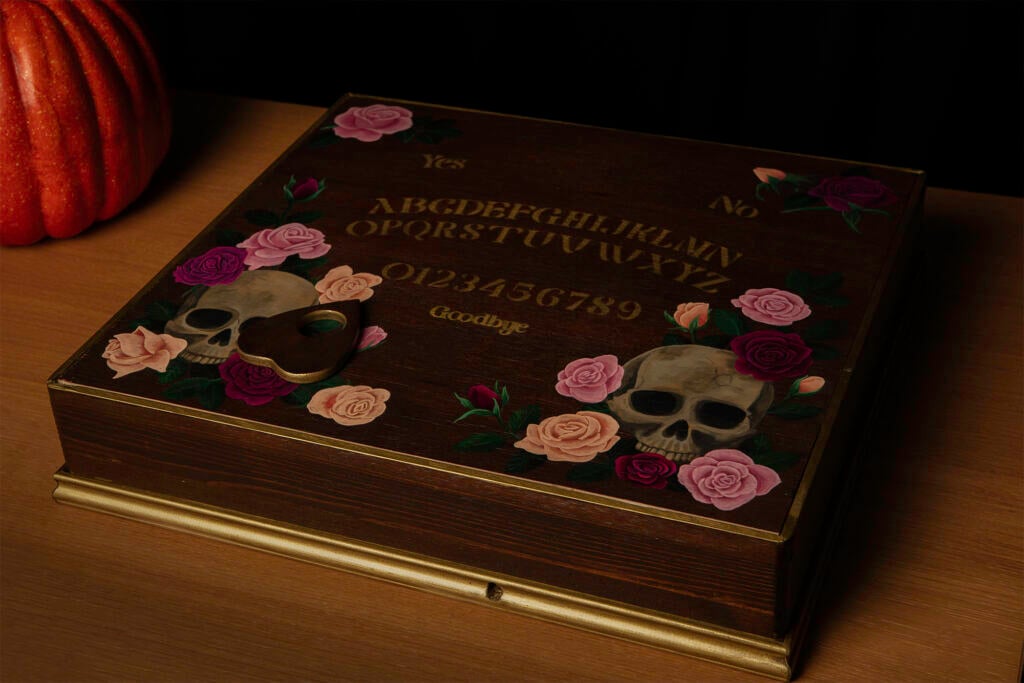
Spooky season is upon us, so it seems only fitting to share with you a Halloween-themed project that I’ve been working on at home. Inspired by videos of self-playing chessboards driven by magnets beneath the board, I decided to apply the same approach to creating a Ouija board that spells out messages without the touch of human hands.
The build
The first step in the project was to create a lightweight core XY CNC machine. For this I drafted in my husband, and he was able to put something together within a couple of days using 3D-printed parts, fishing line, some motors, and an ESB32 that he had lying around.
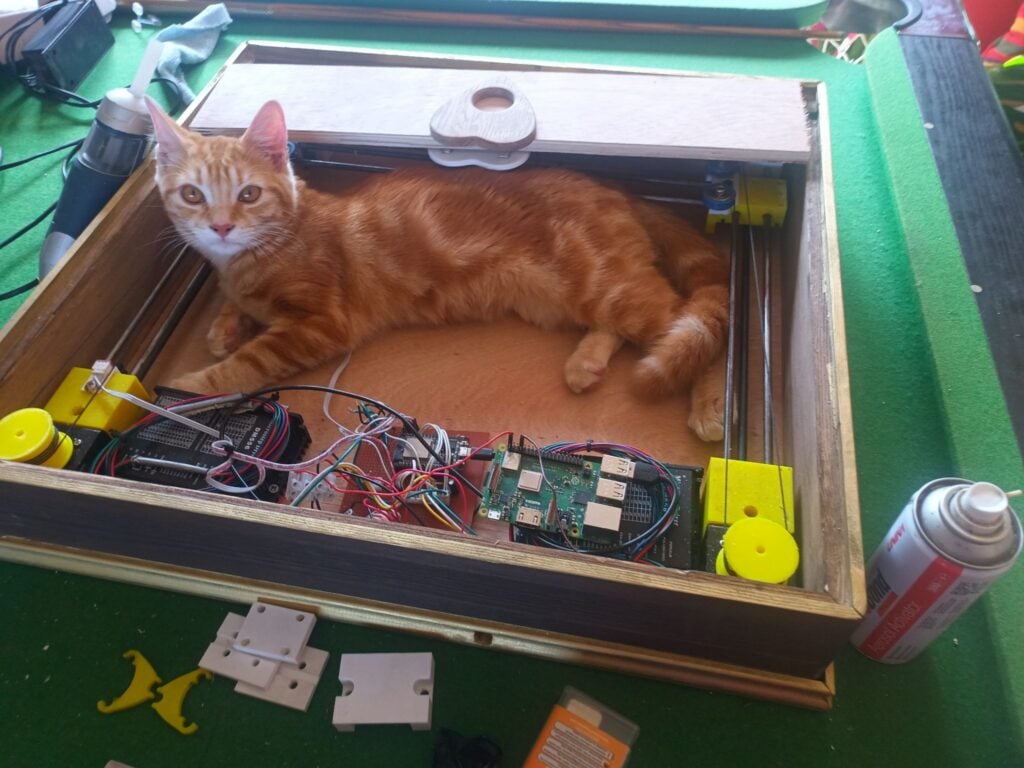
(The core XY he built for this project turned out so well that he used what he learnt to make a slightly beefier version as the basis for a CNC plasma cutter.)
He also put together a wooden enclosure made of plywood and moulding, which he then turned over to me for decoration. A bit of wood stain and gold spray paint brought it a little closer in style to the golden age of Spiritualism.
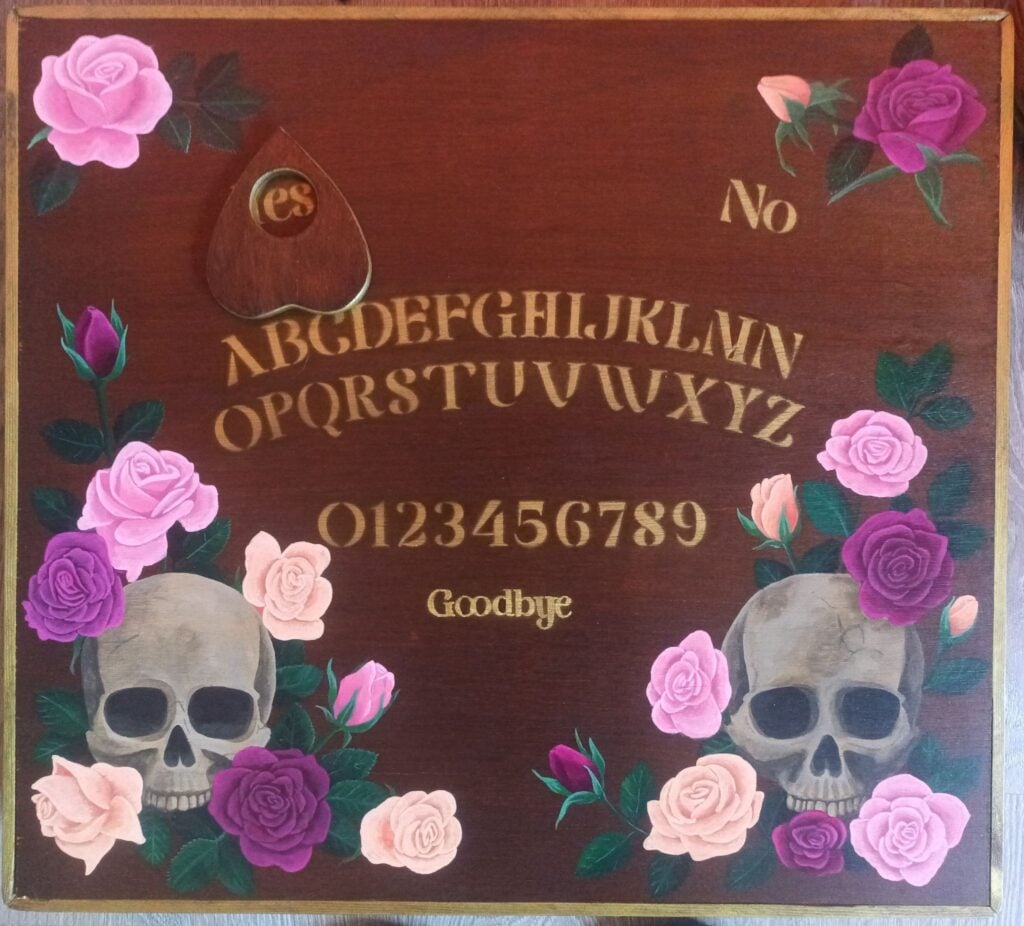
After determining how much of the box’s surface the planchette could cover, I made a stencil to apply the letters to that area. That left a lot of blank space on the surface where, inside the box underneath, space was taken up by the axes and electronics. A few painted flower and skull motifs filled those gaps.
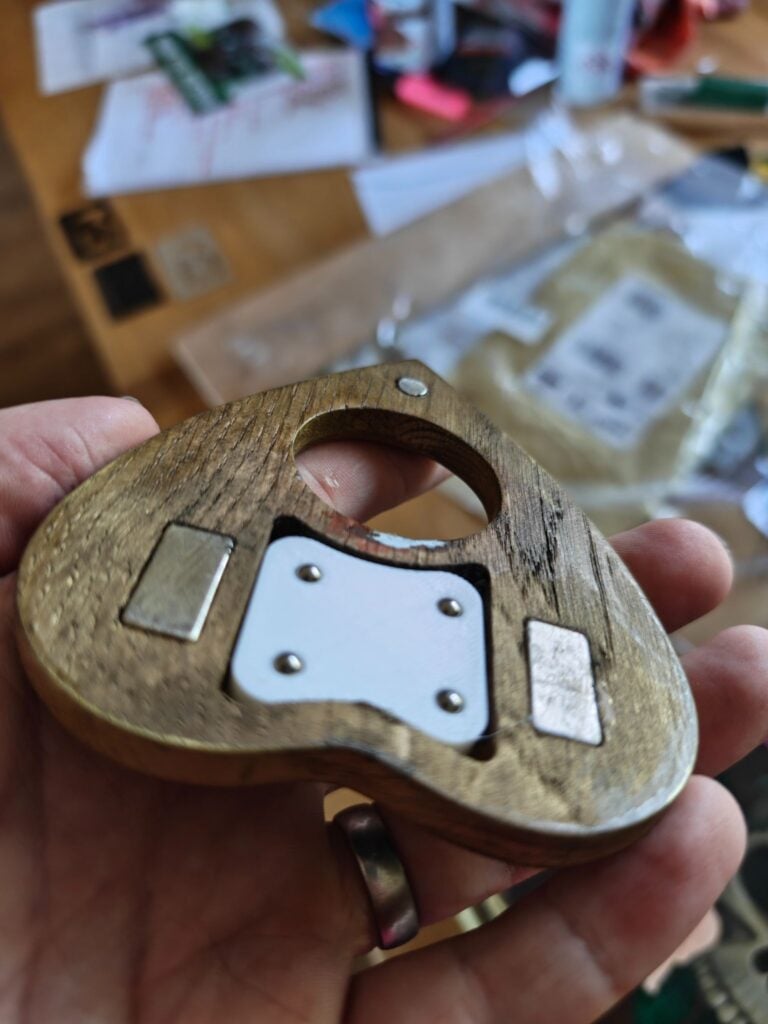
A big challenge was making sure that the magnets got enough grip on the planchette to move it over the board’s surface. It was a fairly heavy piece of wood with a large surface area, and hence caused a fair amount of friction. So, we added more magnets to both the planchette and the CNC head. We also added springs to the mechanism holding the magnets beneath the board to ensure the magnets were always pressed against the underside of the board with no gaps. Eventually, we embedded some free-spinning ball bearings in the bottom of the planchette for it to run on. That did the trick.
The software
We recently freed up a Raspberry Pi 3 Model B+ that had faithfully served as a print server for many years. What better new life — or rather, afterlife — for it than to become the ghost in the machine controlling my Ouija board?
I used Raspberry Pi Imager to install Raspberry Pi OS Trixie and configure Raspberry Pi Connect on the device. I knew Connect would be very useful, as I would be moving the Ouija board from network to network, which changes its IP address each time; to access the web UI I planned on using to control it, I needed to know its current IP address. Raspberry Pi Connect enabled me to easily log in to the Raspberry Pi whenever it was online and find out its IP address.
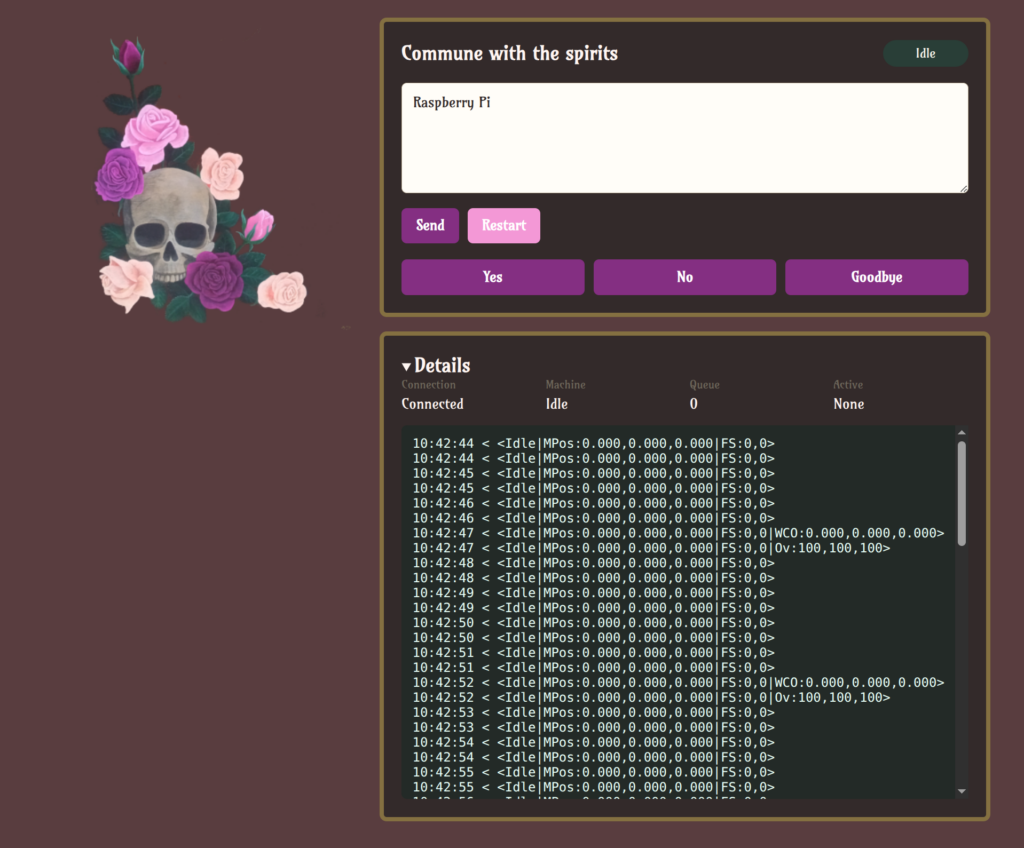
The Ouija-specific software is a Python Flask project. It takes words typed into a web UI and converts those to G-code instructions that match the letter locations. Then it sends the G-code directly through the USB serial port to the ESB32, which drives the motors. I tasked my husband with this and he delegated it to ChatGPT Codex.
Then came the most time-consuming part: mapping out the G-code coordinates of all the letters and words on the board and adding them to a JSON file to be read by the app.
Last but not least, I played around with the CSS of the web UI to match the design of the box.
What’s next?
The current iteration of the Ouija board relies on a human listening to the questions being asked and typing a response into the web UI. The next improvement might be to incorporate a microphone and an AI model that parses the question and puts together a short response (perhaps based on some ghost character information provided for it to work from).
If I decide to go all out on my pseudo-séance, I could even build a crystal ball that creates a Pepper’s ghost illusion, or tap into my smart home automation to flicker the lights!


No comments
Jump to the comment form