Turn your Raspberry Pi into a classic games machine
Following the launch of The Raspberry Pi Guide to Retro Gaming and the recent special retro gaming issue of Raspberry Pi Official Magazine, we thought this Maker Monday was an ideal time to revisit the topic, which seems to be having a bit of a moment.
One of the most popular uses for a Raspberry Pi computer, retro gaming makes use of the hardware’s power and ability to run emulation software to replicate a wide range of classic consoles and computers: from NES to PlayStation 2, and ZX Spectrum to Amiga. It’s easy to get started by installing a specialist emulation OS such as Recalbox, RetroPie, Lakka, or Batocera.
While you can enjoy Raspberry Pi retro gaming with a standard keyboard and monitor setup, there are many ways to achieve a more authentic experience so you can pretend you’re living in the past! Here, we take a look at a wireless gamepad, a classic console-style case, a couple of ways to output analogue video (including one for Raspberry Pi Pico), and a mini arcade cabinet kit for two players. Insert coins to continue play…
Picade MAX
Pimoroni | £495 / $549
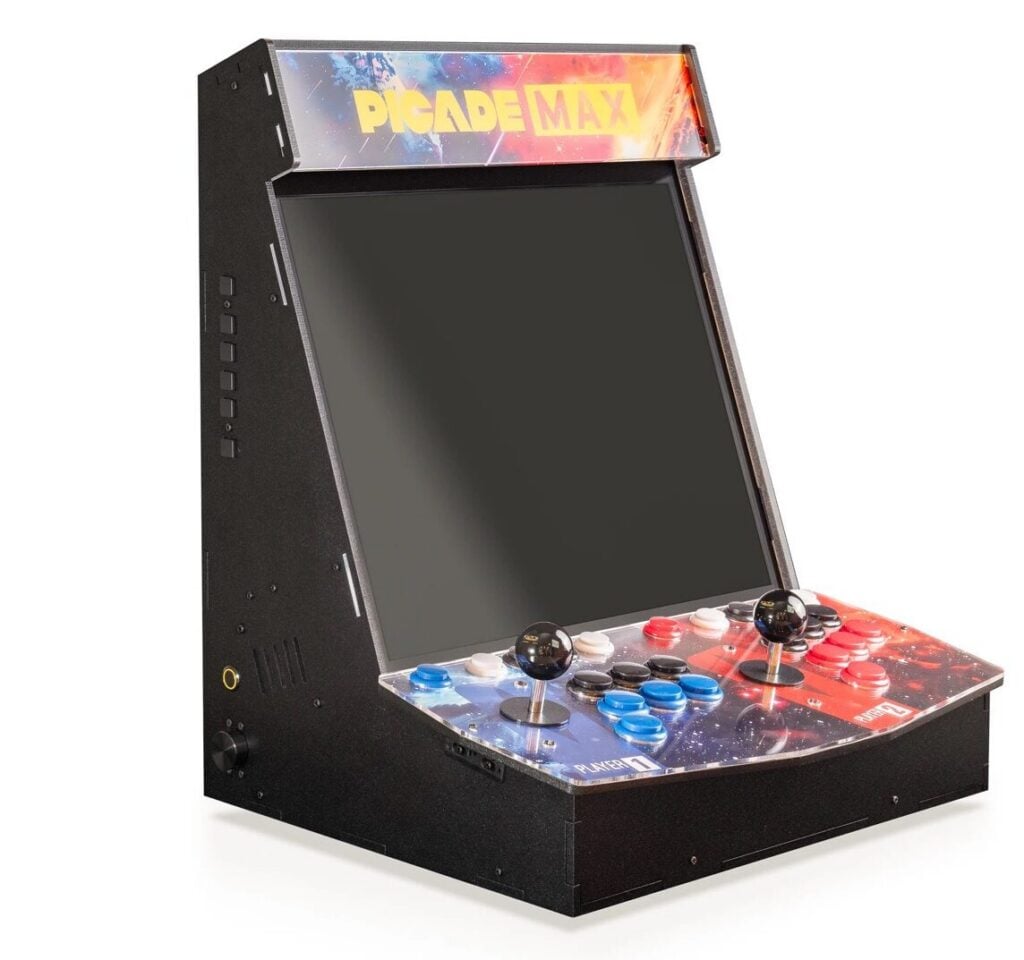
These bartop arcade cabinet kits seem to be getting ever larger. First there was the original Picade with an 8-inch screen, then a 10-inch version, and now we have this super-size 19-inch MAX model — back in stock in the Pimoroni store — which adds controls for a second player.
The IPS display has a retro-friendly 5:4 aspect ratio and 1280 × 1024 resolution, with vibrant colour and wide viewing angles. The robust arcade joysticks and buttons are connected to an RP2040-powered USB controller board, resulting in very low latency for the inputs. A separate audio board (also powered by RP2040) outputs stereo sound to the cabinet speakers and, at last, there’s a physical rotary volume control.
If you want to go further, you can add NVMe SSD storage, swap out the standard buttons for RGB LED-illuminated ones, and even add a Galactic Unicorn for marquee lighting. The controller and audio boards are also available separately, so you could use them (or the original Picade X HAT) as the basis for a custom-built cabinet.
Verdict
A bigger bartop arcade cabinet with plenty of upgrades.
Warning! Legal ROMs
When finding ROMs for your retro setup, please be cautious that you are not downloading from a site hosting software illegally. There are lots of legal ROMs available, including many modern ‘homebrew’ titles developed for classic hardware.
The Raspberry Pi Guide to Retro Gaming
Raspberry Pi | £19.99 / $24.99
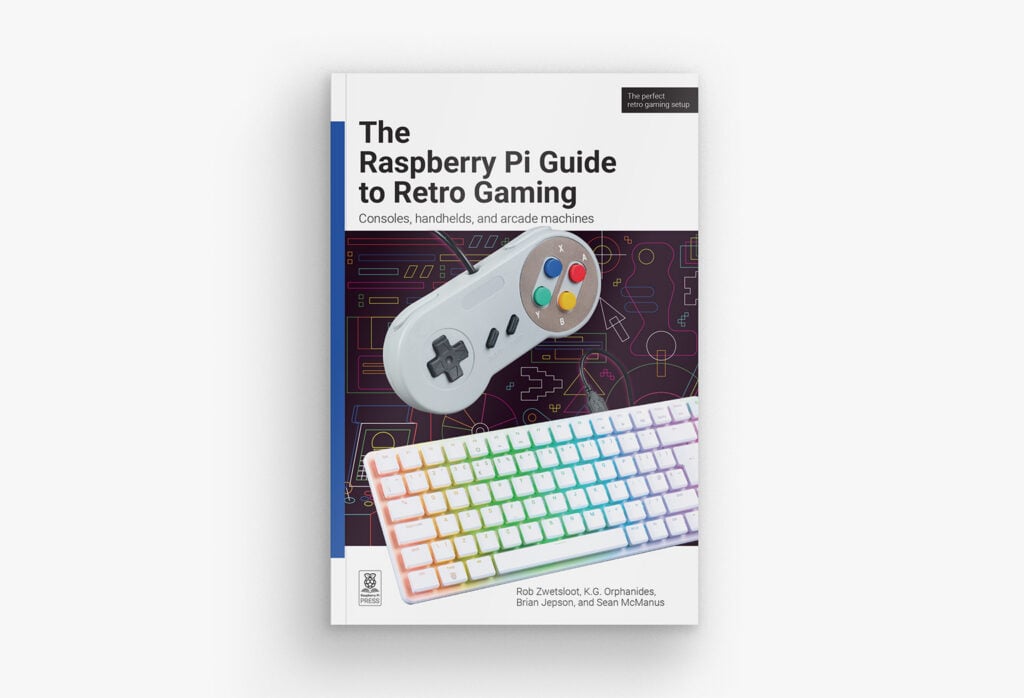
The easiest way to get started with retro gaming on your Raspberry Pi is by bagging a copy of this book. As well as a step-by-step guide to quickly create your own Raspberry Pi-based home console setup, it features advanced tips and tricks to help you perfect the emulation experience with hardware upscalers, dedicated video converters, and even vintage CRT displays for ultimate authenticity. The book also explains where to find legal ROMs, how to play your old floppies and CDs, and how to get games running from online stores.
In-depth tutorials cover building the arcade machines of your dreams, including a pocket handheld for gaming on the go, and emulating 8-, 16- and 32-bit classic computers such as the Apple II, Atari 400/800, BBC Micro, ZX Spectrum, C64, Amiga, Atari ST, and IBM PC.
For those readers who don’t just want to play, there’s a chapter on classic 8-bit BASIC programming, including creating a full ZX Spectrum game — now that takes me back!
Verdict
A comprehensive guide to retro gaming on Raspberry Pi.
RGB Dual 2
Recalbox | From €72 / £62 / $83
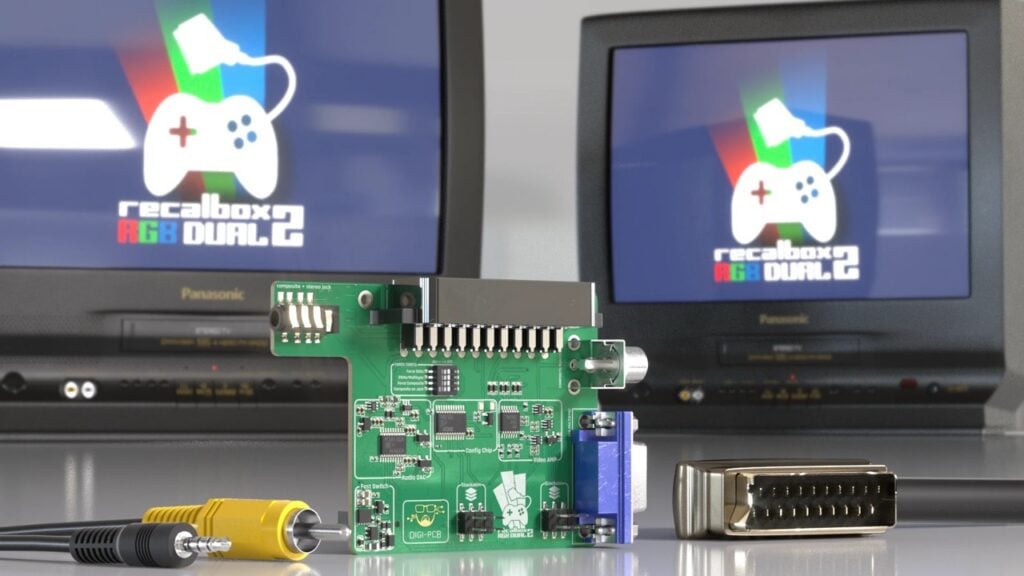
As well as providing a free and open source emulation system for Raspberry Pi, the Recalbox project has an online store in which it sells various bits of retro-related hardware. One of these is the RGB Dual 2, a Raspberry Pi 5-compatible board with analogue video outputs to connect it up to an old TV or monitor.
Fitting on Raspberry Pi 5’s GPIO header, and matching the SBC’s dimensions, it features four outputs: SCART, composite RCA, VGA, and a 3.5mm audio/composite jack. So your connection options are well covered, and it supports 4:3 and 16:9 TVs. Four DIP switches enable you to alter settings, such as forcing 50Hz mode and enabling 31kHz/Multisync. It also has a built-in I2S digital-to-analogue converter (DAC) for high-quality analogue audio.
You can buy the RGB Dual 2 board on its own or in a kit with various extras, such as a RecalTower stacking case. Either way, an Active Cooler is recommended to keep Raspberry Pi chilled as you enjoy pixel-perfect video.
Verdict
The easiest way to output analogue video to a TV or monitor.
Raspberry Pi Compatible Wireless Gamepad / Controller
The Pi Hut | £14 / $19
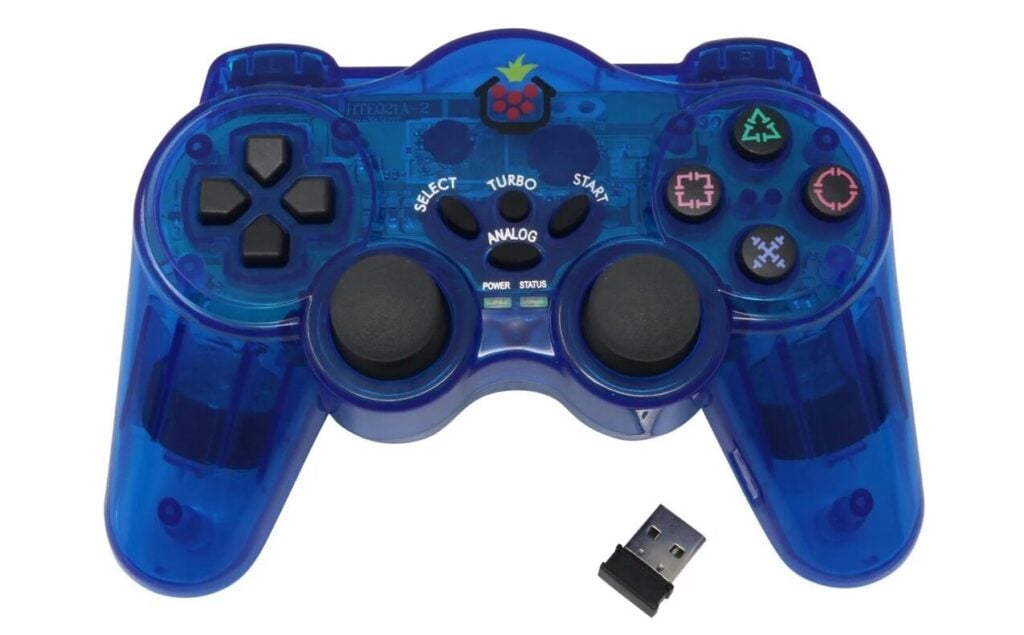
For console gaming, you’ll want a suitable controller, whether it be a gamepad or arcade-style joystick. There are countless options available, in a wide variety of designs, typically based on classic console controllers.
Most of them can be plugged directly into a standard USB-A port. This one, however, is wireless (powered by three AAA batteries). Instead of using Bluetooth like some other gamepads, it has a USB receiver dongle with which it communicates via 2.4GHz wireless — no extra setup required. As with any other controller, you may need to map the buttons in your chosen emulation software.
Resembling a classic PlayStation DualShock gamepad, it features an Analog button to press to enable full analogue thumbstick control (otherwise they just acts as buttons). There’s also a Turbo button for rapid fire — great for shoot-’em-ups. There’s no noticeable wireless lag, either.
Verdict
A good value-for-money wireless controller.
Game 5Pi Retro Gaming Case for Raspberry Pi 5
52Pi / The Pi Hut | £17 / $23
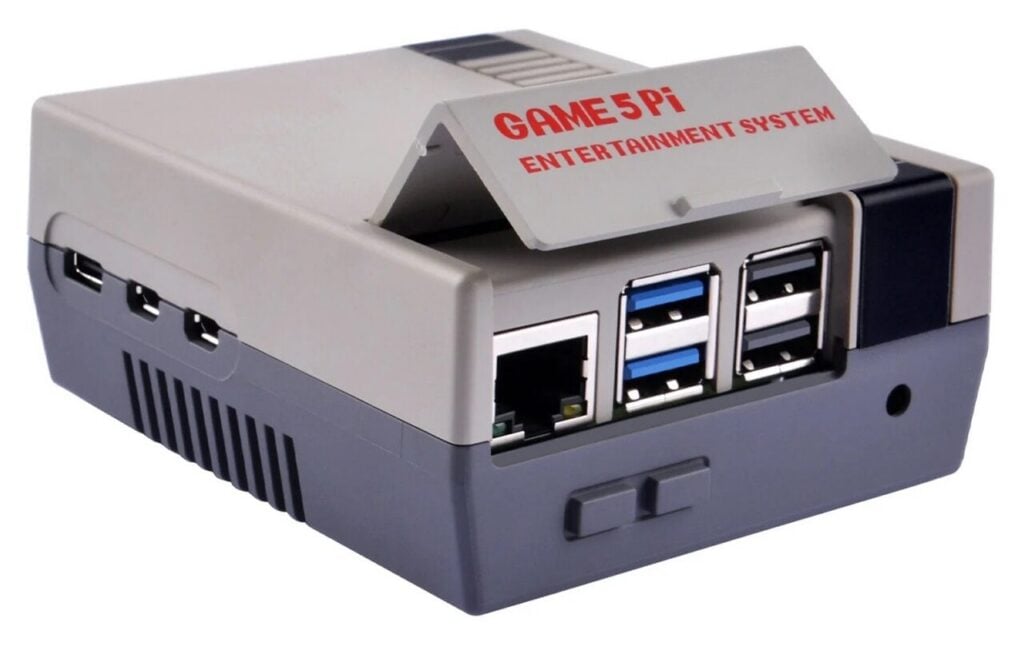
When playing emulated games, you might want to add a vintage-style case to enhance the illusion that you’re back in the eighties, nineties, or whenever. There are many cases resembling classic consoles available, such as the PlayStation, Dreamcast, SNES / Super Nintendo, N64, and Game Boy. This one harks even further back with its boxy NES-like design, albeit a lot smaller than the real thing.
To help prevent your Raspberry Pi 5 overheating, it features excellent cooling with two fans: one mounted on Raspberry Pi with thermal pads, and a second ‘exhaust fan’ blowing air through the vents in the case.
The two-part case is easy to assemble, and there are cutouts for micro HDMI and USB-C power ports, plus a microSD card slot. A hinged flap can be lifted to reveal the USB and Ethernet ports. Unlike some cases we’ve seen, the two buttons on the front are non-functional, but there is a tiny one at the rear to press Raspberry Pi 5’s own power button.
Verdict
As well as looking cool, this classic case has excellent cooling.
Pico VGA Demo Base
Pimoroni | £20 / $22
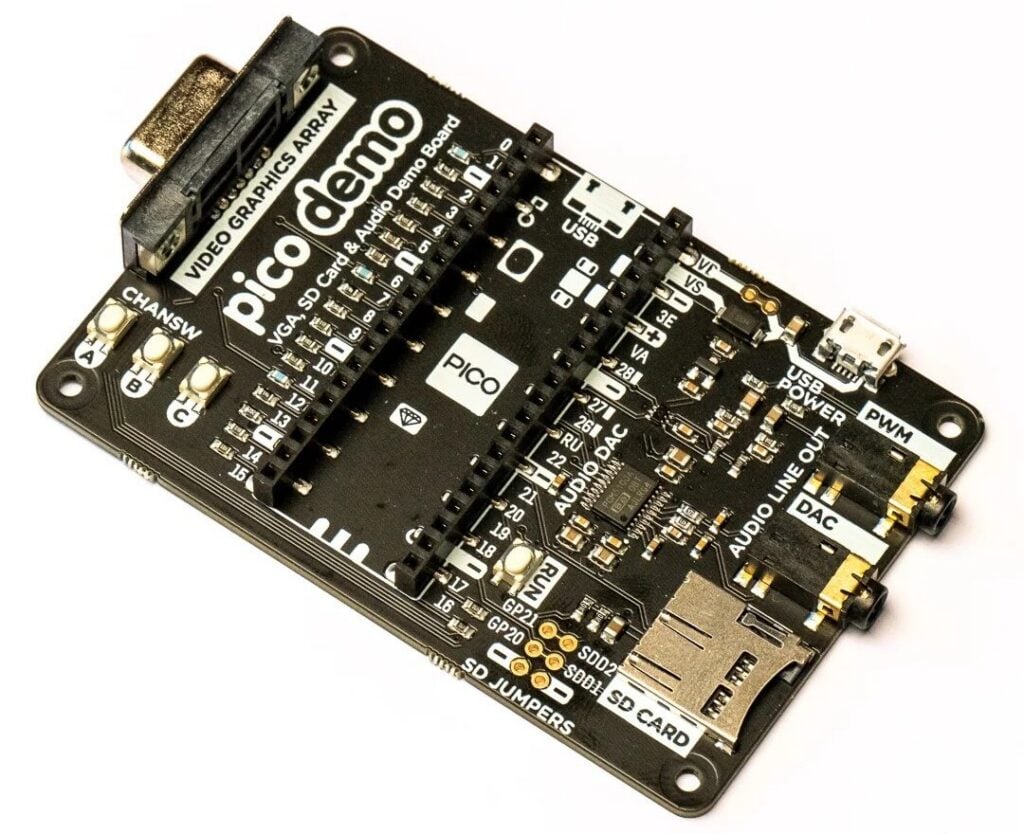
While not as powerful as a full-size Raspberry Pi computer, a Raspberry Pi Pico can emulate many classic 8-bit consoles and computers. The biggest issue is outputting video and audio. You could opt for Pimoroni’s PicoVision, which outputs hi-res video via an HDMI port. The downside is that it won’t run standard Pico-based emulators unless you adapt them to use its hardware.
The Pico VGA Demo Base is a simpler option for Pico-powered emulation on a VGA monitor. Compatible with Raspberry Pi Pico and Pico 2 models, it has its own micro USB power port (freeing up Pico’s own for USB devices), a microSD card slot for storage, and two 3.5mm audio jacks (for DAC and PWM).
You can flash the RP2040 version of the classic Doom, created by Raspberry Pi’s own Graham Sanderson, or use one of the Pico-based system emulators available. Some, like pico-zxspectrum, even have precompiled UF2 files for the VGA Demo Base; others can be compiled with an option to use the board’s pin mapping, etc.
Verdict
An easy way to output VGA video from Raspberry Pi Pico for retro gaming.
8BitDo Retro Mechanical Keyboard
8BitDo / The Pi Hut | £90 / $121
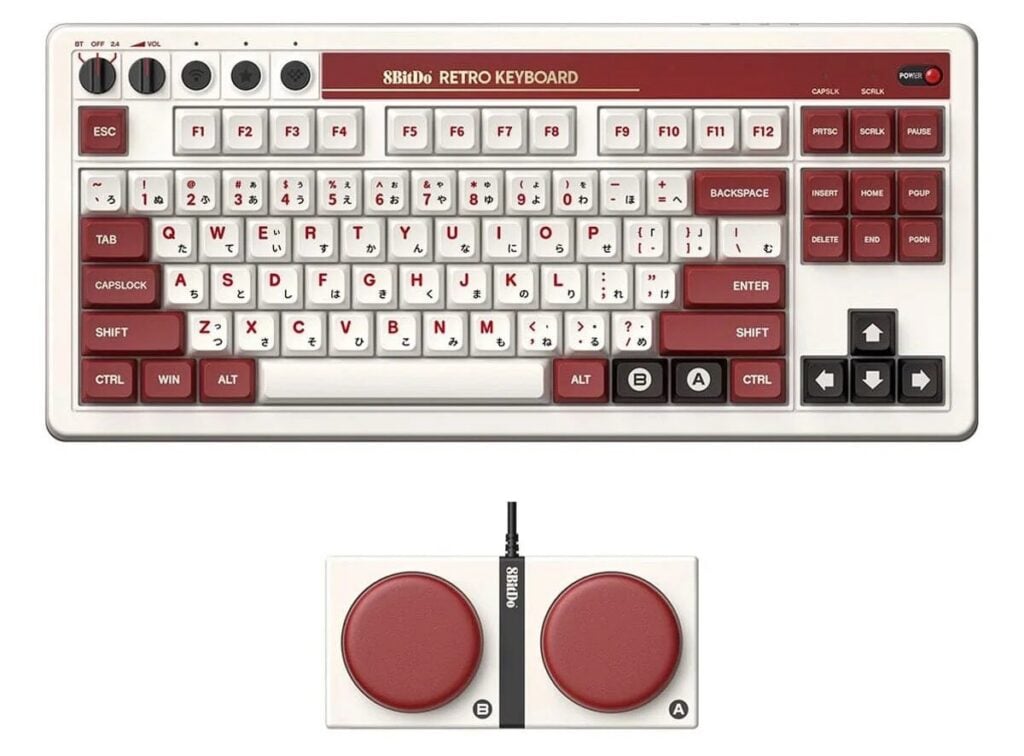
When emulating classic computers, it’s worth connecting a mechanical keyboard with old-fashioned clicky-clack keys. This one features an 87-key layout with Kailh Box White switches V2 for tactile typing. It comes in four retro colour schemes: C64, N, Fami, and M.
Get your copy of The Raspberry Pi Guide to Retro Gaming for £9.99
This book shows you all the tips and tricks you need to start playing all your favourites from yesteryear. Retro gaming enthusiasts love Raspberry Pi for how easy it is to use for their retro games, especially when they can do it all on one device and not need a roomful of consoles and computers like in the 80s and 90s.
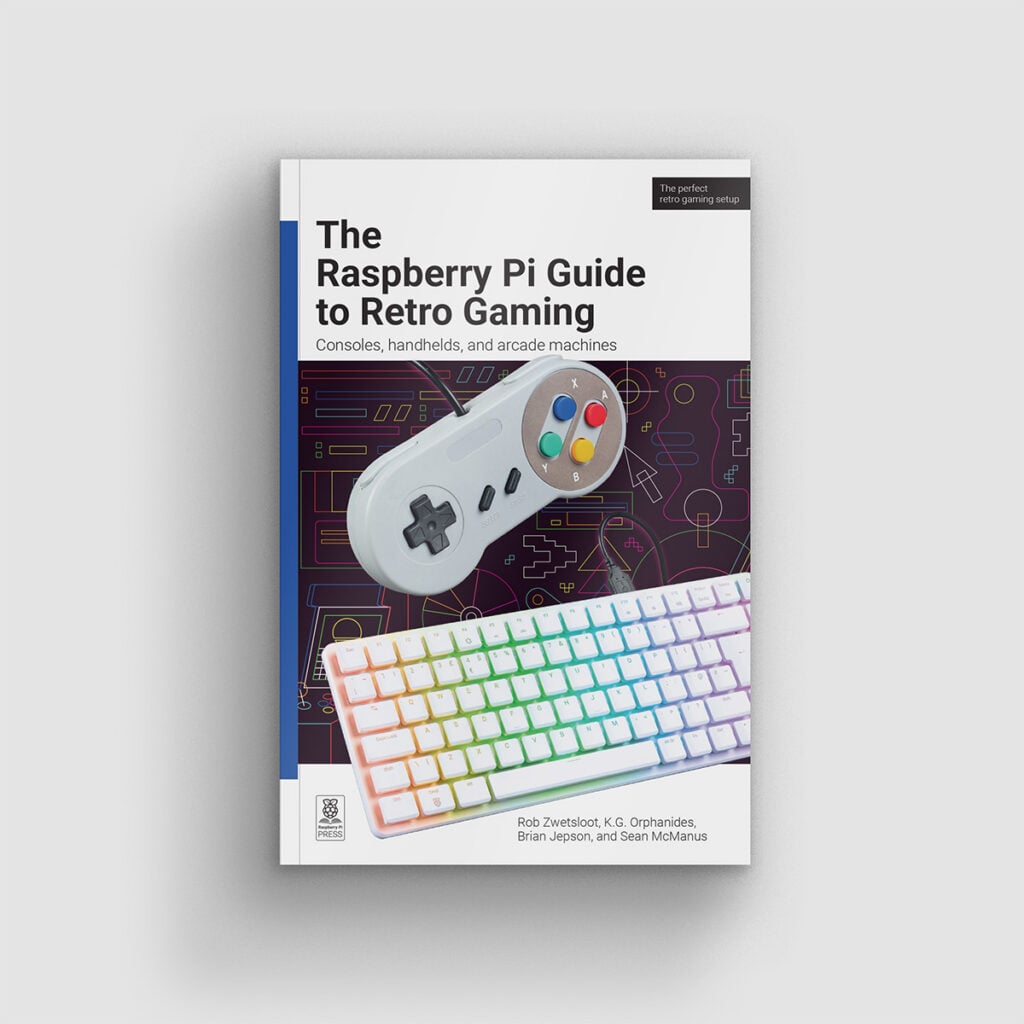
Inside you’ll find information on how to create a simple, quick setup to relive the glory days of gaming, along with more advanced tips on achieving the perfect emulation machine thanks to advanced techniques, hardware upscalers, and dedicated video converters. There’s a lot of devices and extra tips that you’ll find in here, from finding or making the right controller to connecting older peripherals to your Raspberry Pi.
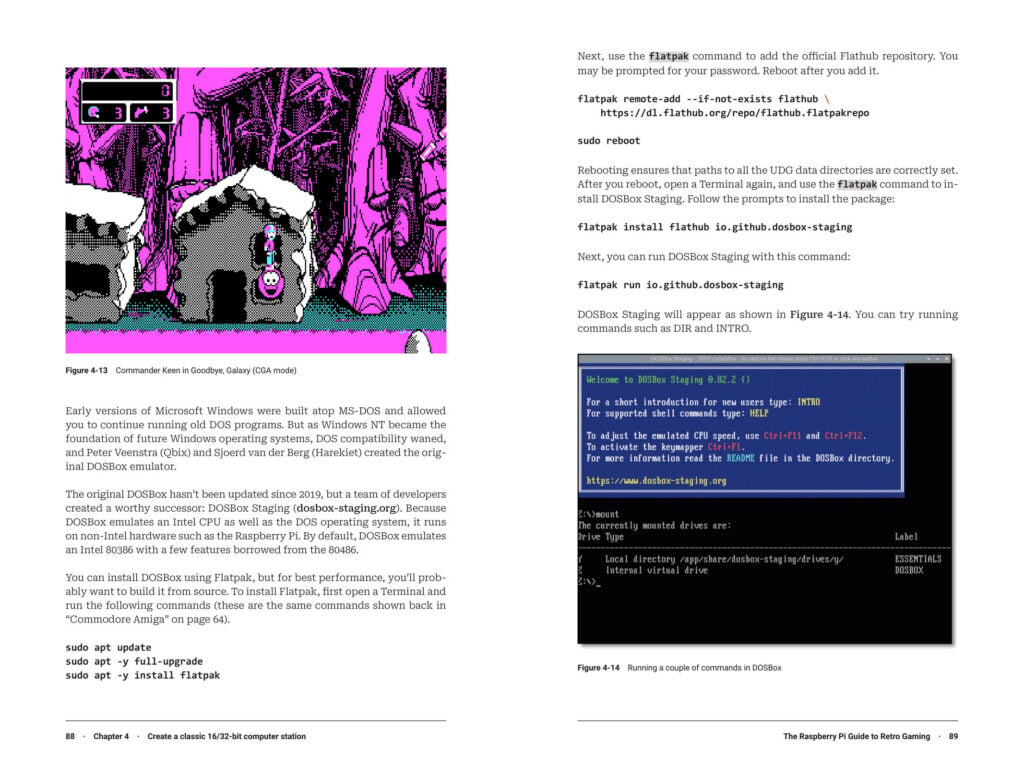
Our step-by-step guides also include how to create a nifty pocket handheld for retro gaming on the go, and a full-size arcade machine to maximise your nostalgia. All this, and we’ll also show you where to find legal ROMs, play your old floppies and CDs, and get games running from online stores.


No comments
Jump to the comment form