From garage tinkerer to professional Maker in Chief, now as a game
You can’t open a news site at the moment without AI being blamed for something — taking jobs, doing pupils’ homework, orchestrating the death of the internet… Some of that is fair, but one thing tends to get lost in the noise, and it’s the thing that got most of us into computing and making in the first place:
You can have fun with this stuff.
So I used it to make a game called Maker Lab. It runs on an iPhone, is free to download on the App Store, and took twelve days during my recent staycation to go from an empty folder to a finished build. I did not write the code by hand; I described what I wanted, played what came back, and said what was wrong. Over and over again, until it was right.
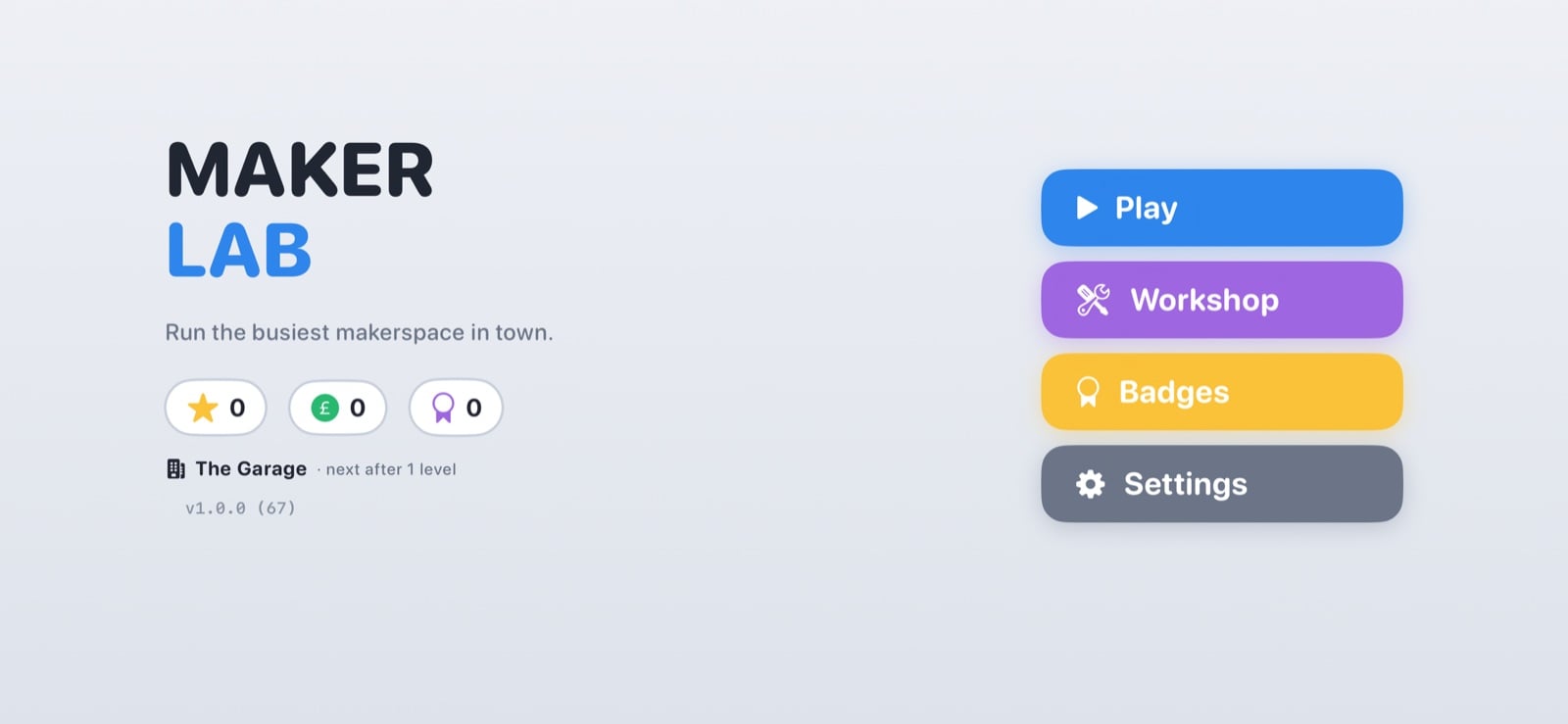
What the game is
If you’ve played Overcooked, you know the shape of it. Except instead of a kitchen, you’re running a makerspace.
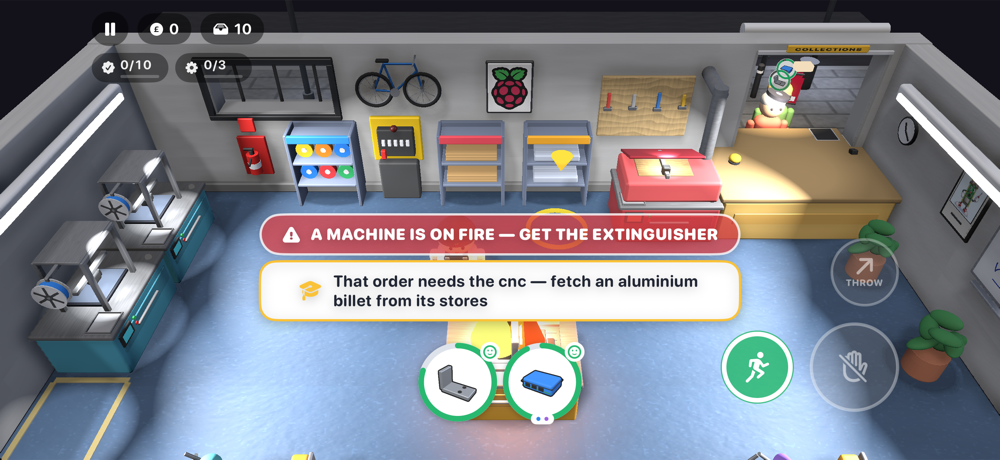
Customers turn up at the hatch wanting things made: a keyring, an engraved coaster, a drone frame. You have 3D printers, a laser cutter, a CNC mill, a couple of hand benches, and exactly one pair of hands. You must fetch stock, load a machine, run off to do something else, come back, collect the part, and get it through the hatch before the customer gives up.
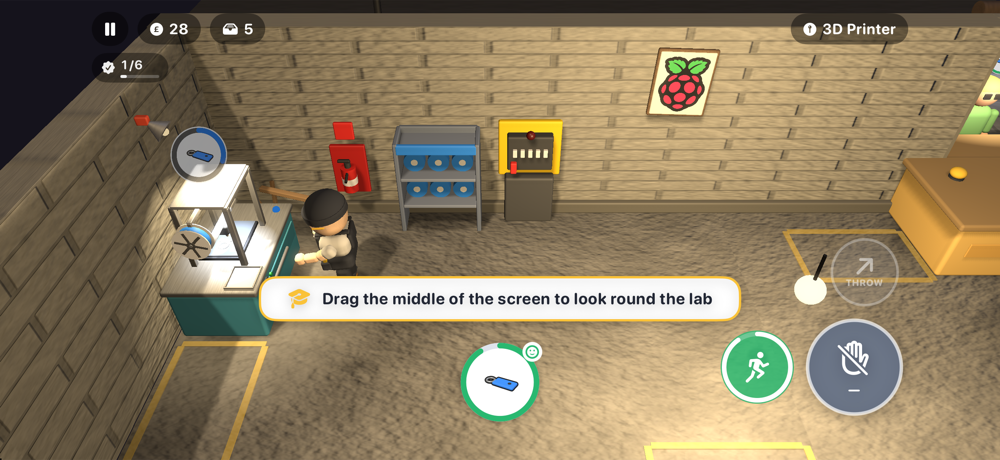
The bit I am proudest of is the room. You start in a lock-up garage with breeze-block walls, an oil stain, and a rusty bike against the wall. With each level you clear, the room gets better. Junk goes out, shelving arrives, and the bike is finally restored and lit as the centrepiece of the studio. Ten levels, ten rooms, and the lab is the reward.
Then things start going wrong. From level five, machines begin to jam, and if you leave a jam too long it catches fire. From level nine, the power starts to trip, but the breaker is in the far corner. The hand benches keep working, though. Your hands never need electricity.
Clear all ten levels, and something changes on the character screen. I’m not telling you what…
How it was built
I have access to Claude Fable, Anthropic’s top-tier model, through work, and I used it as a coding agent in Claude Code. It had the project folder, meaning it could build the app, run the tests, launch it in the iOS Simulator, and look at screenshots of what it had made. I sat next to it like a very opinionated producer.
A few things made it work:
- Describe the game, not the code. The first prompt was a couple of paragraphs. The first commit was a playable level one.
- Play it. Complain. Repeat. Most of the 144 commits came from me playing on my phone and saying things like, “I can’t tell which printer is free”.
- Make it test its own work. There are 416 automated tests. On every run, a bot plays all ten levels with no screen, verifies that each one can be cleared, and checks that three stars stay out of reach on the last three, leaving something for a human to chase.
- Give it a memory. An agent starts every session knowing nothing about yesterday. A short file called
AGENT_CONTEXT.mdholds the decisions, and every session reads it first. This is the difference between having a collaborator and a very clever goldfish.
Even the sound came out of this loop. Every click, bell, and motor hum is synthesised by a Python script, with not one recorded sample. I couldn’t have done that on my own in twelve days.
You do not need the expensive model. You can use a Raspberry Pi.
This is the part I really want to land.
Maker Lab, with its 3D graphics, physics, audio, and test suite, is at the hard end of what these tools do well. But the approach works at every level, including on a Raspberry Pi on your desk.
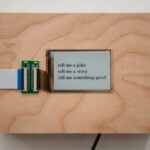
A Raspberry Pi 5 with 8GB or 16GB of RAM will happily run a small open-weight model locally using Ollama or llama.cpp. This is slower than the cloud and nowhere near as clever, but it is also entirely yours. No account, no subscription, nothing to pay per prompt — it even works with the Wi-Fi switched off. That makes it a lovely fit for a classroom, a code club, or a kitchen table.
And it is plenty for small games. Ask it for a Pygame game where a cat catches falling fish, then run it and ask it to make the fish faster every ten points. That is the same describe, play, complain loop I used for Maker Lab, just smaller. Watching a credit-card-sized computer write you a working game while you make a cup of tea is a genuinely joyful thing, and I would recommend it to anyone who has been feeling glum about where all this is going.
And if you want more AI power, Raspberry Pi makes a range of AI HATs to give it. The AI HAT+ takes care of vision tasks like spotting people and objects in a camera feed. The new AI HAT+ 2 is the one for projects like this: its Hailo-10H accelerator brings 40 TOPS of inferencing performance, and with 8GB of its own memory, the AI HAT+ 2 runs small language models, including a coding model called Qwen2.5-Coder, while taking the load off the Raspberry Pi itself.
Why it’s free
Maker Lab is free, with no adverts and no in-app purchases. There’s just one button in the settings that opens my JustGiving page for Alzheimer’s Society.

Games like this ask a lot of your head. You have to hold three orders in mind while crossing the room, planning a route through the machines, and spotting a jam out of the corner of your eye. This requires working memory, planning, and attention — all things dementia takes away from people, and from those who love them. A phone game is not a cure for anything, but if you enjoy it, donating a few pounds to the people trying to understand dementia is a good trade.
This one is personal, too. The game is loosely based on my own story, from tinkering in a garage to becoming Maker in Chief at Raspberry Pi, one cleared-out corner at a time. And my mum has Alzheimer’s. So that little button in the settings means a lot more to me than its size suggests.
Try it yourself
- Start small. One screen, one mechanic, one afternoon.
- Describe the feel you want, not the code you think you need.
- Play it after every change.
- Write down what you learn in a file the agent reads first.
- When it goes wrong — and it will — treat it as a conversation and not a bug report.
Have fun. Build something. Give something back. Three things AI does not tend to get credit for, and three things that are always the point.
Maker Lab is out now: get it for free on the App Store. I would love to hear what you build, on a Raspberry Pi or anything else. Better still, show me at a Maker Faire.
Now, if you will excuse me, level eight still needs play-testing.



12 comments
Jump to the comment form
Anders
I’m impressed that the employer allows the monthly token quota to be used on a personal side of the desk project.
Raspberry Pi Staff Helen Lynn
You learn stuff when you play around, and then you know that stuff whether you’re at work or not :)
Mike
Will this be available on android or linux?
Raspberry Pi Staff Toby Roberts — post author
It’s next on my list! I’ll also release on GitHub. 🫶
nafanz
I haven’t played games in a long time, but I can’t resist free games for Linux – especially open-source ones.
Among recent releases, I was impressed by Dogwalk, a game from Blender Studio.
https://studio.blender.org/projects/dogwalk/
TABITHA ARNOLD
It looks fun.
Lee Willis
Are you able to share how much it cost in tokens to create this? And did you have any development or game development experience before creating this?
Raspberry Pi Staff Toby Roberts — post author
That’s a great question about tokens. I’ll work it out and let you know.
As for game development experience – I have absolutely zero. I think that was part of the fun of it. Starting from scratch is always fun.
Anders
That iterative process is quite token-heavy.
Also there must be a game engine involved.
Raspberry Pi Staff Toby Roberts — post author
Hey Lee,
There was no real direct cost, as I used it through a Claude Team seat at work, which is covered by a flat monthly fee, and I never came close to hitting the limits.
That said, looking back and estimating what it would have cost if I’d paid for it separately, using it sensibly with shorter sessions and a cheaper model for the routine tasks, around *£300 is a realistic real-world figure.
Toby
*£790 raised for charity and a whole lot of fun along the way
Lee Willis
Hi Toby. Thanks for the info and glad you’re raising money for charity with it. Look forward to seeing the code on github.
thagrol
I’m curious though. Who owns the copyright on the AI generated code and are there use/license restrictions or royalties imposed by the AI company?