Raspberry Pi Pico 2 W on sale now at $7
Update: In advance of official MicroPython support for Pico 2 W, you can download our unofficial MicroPython build here; you’ll find the README here.
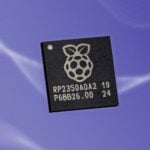
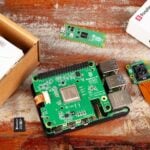
Today our epic autumn of product launches continues with Raspberry Pi Pico 2 W, the wireless-enabled variant of this summer’s Pico 2. Built around our brand new RP2350 microcontroller, featuring the tried and tested wireless modem from the original Pico W, and priced at just $7, it’s the perfect centrepiece for your connected Internet of Things projects.

RP2350: the connoisseur’s microcontroller, redux
When we launched our debut microcontroller, RP2040, way back in 2021, we couldn’t have imagined the incredible range of products that would be built around it, or the uses that the community would put them to. Combining a symmetric pair of fast integer cores; a large, banked, on-chip memory; rich support for high-level languages; and our patented programmable I/O (PIO) subsystem, it quickly became the go-to device for enthusiasts and professional engineers seeking high-performance, deterministic interfacing at a low price point.

RP2350 builds on this legacy, offering faster cores, more memory, floating point support, on-chip OTP, optimised power consumption, and a rich security model built around Arm’s TrustZone for Cortex-M. It debuted in August on Pico 2, on the DEF CON 32 badge (designed by our friends at Entropic Engineering, with firmware and a gonzo sidewalk badge presentation by the redoubtable Dmitry Grinberg), and on a wide variety of development boards and other products from our early-access partners.
Wireless things
Many of the projects and products that people build on top of our platforms — whether that’s our Linux-capable Raspberry Pi computers, our microcontroller boards, or our silicon products — answer to the general description “Internet of Things”. They combine local compute, storage, and interfacing to the real world with connectivity back to the cloud.
Raspberry Pi Pico 2 W brings all the power of RP2350 to these IoT projects. The on-board CYW43439 modem from our friends at Infineon provides 2.4GHz 802.11n wireless LAN and Bluetooth 5.2 connectivity, and is supported by C and MicroPython libraries. Enthusiasts benefit from the breadboard-friendly Pico form factor, while our upcoming RM2 radio module (already in use on Pimoroni’s Pico Plus 2 W) provides a route to scale for professional products which have been prototyped on the platform.

More to come
We’re very pleased with how Pico 2 W has turned out. And, where the Pico 1 series ended with Pico W, we have a few more ideas in mind for the Pico 2 series. Keep an eye out for more news in early 2025.


47 comments
rpiMike
Great work, can’t wait to get one of these.
Shifty
Been waiting for this – thank you!
Peter Gallagher
Awesome work folks! Looking forward to having a play with this one…
NeoStormer
The Pico 2 W looks like a fantastic addition to the Raspberry Pi family, with the upgraded RP2350 and integrated wireless features making it a powerful option for IoT projects. At just $7, it’s an incredible value for hobbyists and professionals alike. Can’t wait to see the creative projects the community comes up with using this board! Great job, Raspberry Pi team!
fanoush
> we have a few more ideas in mind for the Pico 2 series
USB-C
Helen McCall
Dear James,
My guess, seeing the power supply advances the have made on the RPi5, is that they will probably launch a version with onboard battery management of some sort.
Szaja
I would rather expect a huge step back to the times of 8-bit computers. All the way to BASIC. Something similar to PicoMite VGA.
Stier Karmer
Why do you always give the price in Dollars? You’re a British company.
James Hughes
We have always given dollar prices. Couple of main reasons – all components are purchased in dollars, so it makes it easier in that respect (not so susceptible to vagaries in the exchange rate), second is that the US dollar is a worldwide standard, so for the buyer it easier to do all the currency conversions and comparisons.
Helen McCall
Dear Stier Karmer.
I am sure that, as our revered Mime Prinister, you will appreciate the joy of finding the price displayed at UK outlets in Pounds Sterling has a lower figure than the advertised price in Dollars!
Helen McCall
Thank you Eben Upton (and team),
This is just what I’ve been waiting for to build some nice little bluetooth peripheral projects for my RPi5 workstation.
Helen McCall
Dear Eben Upton,
Knowing that the Hazard3 cores don’t utilise the FPU, do the Hazard3 cores utilise the functions of the RM2?
Cory
When is the headers version coming?
GP
Does this incorporate fixes for the pulldown issues on the first batch of 2350s?
Vimes
Wishlist time:
This goes for raspberry pi too – It would be nice to have the ability to use an external wifi antenna. Then I can put the picoW or piW in a metal tin to min. RF interference. (Amateur radio use – I have had interference with Pi2 or Pi3B (I forget which) ethernet when used for FT8. I currently use Pi5 and wifi. But I want a quieter RF environment – less QRM the better.)
Another thought: A new Pi3B or Pi4 with pcie – I like SSD – I keep filling the filesystem on SD cards. Why Pi3 and Pi4, you may ask? Coz they have lower power requirements – better for battery use.
Helen McCall
Dear Vimes,
If a 4B varient was produced which had a pcie bus for an m2 nvme, it would have a substantially higher power requirement! However you can boot from USB with both the 3B+ and the 4B, and so you could use a SATA to USB cable to boot from a WD Green SATA SSD like I have been doing for a few years for my 4B workstation. The WD Green has very low ower requirements, and two of them work fine on the 4B.
James Hughes
Putting an aerial connector on breaks any sort of Wifi compliance testing as we cannot predict what aerial is used. Since we have to have compliance to sell worldwide, this makes putting an aerial connector on a no-go for the general market.
Vimes
How did you manage it with this?
https://www.raspberrypi.com/products/compute-module-4-antenna-kit/
MW
Please read the specs before posting:
“”This Antenna Kit is certified for use with the Raspberry Pi Compute Module 4.
If a different antenna is used, then separate certification will be required, and this must be arranged by the end-product design engineer”
Luc
No MicroPython for the Pi2 W ????
Keith
The post includes a link to buy “ Get Started with MicroPython on Raspberry Pi Pico 2nd Edition” which includes the Raspberry Pi Pico 2 W
Luc
Yes that is correct. However there is no download for MicroPython on the MicroPython website…… Yes for the Pico2 not for the Pico2W
ardencaple
I’m sure it will be available as a preview build shortly. IF you can’t wait, then it’s not actually that difficult to download the micropython repository and define a new board. I did this for the Wiznet W5500-EVB-Pico2 and it seemed to work fine.
ardencaple
Just to report that the VS Code C++ extension seems to work fine with the Pico 2 W. It synced with the latest version of the SDK, and showed the `Pico 2W` as an available board type. The `picow_blinky` example compiled and ran OK in both RP2350 and RISCV modes.
ardencaple
There seems to be a (very) early version of circuitpython available., which seems to load and run OK. See https://circuitpython.org/board/unknown/?unknown_id=raspberry_pi_pico2_w
chipdepot
I’ve been waiting for the Pico 2 W for a long time! Thank you.
You’re doing great work.
Luc
I second this !!!
Mourad
Any chance we’ll see a Pico 2 with 802.15.4/Thread + BLE capability?
ardencaple
I doubt it – Raspberry Pi are very careful to only develop products that address the maximum number of users; this is what keeps the costs to a minimum. Maybe a good way to support that would be via thos wizards at pimoroni – on one of their SP/CE modules?
If you really need Thread/Zigbee/Matter now then you could try one of these: https://thepihut.com/products/seeed-xiao-esp32c6
But I suspect you would be on your own as far as software support is concerned – that’s what makes the difference with RPi. Personally I too would like to see a solution to address the ‘Home Assistant’ market – a pico based dongle/bridge sounds like a good idea.
Mourad
Yes, I’ve been tinkering with the Nordic nRF52840, but I was hoping for something with better toolchain/ecosystem support. Haven’t tried the ESP32C6 yet, which looks nice too specs-wise.
But yeah, as a tinkerer I was really hoping for a platform with thread and some well-integrated, accessible, open source software stack.
pjaro77
As for not supporting of protocols 802.15.4 , in my opinion the designers made a mistake. There are many people who like the Rpi pico ecosystem like the expansion boards etc. and want to build their own mesh protocol devices. These IoT protocols are much better in small scale mesh networks in terms of power consumtion than any wifi. Mesh network IoT devices are one of typical use case for pico MCU.
rclark
Just ordered up 4 of ’em. Just like potato chips, one is never enough… Now to find projects that are worthy of the Pico 2 boards :) .
Thanks for making this new option for Pico 2s.
Peng Cheng
Does it have OTA upgrade / direct memory write capability? (like ESP32)
Goodwill
We desperately need ability to connect external antenna to make it even more useful- in many scenarios the unit itself needs to be protected inside device but we need ability to receive wireless signal still.
MatSOBDev
You might use Pimoroni RM2 module as a some sort of an external antenna. I’d like to know, which one is better: W or RM2.
Mark Tomlin
Getting probe-rs support for the RP235X family of chips is a must. This looks great, and using the RP2040 has been wonderful with rust; But with the RP2350 using a newer debug infrastructure has tripped up the probe-rs project. It’s very complex to implement. I really hope the Raspberry Pi foundation will put some support behind that project as it would unlock a lot of potential for the rust community.
omid
very glad !
Gene
I’ll wait for a type-c connector
Helen McCall
Little USB adapters are very cheap and easy to find.
SteveK
Will the Pico 2W, with its new security capabilities, enable it to run a website that uses SSL, i.e. https://, when using Micropython?
ardencaple
That shouldn’t actually be an issue; AFAIK the `request` library for micropython should already be able to connect via SSL/TLS. This capability is entirely implemented by the software running on the device (but see below), it doesn’t need hardware support.
The new security features are intended to provide security for the firmware flashed onto the device; in other words the prevention of hacks on the device. For example if the device is used to access secure data on a server, BUT the firmware itself is not secure, then it might be possible to extract the data by hacking into the device. This is the sort of scenario that is addressed by the new security features.
SteveK
Couple of questions about the editions of “Get Started with MicroPython on Raspberry Pi Pico”.
The hover over the Bookshelf version of the book states “A newer edition of this book is available”. Will newer versions not be available via the Bookshelf?
When you follow the Website link from the Bookshelf you can find the Edition 2 of the book, but the info about it only refers to RP2040, Pico and Pico W and does not provide a date that the edition was published. Is Edition 2 the latest version? Does it cover Pico 2W and its new security features? Being able to view and read the books via the Bookshelf is very useful, especially when newer versions of Pi technology are released, as you do not want to buy an out date print edition of a book when the publishing cycle is out of sync with the board release schedule. Greater clarity on the Pi Press site would help, or, even better, go back to allowing people using Pi OS to access all editions via the Bookshelf.
Yaakov L Bright
Where can I buy this (USA) for this price?
pjaro77
For example Infineon company produce AIROC CYW30739 modem for 802.15.4 and BLE.
https://audioxpress.com/news/infineon-expands-support-to-matter-smart-home-designs-with-new-airoc-bluetooth-le-and-802-15-4-low-power-soc-solution
Vasilis Vorrias
First of all thanks for the new design but…
I said that for the plain Pico 2 as well but got a silly reply. Why on earth Raspberry organization still use micro USB?
Is that because being British is not a member of the EU any more?
Don’t you know the EU rules about the “MUST HAVE” USB type C? for products inside EU?
There is a reason for that you know.
Regards
Matthew
Will we ever recieve a “Pico PRO” version with ability for external u.fl antenna connector for WiFi, RESET button, and USB-C? Those are pennies, but would improve usability of Pico drastically, as onboard antenna is poor compared to external one. Otherwise this will always be a less usable sibling to ESP32.
Joseph K
Why do you not solder the pins on the board?
Comments are closed