Raspberry Pi badgeware
With a summer of events ahead of us, we’re sharing Phil King’s review of Pimoroni‘s new range of wearable devices — because the maker community is never content with a Sharpie and a sticker for a name badge. Happy Maker Monday!
Pimoroni’s new range of RP2350-based badgeware (priced from £50/$55, lanyard included) offers a major upgrade over the originals. There are three models to choose from: the Badger (with an e-ink screen), Tufty (with a colour LCD screen), and Blinky (with an LED matrix). The first two follow on from their RP2040-powered predecessors, while the Blinky is an interesting new addition to the line.
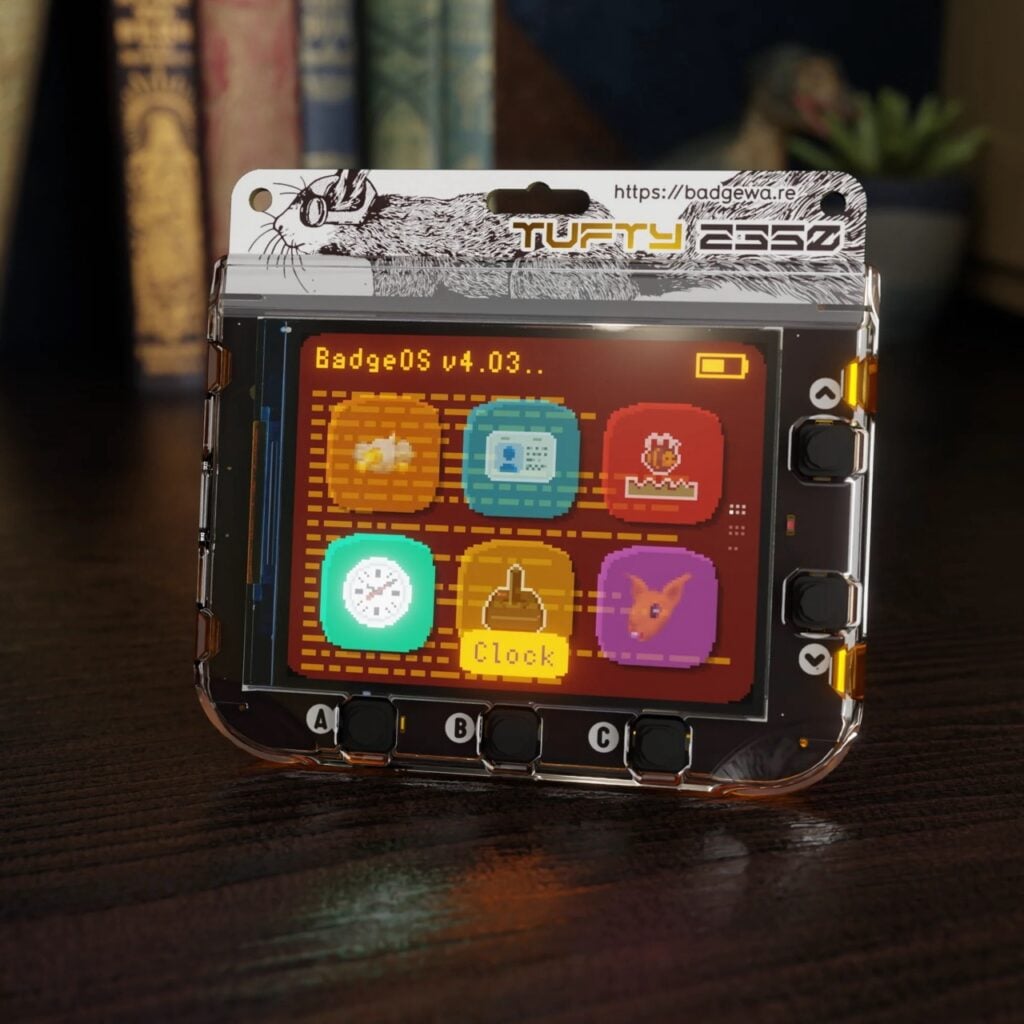
One of the first things you’ll notice is that these badges are taller than the earlier versions, accommodating larger displays (whose exact size varies slightly between models). The five user buttons are positioned similarly along the bottom and right-hand edges, but are bigger and chunkier than before, making them easier and more comfortable to press.
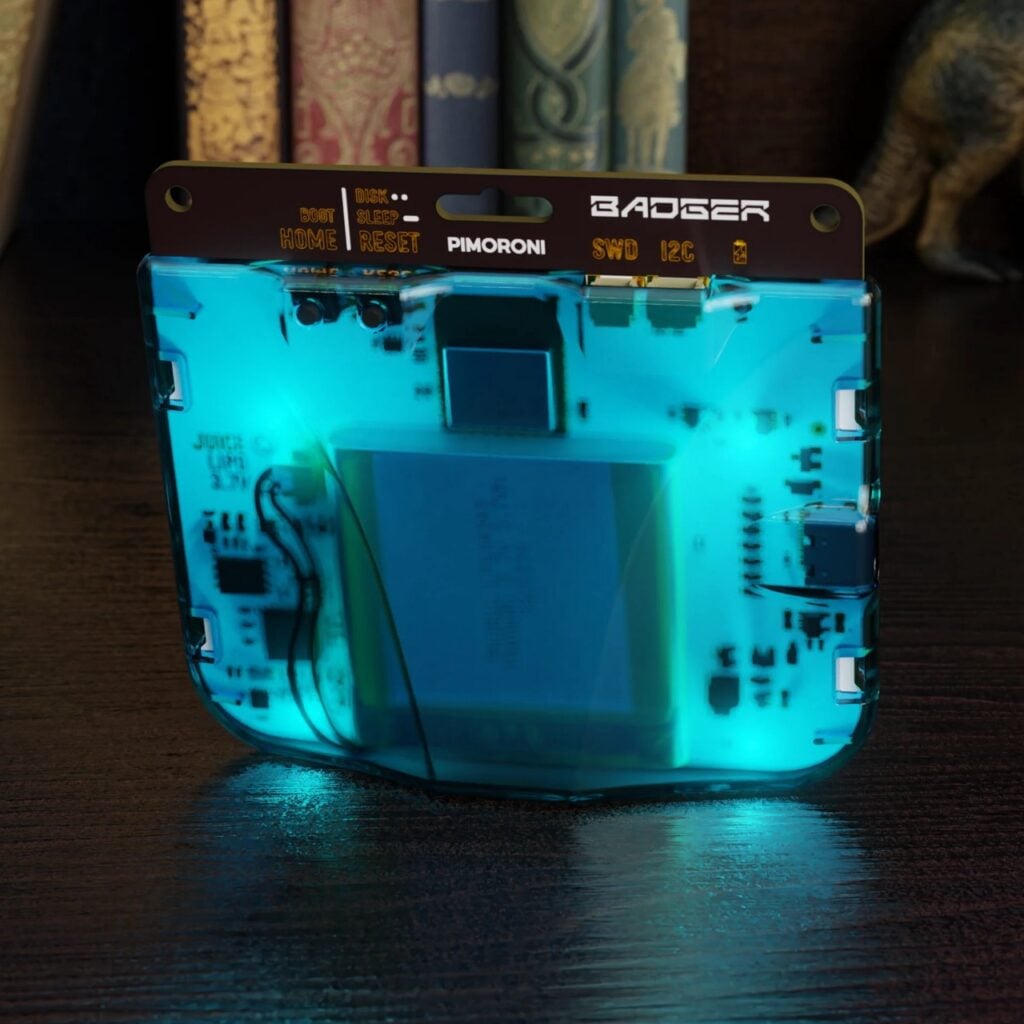
The badgeware devices feature a slick and sturdy design with an integral translucent, ‘jewel-coloured’ polycarbonate case clipped to the rear — they even have four white LEDs to light the cases up. Inside, there’s a 1000mAh LiPo battery that’s easily recharged via a USB-C port, which is also used to connect the badge to a computer for programming.
Also on the rear, alongside tiny Home/Boot and Reset/Sleep buttons, you’ll find a Serial Wire Debug (SWD) port and an I2C port for connecting Qwiic/STEMMA QT breakouts or the optional STEM Kit, which features a mini joypad, a multi-sensor stick, and two JST-SH cables.
Take your pick
Of the three models, Tufty catches the eye first with its vibrant colour LCD screen, measuring 2.8 inches with a resolution of 320 × 240 pixels. As with the other two badges, powering Tufty up reveals a launcher menu of apps that you can navigate using the user buttons. Along with mass storage mode, there are 13 pre-installed examples (all written in MicroPython) to play with, including a few simple games, a clock, a Pomodoro timer, ‘Sketchy Sketch’ drawing, impressive graphical demos, and (naturally) an ID badge.
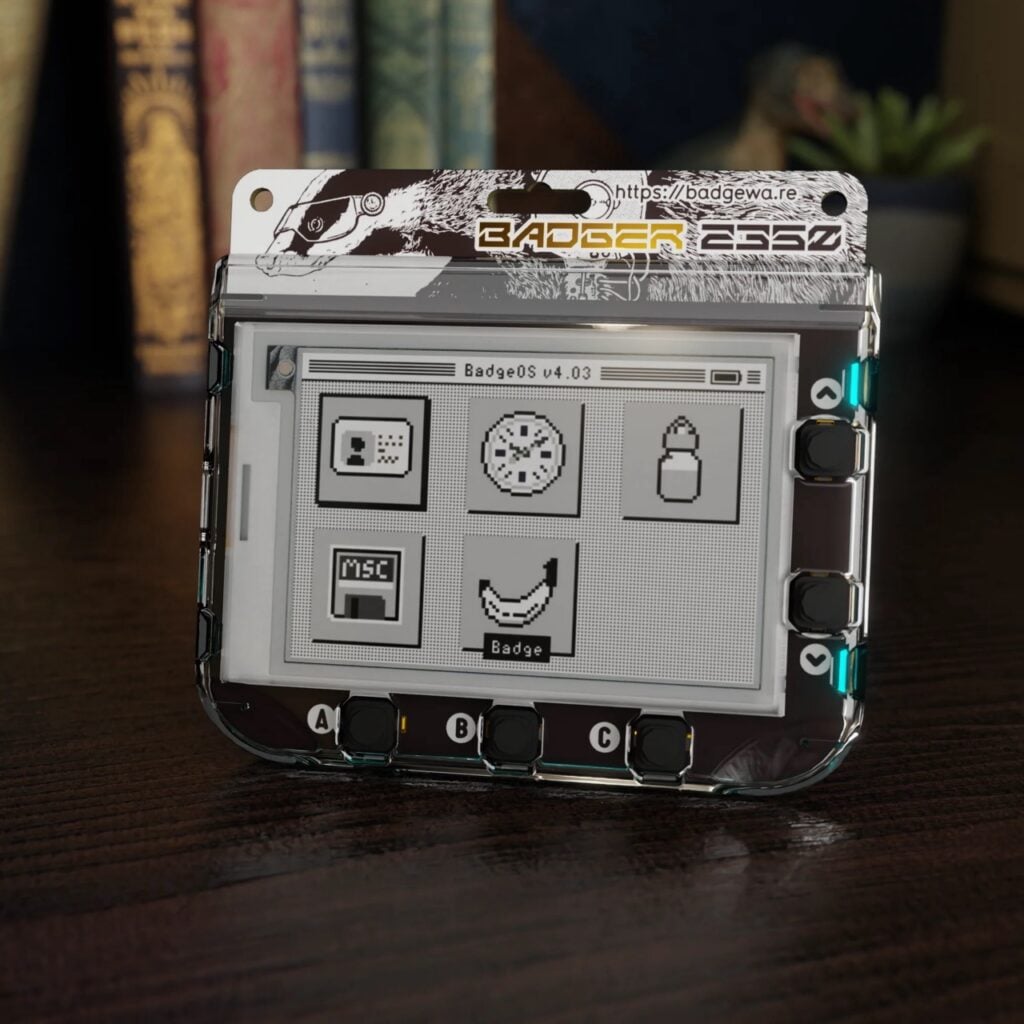
The Badger model features a 2.7-inch (264 × 176 pixel) monochrome e-ink display, which should prove much easier on the battery, although it takes about a second per screen refresh. There are only four pre-installed apps: the ID badge, a clock, a hydration meter, and a fun 3D mini adventure called The Compendium.
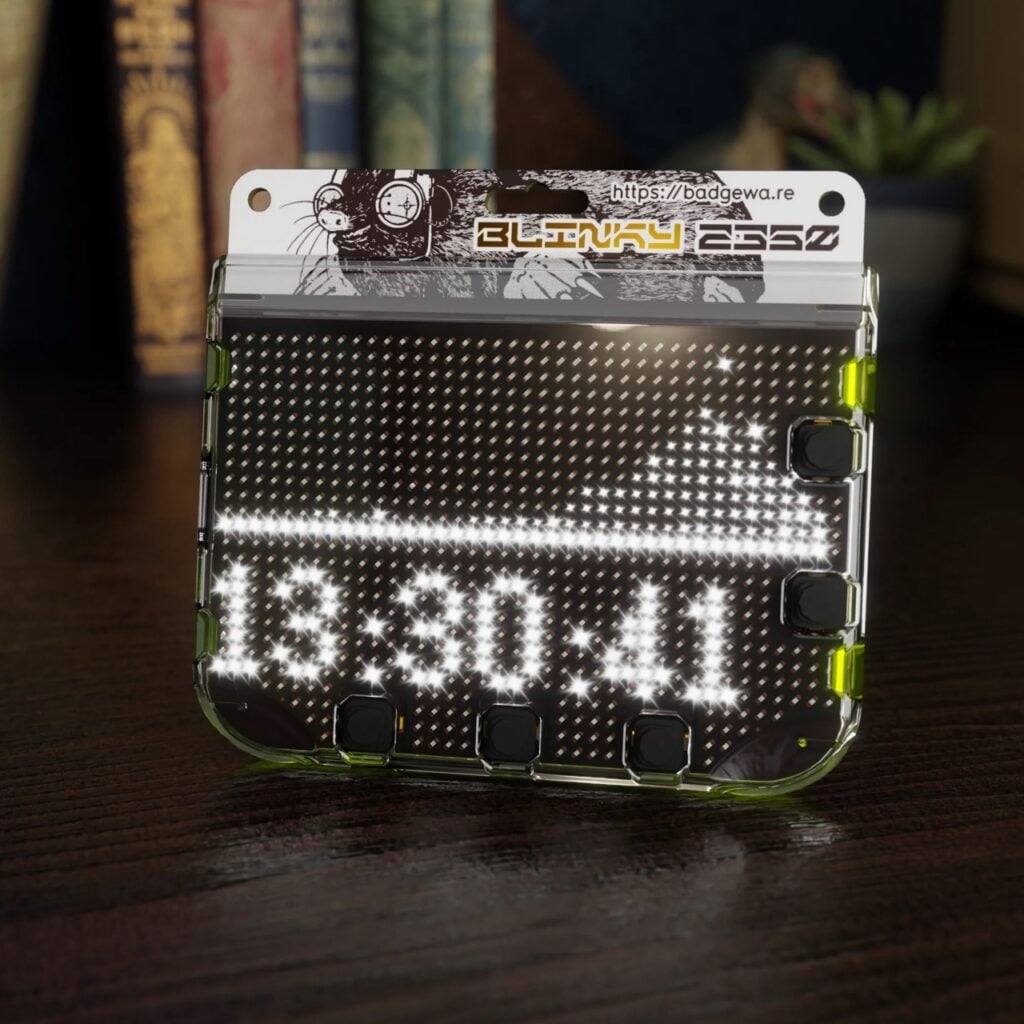
Blinky features a bright white LED matrix (872 pixels) that extends around the user buttons. Its pre-installed apps include an ID badge (in the form of scrolling text in a choice of fonts), a clock, graphical demos, a snake game, and a 3D game (as on Tufty) where you steer a spacecraft through gaps in walls.
Make it your own
When a USB cable is inserted into the badge’s USB-C port, there are two ways to connect it to a computer. If you want to reflash the MicroPython firmware (a special Pimoroni flavour), holding the Home/Boot button and tapping Reset puts the badge into mass storage mode. Otherwise, tapping just Reset twice opens a folder with the device name on the computer desktop, allowing you to view the file system and apps. This enables you to alter the secrets.py file to connect to your wireless network, as well as add your own (50 × 50 PNG) avatar and social media details for the ID badge app.
By opening an IDE such as Thonny, you can program the device in MicroPython, just as you would a standard Raspberry Pi Pico. You can adapt an existing app or create a new one from scratch using the comprehensive API, which includes functions for images, text, shapes, vectors, fonts, algorithms, and more — see badgewa.re/docs for detailed documentation.
Whichever model you choose, it’s a sturdy smart badge featuring a powerful RP2350 microcontroller, a built-in battery, wireless connectivity, and an excellent API for coding custom apps.
Specs
Display: 2.7-inch, 264 × 176 pixel e-ink (Badger); 2.8-inch, 320 × 240 pixel colour IPS LCD (Tufty); 39 × 26 pixel (minus islands) white LED matrix (Blinky)
Features: RP2350A microcontroller, 16MB QSPI flash storage, 8MB PSRAM, 802.11 b/g/n wireless LAN, Bluetooth, 5× user buttons, Home/Boot and Reset/Sleep buttons, polycarbonate case with LED lighting
Power: 1000mAh LiPo, rechargeable via USB-C port
Dimensions: 84 × 76 × 20mm
Issue 164 of Raspberry Pi Official Magazine is out now!
If you liked this product review, there are many more like it in the latest issue of Raspberry Pi Official Magazine. You can purchase a copy from the Raspberry Pi Store in Cambridge. It’s also available from our online store, which ships around the world. And you can get a digital version via our app on Android or iOS.
You can also subscribe to the print version of our magazine. Not only do we deliver worldwide, but those who sign up for a six- or twelve-month print subscription will receive a FREE Raspberry Pi Pico 2 W!

6 comments
Jump to the comment form
ukscone
I’ve been drooling over them for ages but with everything going on with international postage to/from the US these days they end up being very pricey. Hopefully they’ll end up at Microcenter, Digikey or Adafruit soon as I need at least a brace of both
Jon (Pimoroni)
They are on their way to both Adafruit and Microcenter – so hopefully you will have local access soon. :-)
ukscone
Great
Berte
I ordered a Badger 2040 years ago directly from Pimoroni, and it works quite well. Using a combo of touchscreen and mouse, I was able to draw myself different sets of monochrome images to display on the e-ink screen. You do have to make sure that the resulting PNG is indeed 1-bit color, though, or else the firmware will add dithering to the image, regardless of whether you want it or not.
If you get a Badger 2350/2040 or any other badge, though, please remember: even if you feel you can’t draw, or aren’t too handy with a graphics app like Krita —
anything you make yourself will still be far, FAR better than prompting a machine image generator to make you something.
Practice drawing, use a photo you’ve taken, or even commission an actual artist — but don’t feed the slop machines, whether through your paid tokens and/or your visits that provide sellable data to these big analytics firms, which then allow these firms to further grow, crowding you and your communities out of access from resources you directly or indirectly use.
Anything you make yourself, for purposes of displaying on one of these badges, will be far far, better.
Akkie
I’d love to buy Pimoroni’s new Badgeware and have a go with it.
Unfortunately, however, the RM2 has not yet obtained radio certification in Japan and cannot be used legally.
ukscone
That’s a shame. Guess we need to start nagging Eben and the engineers to get to it asap :)