PeggyBoard: LED climbing wall route planner | The MagPi #139
Climbing walls are already pretty exhilarating but that didn’t stop one maker from upgrading his with a Raspberry Pi. In the latest issue of The MagPi, out now, Rob Zwetsloot gets to grips with it.
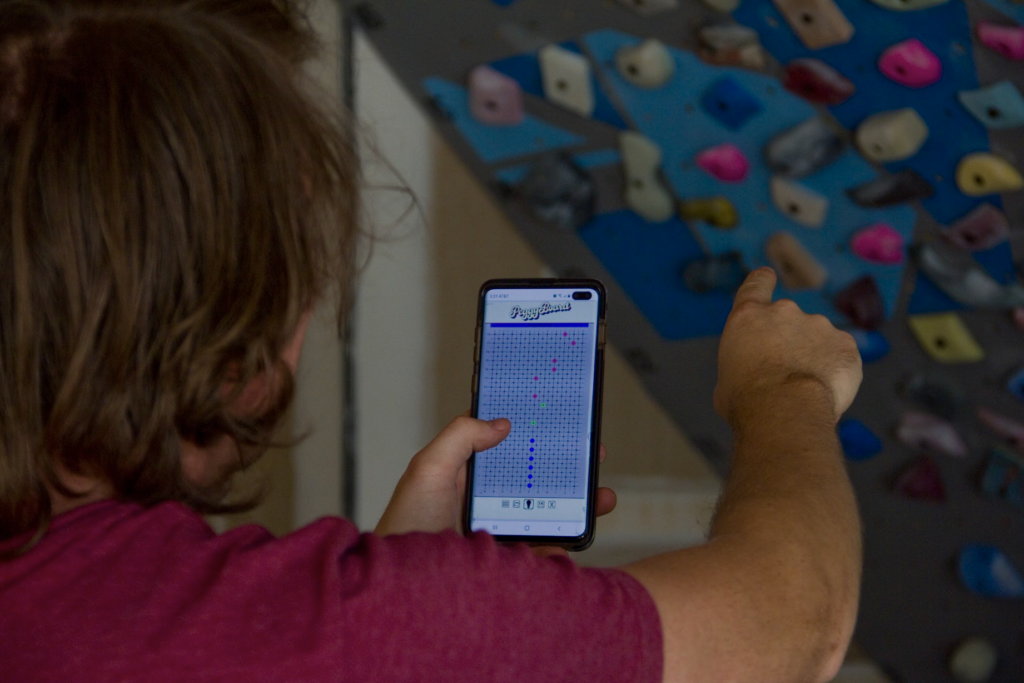
During the various lockdowns at the start of COVID, people picked up various hobbies. Baking sourdough bread, setting up a new island in Animal Crossing, and getting some home exercise. Instead of deadlifts and HIIT, however, one maker helped a friend out with a special piece of equipment.
“[It’s] called the PeggyBoard,” Pegor Karoglanian tells us about his creation. “It’s an interactive climbing wall powered by a Raspberry Pi that allows the user to set specified routes using a web app which also allows them to save routes or load old ones. It was originally developed when the COVID-19 pandemic first started and the local climbing gym had to shut its doors to follow quarantine protocols. My friend Liam reached out to me and wanted to make a woody [a climbing wall used for training] and asked if I could design something to make it interactive.”
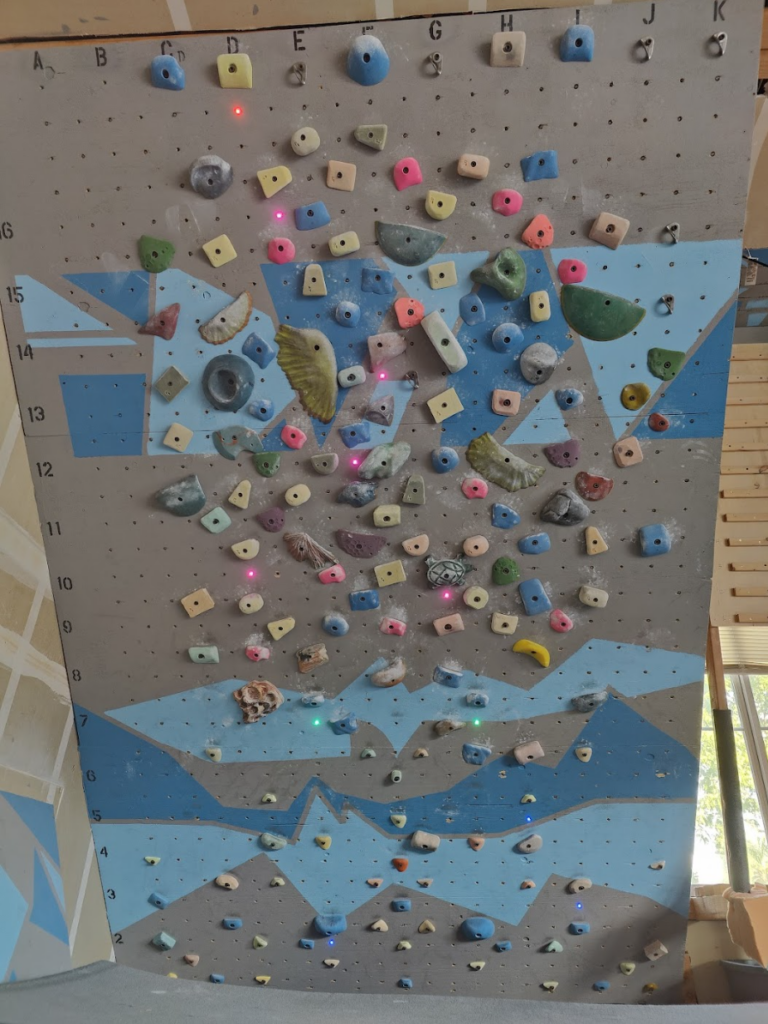
This is not a new idea – in fact Pegor mentions a pre-existing product called MoonBoard which he drew inspiration from – however making it becomes part of the fun. Also, it’s significantly cheaper too.
LED walls
Building a high-tech climbing wall might seem daunting, but breaking it down into three parts makes it seem a little less intimidating.
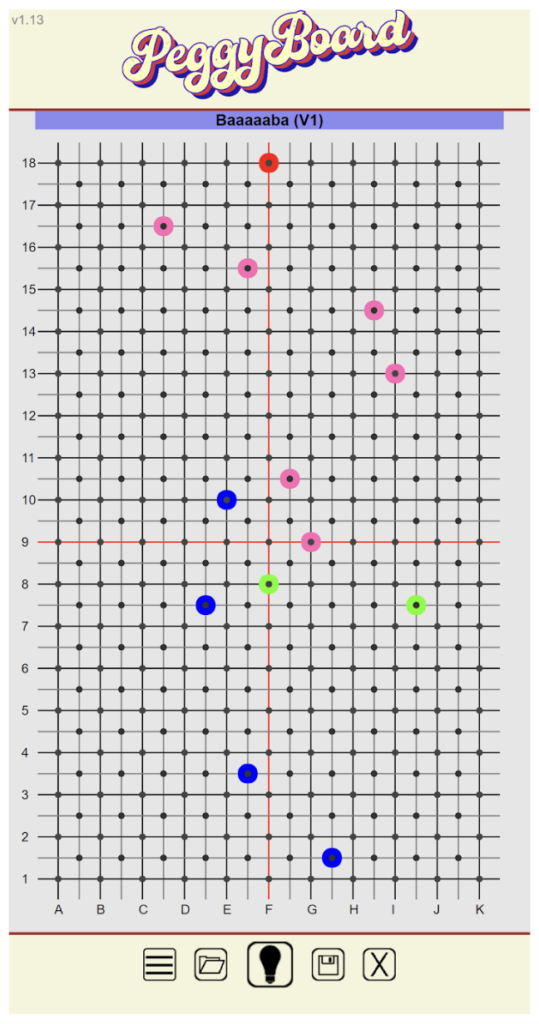
“The first being the building of the physical climbing wall which involved some framing and reinforcing the garage roof,” explains Pegor. “The second was putting together the control panel which housed the Raspberry Pi, touchscreen, power supply, and level shifter. The last part was writing the code to make the whole thing interactive and functional. It’s mostly written in JavaScript, PHP, shell scripts, HTML, CSS, and Python.”
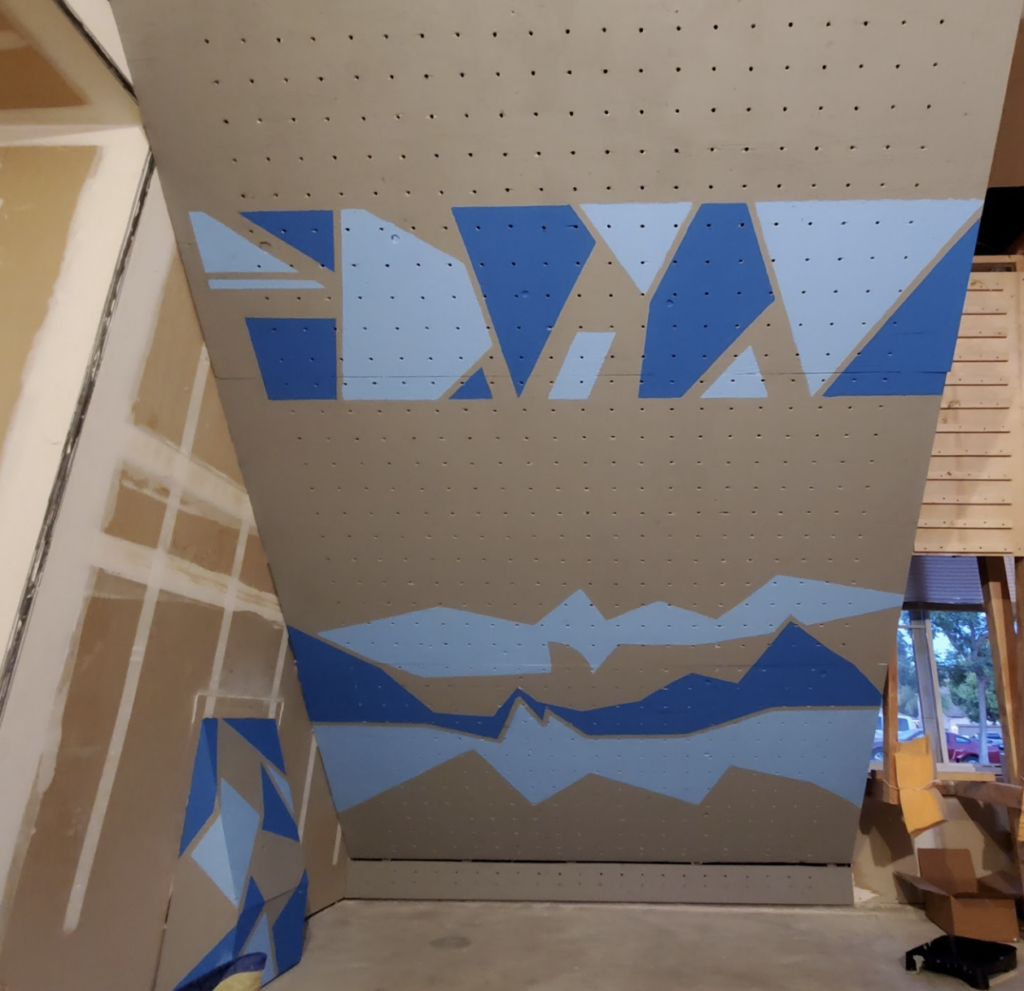
Reinforcing a roof still seems like a bit of a tricky process, but he makes it sound simple when it’s broken down that way. It seems to have done the trick though.
“It works great,” Pegor says. “The LEDs all light up properly, the web app is easy to use – outside of the occasional fat finger on the wrong hold – and the database is very useful to go back to saved climbs. The only issue we ran into was the occasional Wi-Fi connection drop, but that was due to router issues and the distance of the control panel.”
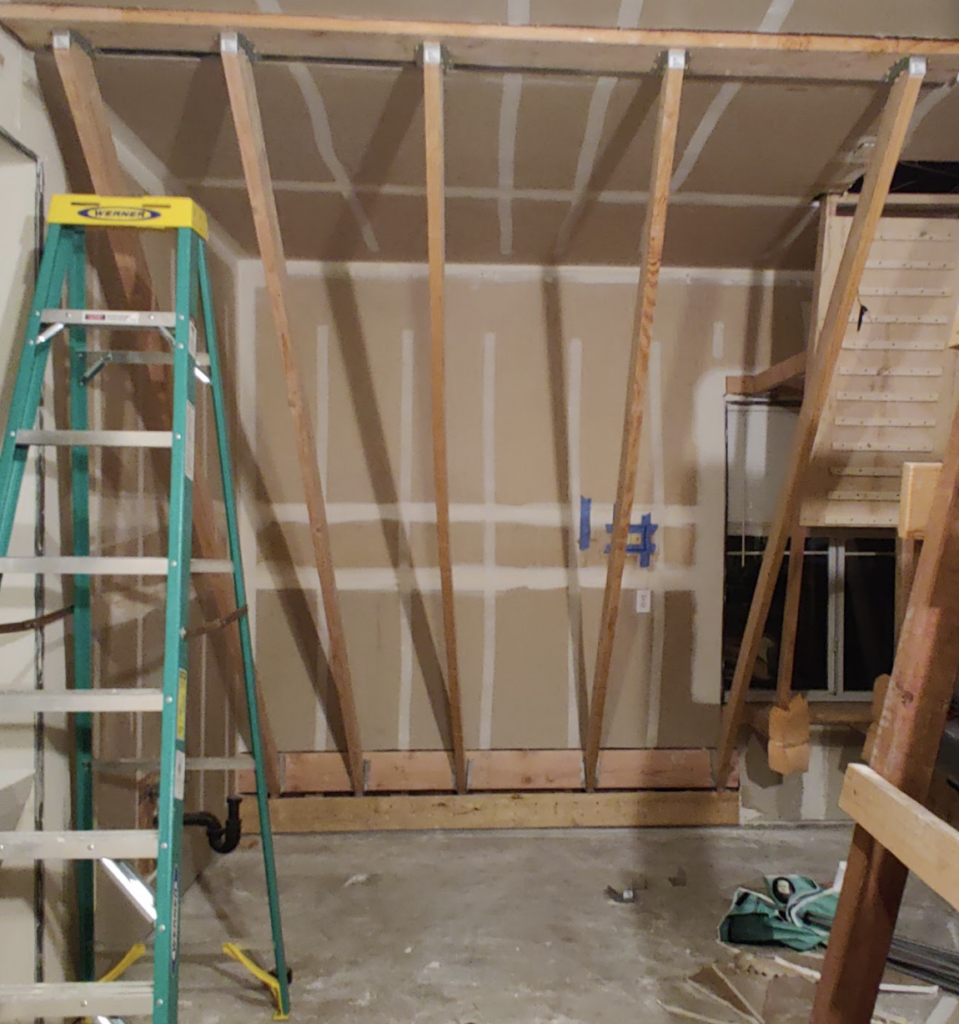
Wall of the future
It’s a very interesting setup which would likely lead to good data collection about your climbs – great for people wanting to improve times, or see any mistakes they hadn’t noticed. For now, though, this particular wall is largely complete.
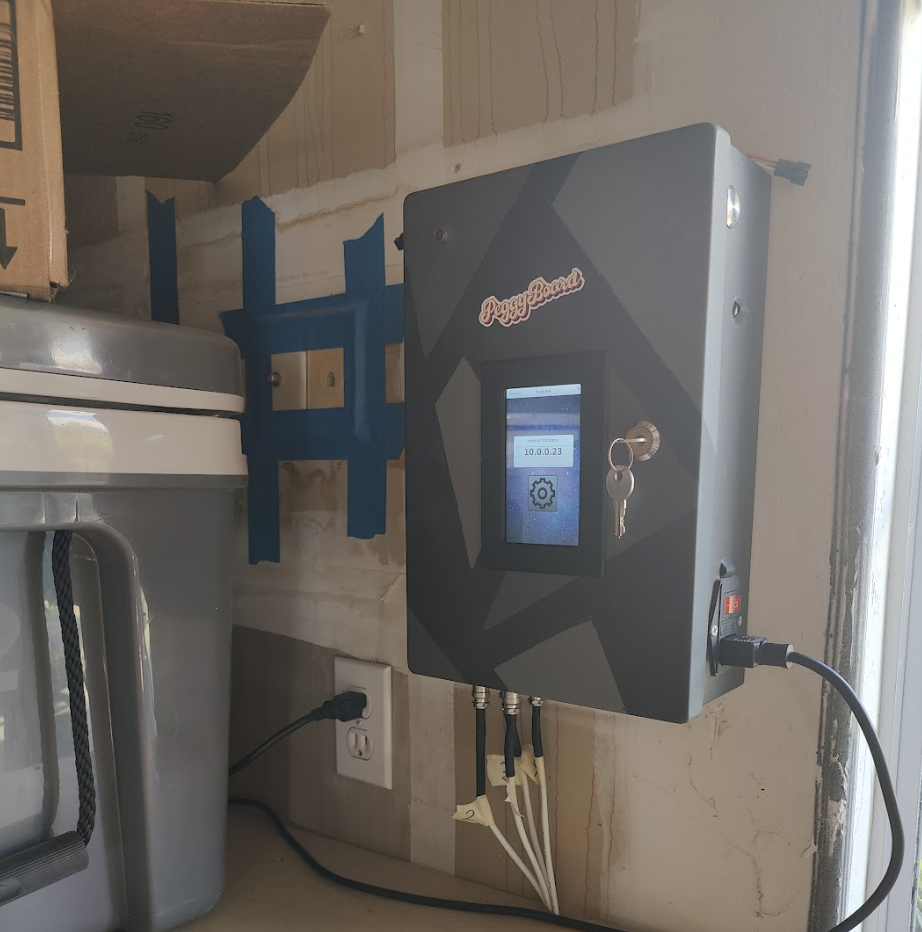
“The touchscreen addition was the latest upgrade,” Pegor tells us. “It didn’t originally have one, and this made configuration a bit of a hassle on first setup or network changes. With that addition I also decided to clean up the code and make it open-source, and here we are. I don’t have any future upgrade plans at this time. My friend has made a couple of suggestions for some new fun features, such as lighting up a hold momentarily so it’s easier to see which hold you have set, but I haven’t set time aside to implement them yet.”
Hopefully the garage roof won’t need further reinforcement for it.
Warning!
Build & Climb Safely
If you plan to recreate this project, it should only be attempted by people well versed in building (and climbing safety)
The MagPi #139 out NOW!
You can grab the brand-new issue right now from Tesco, Sainsbury’s, Asda, WHSmith, and other newsagents, including the Raspberry Pi Stores in Cambridge and Leeds. It’s also available at our online store which ships around the world. You can also get it via our app on Android or iOS.

You can also subscribe to the print version of The MagPi. Not only do we deliver it globally, but people who sign up to the six- or twelve-month print subscription get a FREE Raspberry Pi Pico W!



No comments
Comments are closed