Make a homemade AI home assistant
Adam Sheppard has a thing for practical uses of AI. In a recent Shep Report he highlighted a few personal projects he’s been working on of late, and it was Building a Low-Cost, AI-Powered Personal Assistant that caught our eye, because it’s built around Raspberry Pi.
Adam’s affordable device works with ChatGPT, Claude 3 Opus, or any other language learning model (LLM). It’s a hard-working home assistant: not only does it answer questions, but it also plays music and it can control your other smart home devices.
Hardware
- Raspberry Pi 4
- Mini speaker
- USB microphone
- Power supply with battery
- OLED display
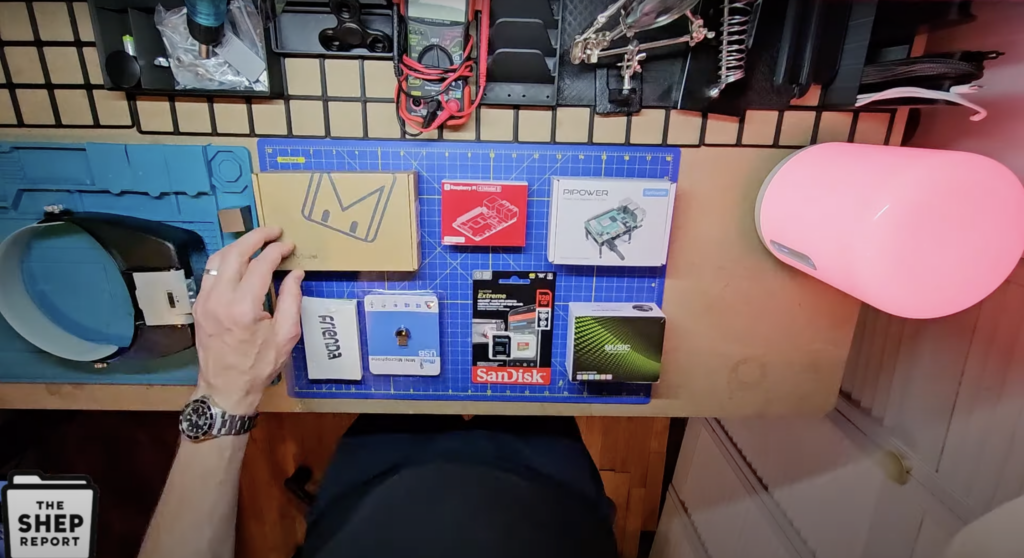
The cost of parts if you go for the full shebang is just over $150. Admittedly you can order a plain old Alexa or Google Home Assistant more cheaply, but where’s the fun in that? Over-engineering your own homemade solution is priceless.
How does it work?
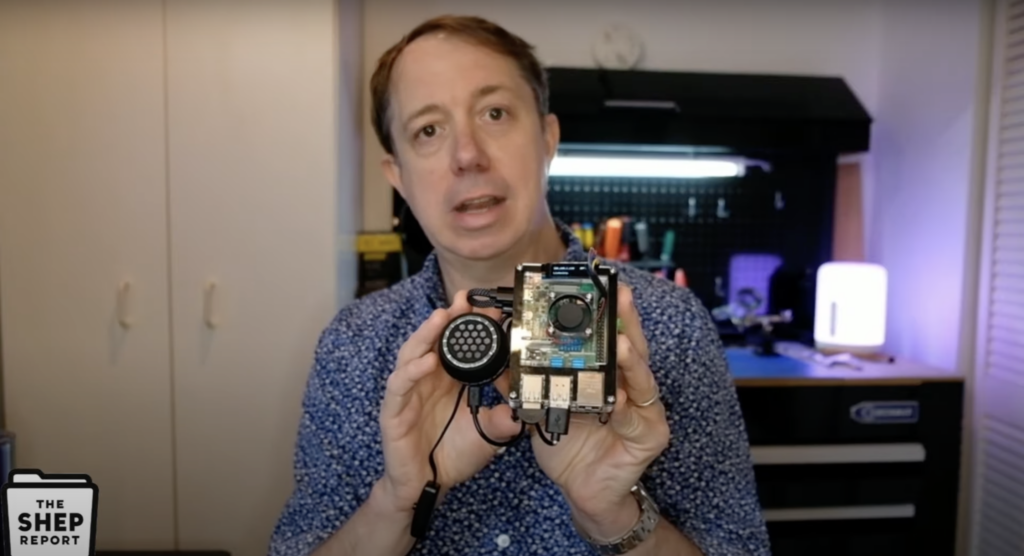
This build was inspired by judahpaul16’s GitHub repository, from which Adam lifted the code to power OpenAI API. The software setup allows you talk to your device, then translates your speech into text and sends it as questions to ChatGPT. That platform formulates a written response and bounces it back to the Raspberry Pi, which translates it into a spoken response and delivers it over the mini speaker. The written answer is also displayed on the OLED screen, an entirely optional part of this build if you’re happy with audio-only responses.
Faster, better, more human
As aforementioned, this isn’t a lazy home assistant and it doesn’t just answer questions. You can also program it to control your lights (if they’re smart bulbs, which are a pain to configure, take it from me), and play music from Spotify. The wake word for Adam’s system is “computer”, but you can program yours to answer to “Jeeves” or “Voldemort” or whatever. You can also choose a more humanistic voice if you’re not a fan of the robotic delivery. OpenAI’s Whisper model is a good place to look for these upgrades. Adam is also looking forward to faster ChatGPT models which will lessen the delay in response on his homemade home assistant.






7 comments
Anna
Sounds like a great weekend project!! 😄
Judah Paul
Wow, cool. I never expected to have this many eyes on the project. I should note that the project does not currently interface with Claude 3 Opus but will be able to in future updates with the implementation of LiteLLM.
David
I am interested in your project. I have the skills to build this but I feel overwhelmed by the coding aspect.
Retired old guy about to dig in.
Thank you for the challenge.
Doug
Cool project, but as for talking to AI in a store, I would rather talk to a person than AI.
RHIAT
Hello !!
Need Help Please !!! I have followed this tutorial without any error. But when I launch the following command :
docker exec -it gpt-home bash, I get the following error :
Error: No such container: gpt-home
Thank U
arhiatgpt@raspberrypi:~ $
Raspberry Pi Staff Ashley Whittaker — post author
These folks should be able to help you: https://forums.raspberrypi.com/
Bjørn
Awesome, thank you!
Next project 🫡
Comments are closed