Introducing the Raspberry Pi Compute Module 5 Programming Jig
Making a single device is hard; you have to prepare your hardware, your software, your documentation, and how you’re going to sell it. Once you clear all of those barriers, you stare down a new realm of problems — how do you make the next thousand?
For developers designing products based on Raspberry Pi Compute Module 5, we’ve made that problem space smaller with the new Raspberry Pi Compute Module 5 Programming Jig: a single-head provisioning system that programs your Compute Module 5 with an operating system and security configuration.
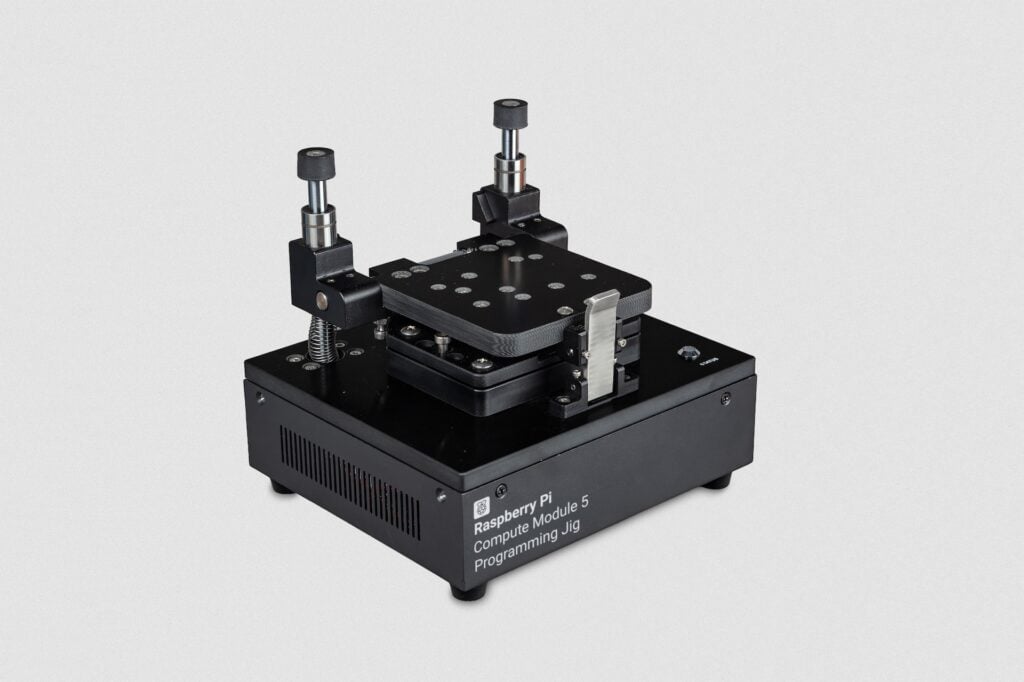
Simple, repeatable provisioning
The Programming Jig simplifies the provisioning workflow by taking the bulk of the configuration steps out of your hands; after setting up the jig’s software and connecting the ports you require, all you need to do is insert the Compute Module 5 into the module bay and press the clamp shut. No further interventions are required — the status LED will tell you when the unit has been programmed.
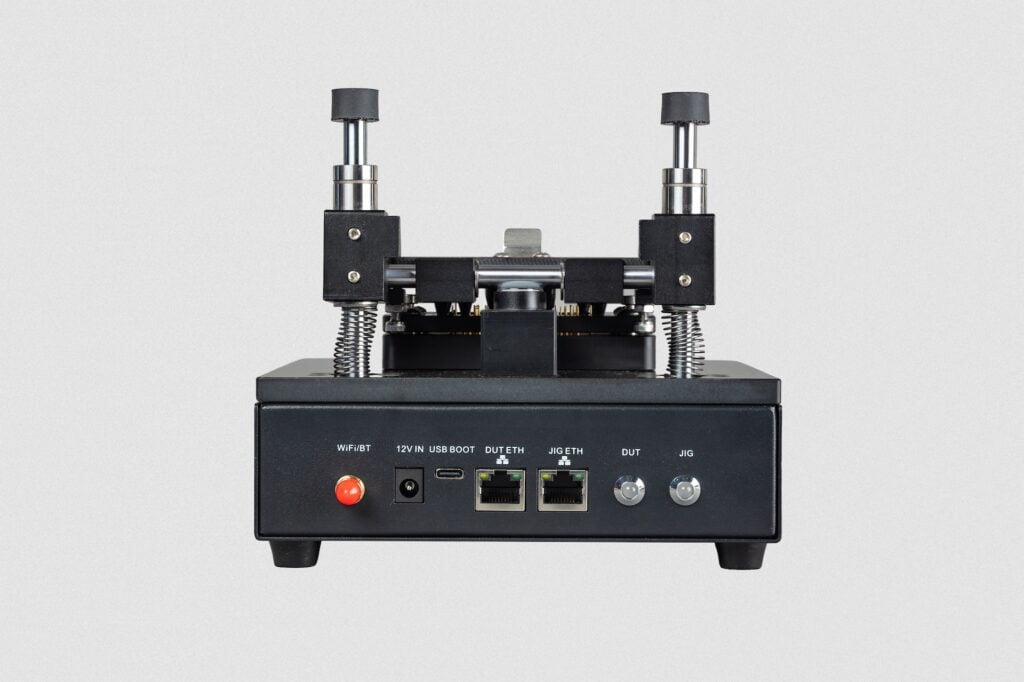
On the back of the Programming Jig, you’ll see a small set of ports, including Ethernet for the jig and the Compute Module 5 you want to program, and a USB programming port to manually update the jig software. There are also two activity LEDs — one for the jig and one for the module — that signal what the devices are doing.
To go even faster, you can connect both the JIG ETH and DUT ETH ports to the same network.
Built around Raspberry Pi OS
To automate many aspects of production — including secure boot implementation, full disk encryption, and bare operating system installation — the Raspberry Pi Compute Module 5 Programming Jig needs capable software. So, we built it around our OS construction tool, rpi-image-gen, and our automated provisioning software, rpi-sb-provisioner.
The jig’s OS ties in to other Raspberry Pi software, notably Raspberry Pi Imager. The recently released v2.0.11 promotes the Compute Module writing functionality to public availability, and this can be used to customise the jig’s OS to your requirements — including configuring Wi-Fi, security, and user settings.
Using the same OS components as our other platforms makes a wide range of customisation scripts and functions available for provisioning purposes. More than that, you also get the benefit of ongoing development and new features in Raspberry Pi OS, Raspberry Pi Connect, and rpi-sb-provisioner.
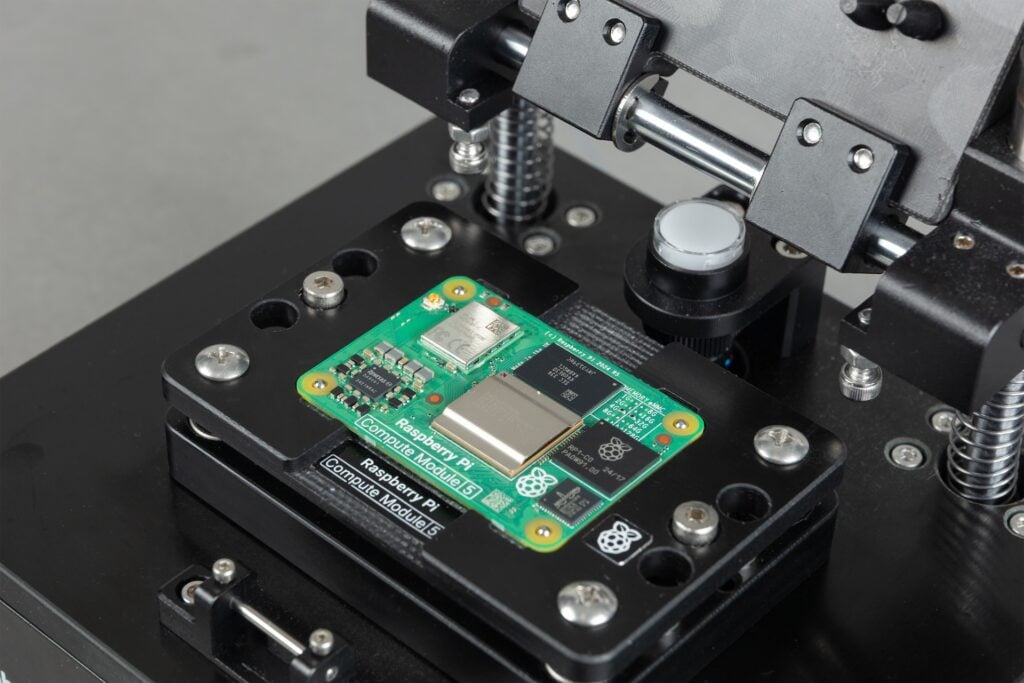
Available now
The Raspberry Pi Compute Module 5 Programming Jig is priced at $600 and is available to order now through our global network of Approved Resellers.
You can find instructions for the Programming Jig on our documentation page. Our rpi-image-gen and rpi-sb-provisioner tools are available on the Raspberry Pi software sources page.
7 comments
Jump to the comment form
Dan
Very nice. Will there be a CM4 version (or holding plate)? Failing that, an extended temperature CM5?
Gabe
Am I able to remove those contact pins for a new kit of pins?
How many units does it flash before maintenance?
Tom Dewey — post author
The Pogo pins are rated for approximately 30,000 actuations, and are indeed user-serviceable. Details of the procedure are included in the documentation, and 5x replacement pogo pins are included, along with a tool to remove and insert them, in the box.
Leo
That is awesome! Due to the current RAM crises and other reasons we decided to use the CM4 for our product where we’ll need to flash hundreds of CM4’s – Are there any plans to launch am CM4 compatible version anytime soon?
skierpage
@Tom Dewey, you should expand acronyms the first time you use them. I guess “DUT” stands for “Device Under Test”?
Tom Dewey — post author
Correct – it’s a reused term from my past life. I believe the docs should cover this – but if not, absolutely raise an issue!
Logan Steffen
Just curious, is there a reason this can’t do CM4s? Physical? Software? Electrical?