The 6th edition of our Beginner’s Guide is available now!
It was just over two years ago that we introduced the 5th edition of Gareth Halfacree’s The Official Raspberry Pi Beginner’s Guide. That edition featured the latest and greatest of our hardware and software at the time: Raspberry Pi 5 and Raspberry Pi OS Bookworm. Since then, we’ve released many shiny new things, and the time was right for a major update. The 6th edition is available now, featuring Raspberry Pi 500 and 500+, and Raspberry Pi OS Trixie. We’ve also incorporated numerous improvements, clarifications, and corrections.
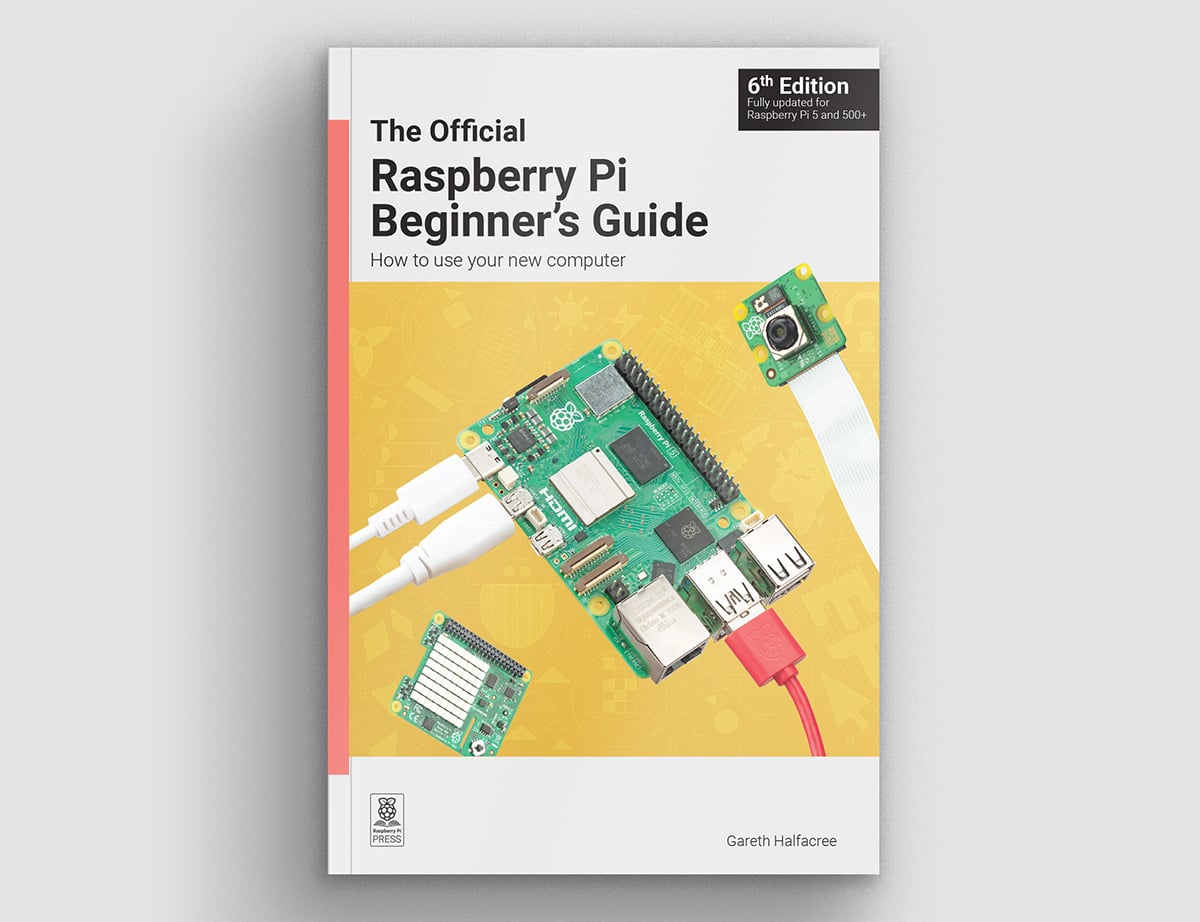
Everything you need to get started
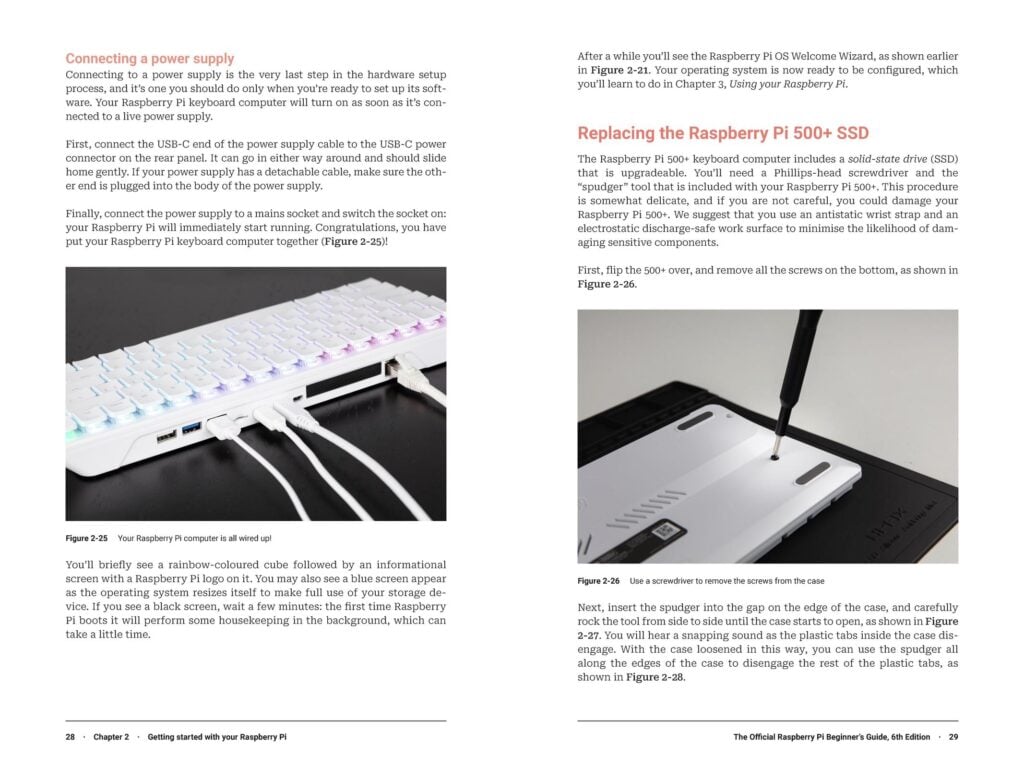
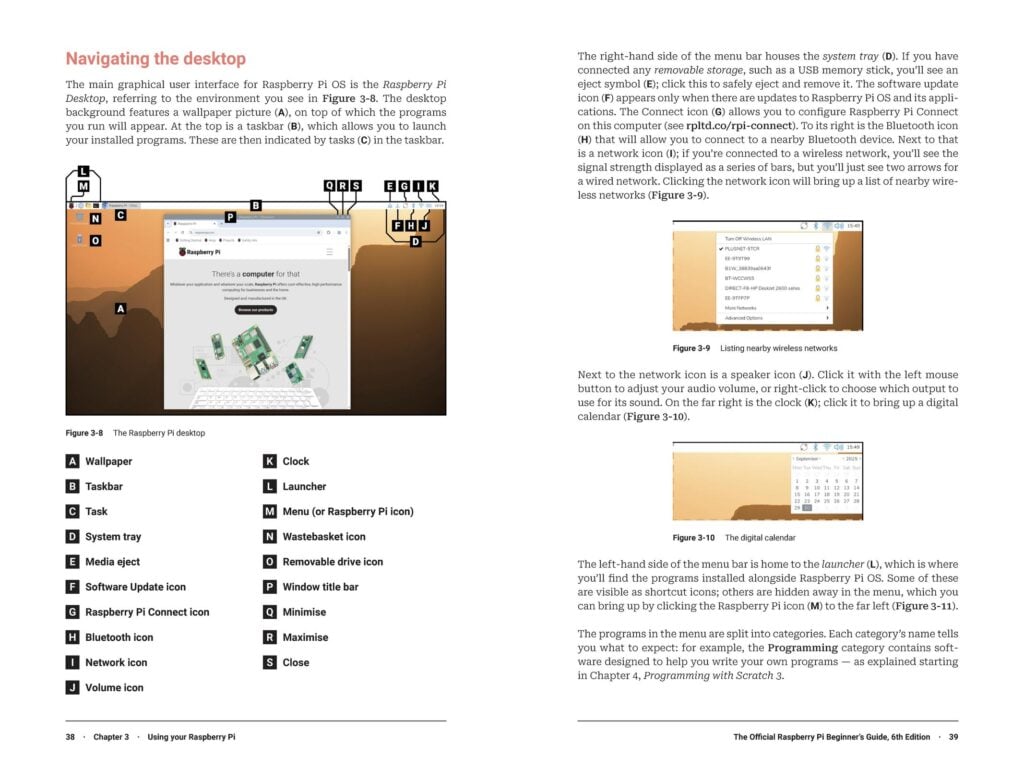
The book begins with a guided tour of Raspberry Pi hardware, covering the features and capabilities of the latest Raspberry Pi computers. After that, you’ll learn how to set up your Raspberry Pi and prepare it for its first boot. You’ll also get to know the desktop environment and find out how to install software (including the must-play games from Code the Classics Volume I and Volume II). And that’s just the first three chapters, which feature all-new full-colour images of Raspberry Pi 500+ and Raspberry Pi OS Trixie.
Write code with Python and Scratch
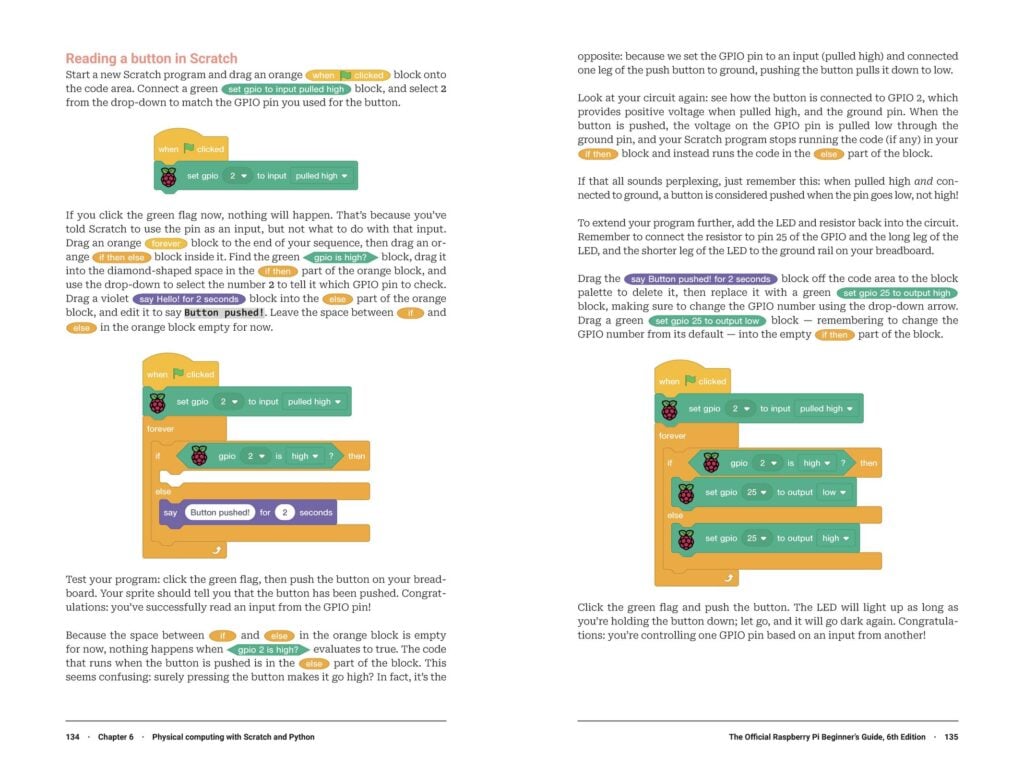
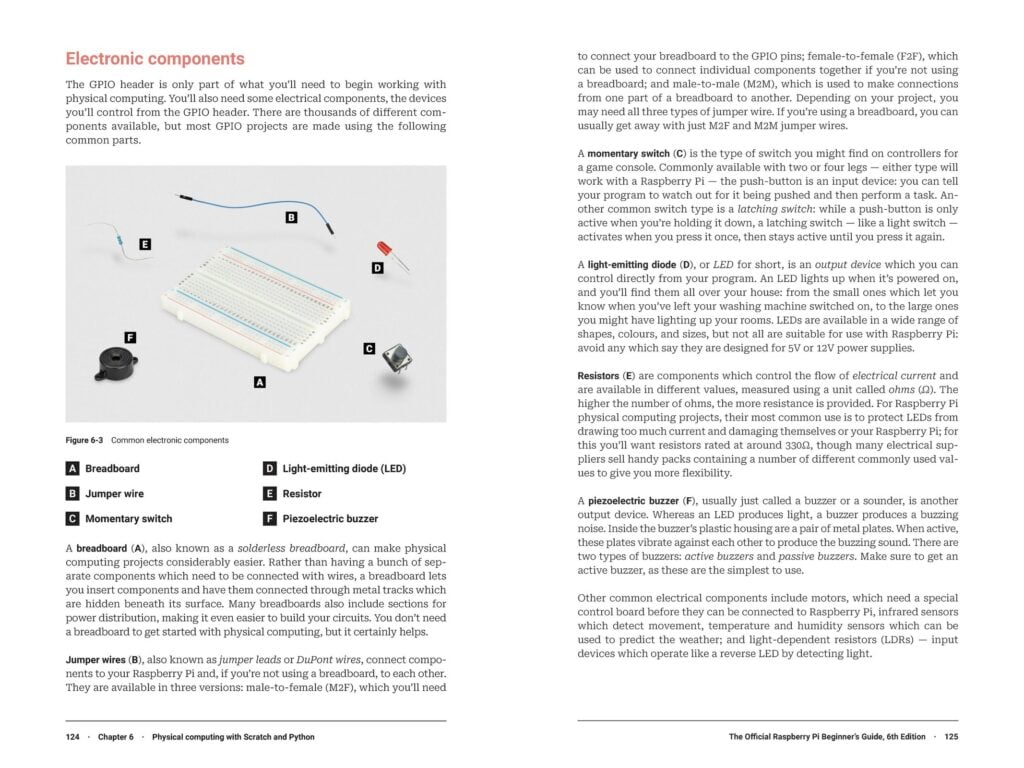
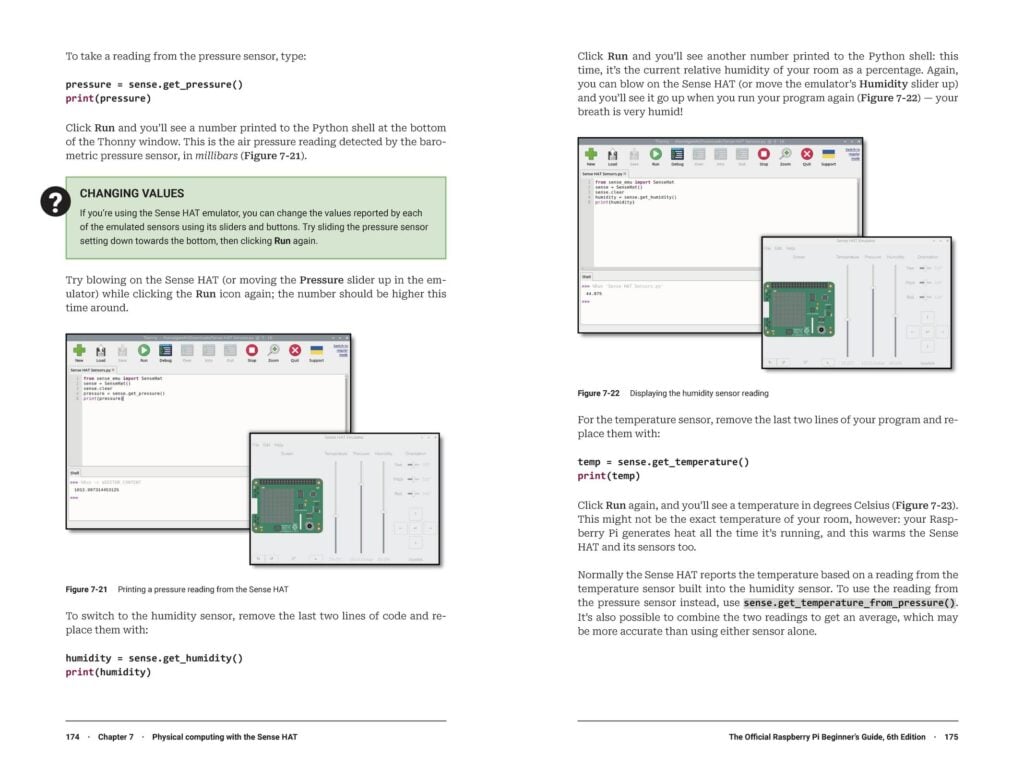
Chapters 4 through 7 introduce you to programming with Scratch and Python. You’ll start by writing simple programs that don’t require any extra hardware or peripherals. After you’ve mastered the basics of the two programming languages, you’ll move on to creating programs that interact with the outside world, taking your first step into physical computing with inputs such as push buttons and outputs such as LEDs. From there, you’ll progress to programming with the Sense HAT, an optional Raspberry Pi accessory that features on-board sensors and an LED matrix for visualisation.
Accessorise your Raspberry Pi
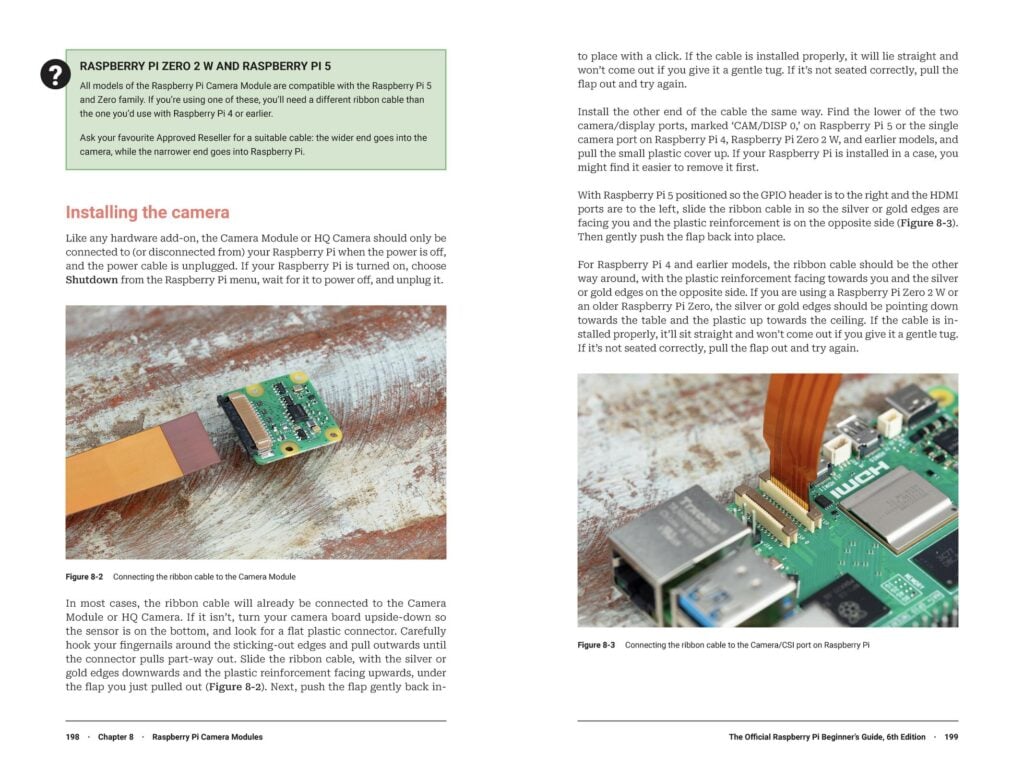
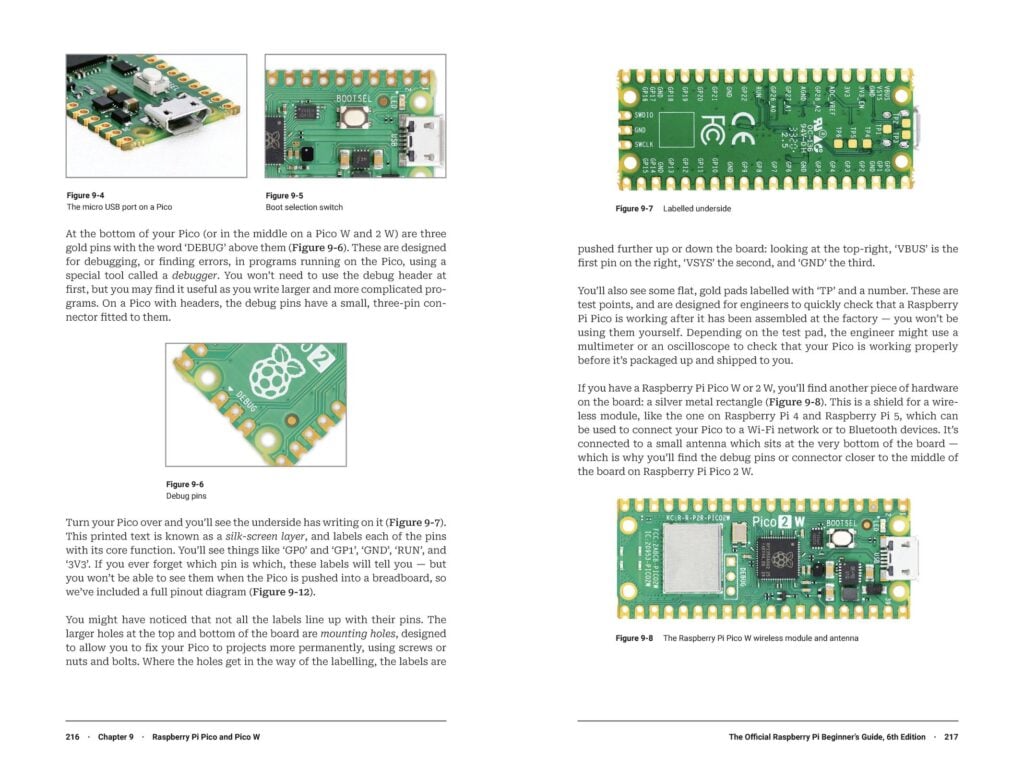
The rest of the book continues the theme of “things you can wire up to your Raspberry Pi.” The penultimate chapter shows you how to use a Raspberry Pi Camera Module, while the final chapter covers the Raspberry Pi Pico 2 microcontroller board, building on the Python and physical computing skills you learned earlier. Finally, the Beginner’s Guide wraps up with some useful reference appendices.
Get it today
The Official Raspberry Pi Beginner’s Guide, 6th edition, is out today. You can pick up your copy from our store for just £19.99. It’s also available from online retailers such as Amazon US and UK, and from other booksellers who have exceptional taste in books. If you’re interested in an electronic version, we’ve got several ways you can get your hands on a PDF or ePUB.
After you add this new book to your shopping cart, be sure to check out the many other books we offer in our online shop.




7 comments
Jump to the comment form
Nick
I miss the open access to PDFs. It would be great to open the access to some books after 6-12 months. I guess 18-24 months would make more sense in cases where the content is still greatly relevant – focus on programming. But in the case of yearly releases, like the Official Handbook, 12 months seems reasonable and useful to quite a few people who can’t prioritize buying extra books.
Brian Jepson — post author
Hi Nick, we do make PDFs available through the Bookshelf app on Raspberry Pi OS about six months after their ebook release. However, the latest version of this book is always free in Bookshelf.
Also, monthly contributors of $5/£5/€5 or more get all access to PDFs and ePubs. They also get early access to the latest issue of Raspberry Pi Official Magazine three weeks before it is made freely downloadable. If you have a print subscription to the magazine, you also get both benefits. See https://www.raspberrypi.com/news/bookshelf-application-revamped-for-trixie/ for more details.
Nick
That’s great news, thank you! :) I postponed reading the full article, since the title implied Trixie-based changes, nothing about new features or changes in the distribution.
Now that I have read it, it looks like not all the planned changes got implemented, because the older Handbook and Beginner’s Guide are not available for download on the website.
Brian Jepson — post author
Hi Nick, In the case of the old Beginner’s Guide, it should be available for free download on the website, because it has been replaced by a new edition. However, there’s an issue with our backend logic that’s preventing it. I’ll need to check with our web team when everyone is back to work in early January. For the moment, I’ve added it to the GitHub repository where we post PDFs of older editions. In the case of the Handbooks, those are not new editions of a older book, but contain all-new material. However, because we don’t revise prior year handbooks, the content does get out of date, so we generally take them out of print when the initial printing is exhausted. For the moment, I’ve added the 2024 Handbook to that repo, and I should add 2025 when it officially goes out of print, which will be sometime in January based on current stock levels.
fprietog
“However, the latest version of this book is always free in Bookshelf.”
Just a quick note regarding this: the availability of the latest book version depends on the S.O. language and book translation. For instance, if S.O. is set in Spanish the book offered is the 5th edition that is the last one translated to Spanish. To get the 6th edition you need to set S.O. language to English.
GAlvar
Maybe is the location, I have set my Pi 500+ in English by default and 6th edition is blocked.
GUSTAVO ALVAREZ GARCIA
Hi.
I have purchased a new Pi 500+ Kit (Spanish version) and it has included the old v5 version, is it OK?
Thank you.