Rust on RP2350
Jonathan Pallant is part of a group of people who love using Rust on Raspberry Pi silicon. He’s kindly written us this guest post, in which he tells us a little bit about the Rust programming language and what he’s managed to get working on our new chip, RP2350, so far.
I’ve been using the Rust Programming Language since 2017, and it’s been my full-time job teaching Rust at Ferrous Systems for the past couple of years. If you haven’t seen any Rust before, here’s a basic blinky example for RP2350:
#![no_std]
#![no_main]

use panic_halt as _;
use rp235x_hal as hal;
use embedded_hal::delay::DelayNs;
use embedded_hal::digital::OutputPin;

#[link_section = ".start_block"]
#[used]
pub static IMAGE_DEF: hal::block::ImageDef = hal::block::ImageDef::secure_exe();

#[hal::entry]
fn main() -> ! {
    let mut p = hal::pac::Peripherals::take().unwrap();
    let mut watchdog = hal::Watchdog::new(pac.WATCHDOG);
    let clocks = hal::clocks::init_clocks_and_plls(
        12_000_000u32,
        p.XOSC,
        p.CLOCKS,
        p.PLL_SYS,
        p.PLL_USB,
        &mut p.RESETS,
        &mut watchdog,
    ).unwrap();
    let mut timer = hal::Timer::new_timer0(p.TIMER0, &mut p.RESETS, &clocks);
    let sio = hal::Sio::new(p.SIO);
    let pins = hal::gpio::Pins::new(p.IO_BANK0, p.PADS_BANK0, sio.gpio_bank0, &mut p.RESETS);
    let mut led_pin = pins.gpio25.into_push_pull_output();
    loop {
        led_pin.set_high().unwrap();
        timer.delay_ms(500);
        led_pin.set_low().unwrap();
        timer.delay_ms(500);
    }
}
When RP2040 launched in January 2021, my first question was obviously “Can I program it in Rust?” At the time, I was the Town Mayor of St Ives and we were in the middle of the COVID lockdowns, so I thought I’d do a charity livestream and see what we could get working. In just a few hours, we had a blinking LED controlled by a program written almost entirely in pure Rust … not including the 256 byte boot block, which I found out about the hard way!
Since those early experiments, the Rust-on-RP2040 scene has boomed, and it has proved a very popular choice for people getting into Embedded Rust. We have two main groups: this one focused on a more classic approach to writing embedded software, and another focused on using the chip with asynchronous Rust and the Embassy framework. I mostly work with the first group, but honestly either is a great place to start, and both build on top of the excellent foundation layers built by the Rust Embedded Devices Working Group. Their goal is to make improvements to the end-to-end experience of using Rust in resource-constrained environments and non-traditional platforms, and I think they’re doing an excellent job. I will note, though, that with the exception of some lovely folks at Espressif, pretty much all of the open-source Embedded Rust so far has been done by individuals working for free in their spare time. Maybe if you all ask nicely enough, we’ll see some more top-tier silicon vendors offering official Rust support for their chips (hint, hint)!
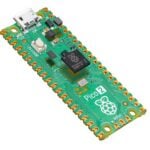
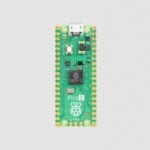
Anyway, fast forward to January 2024, and I was lucky enough to be invited to have early access to the new RP2350 chip, mounted on a pre-production Raspberry Pi Pico 2, specifically to look at Rust support. Because I know the most about github.com/rp-rs, that’s what I forked and started to work on in private. And honestly, that was the hardest part — making sure the repo was secure and hidden, and that I never accidentally pushed my changes to the public upstream repo, which would have been a disaster. Over the next few months, I got together with a few Rust fans in the early-access program, and we started to make some progress.
The main challenges with this work revolved around the very ‘beta’ state of the ROM, datasheet, and Pico SDK I was using as reference/inspiration. They didn’t necessarily always line up — but that’s to be expected. I like to think I provided useful feedback, though, and I was sure everything would be in great shape for the launch.
I have managed to get the following working in Rust so far:
- Booting the chip with a basic Image Definition Block in both Arm Secure and RISC-V modes
- The SPI peripherals
- The UART peripherals
- The I2C peripherals
- The DMA engine
- Reading OTP with and without ECC
- Calling ROM routines, like get_sys_info
- The double-precision co-processor
- Talking to the POWMAN Always On Timer
- GPIOs
- Using the PIO peripherals for VGA video output and I2S digital audio output
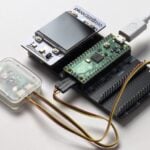
I wrote my own OS in Rust and made a computer to run it on using RP2040 — it’s a full ‘home computer’ with text mode, video out, SD Card, keyboard, and audio. Porting that over to RP2350 proved fairly straightforward once I’d made the necessary changes to the ‘HAL’ that the OS sits on top of. I’m quite confident that once we’ve got these Rust changes upstreamed, other Rust RP2040 users will also have a fairly straightforward time porting their code over to this new chip.
The areas that still need some attention include:
- Adding support for Arm Debug Interface v6 to
probe-rs, the very popular Rust-based flashing/logging tool. It supports RP2040, and a wide range of other microcontrollers, but unfortunately the Arm Debug Interface in RP2350 is a bit too new forprobe-rsand it doesn’t know how to speak to the cores inside the chip. - Writing drivers for the new peripherals, like the High Speed Transmitter (HSTX), the Power Manager (POWMAN), and the SIO’s new TMDS encoder.
- Changing the Rust support libraries for RISC-V, so RISC-V applications can declare interrupt handlers exactly like Arm Cortex-M applications do. This would allow us to have sample programs which compile for either RISC-V mode or Arm mode with no source code changes.
- Testing RP2350B, with its extra GPIOs.
- Writing Rust support for the new PSRAM support, so that we can have an RP2350 with up to 16MB of external RAM!
- Implementing secure boot, and support for flash partitions and all the lovely new things we have in RP2350’s ROM.
If you’re interested in getting into Embedded Rust, I highly recommend the Rust Embedded Matrix Channel, and the rp-rs Matrix Channel. If you haven’t used Matrix before, it’s like an open-source version of Discord, so it’s easy to get started. You can also follow me on Mastodon.
4 comments
Mark Tomlin
I’ve interacted with JP a few times now, and he is a lovely person. I didn’t know he was the Mayer of St Ives so that’s new to me. Makes perfect sense tho. He’s a very humble person. Glad to see him get featured here, and all of the work he has put into the Rust Embedded community.
Mike
I am trying to build the example code. So far I have identified a need for some tweaks and additional information. Unfortunately I still haven’t successfully run it on a real device.
1. pac.WATCHDOG should be p.WATCHDOG.
2. The two “use embedded_hal” statements aren’t used elsewhere in the code. They are harmless, but it’s cleaner to remove them.
3. The crate “rp235x_hal” isn’t accessible by the usual means (e.g., cargo add rp235x_hal). I cloned the repo https://github.com/rp-rs/rp-hal side-by-side with this project, and then in my Cargo.toml added this line under [dependencies]: rp235x-hal = { path = “../rp-hal/rp235x-hal”}.
4. The cargo build invocation needs either –target thumbv8m.main-none-eabihf or –target riscv32imac-unknown-none-elf (The RISC-V version fails to build, though). Those targets need to be added (e.g., rustup target add thumbv8m.main-none-eabihf).
5. I tried to flash the resulting binary to my Pico 2 with picotool load -t elf target/thumbv8m.main-none-eabihf/debug/my-rp2350-blink, but I encountered an error about an invalid memory range in the file. I compared with the pwm_blink example in your personal GitHub repo, and at that point concluded that, at the moment, the intent wasn’t for this to be a complete blink example.
Nonetheless, thank you for providing this example and for doing the significant foundational work that is making it possible.
Jonathan Pallant
The example was really for illustrative purposes, but I apologise for the typo. There are many fully working (and built in CI) examples over at https://github.com/rp-rs/rp-hal
dennis
Hi,
how to prepare to build your code ?
for the pico v1
there was a template:
git clone https://github.com/rp-rs/rp2040-project-template/
but for 2350 I did not found a template
Comments are closed