Cat TV | The MagPi #142
Prolific maker Becky Stern chose a Raspberry Pi display to entertain her favourite feline. Rosie Hattersley wholeheartedly approves.
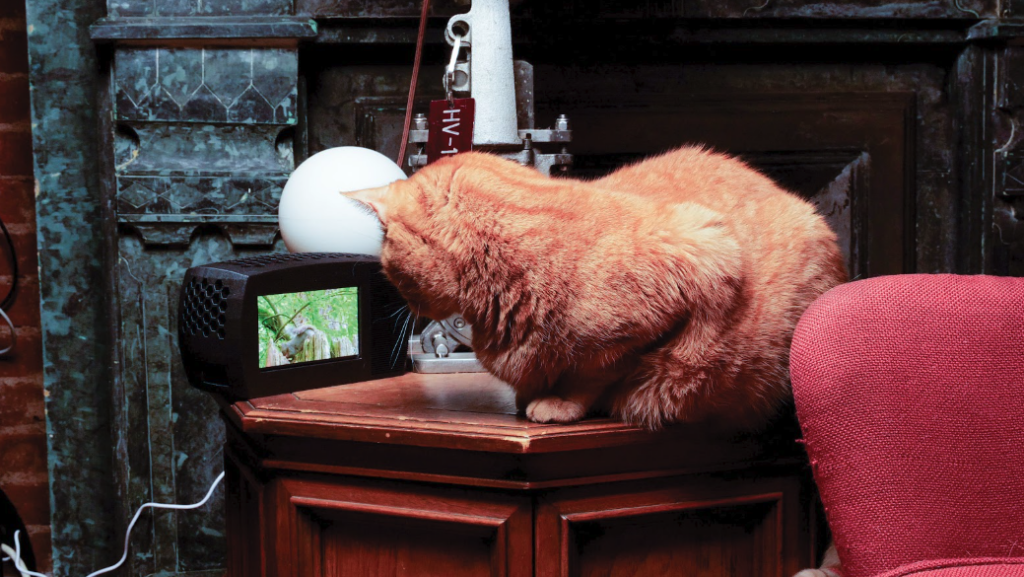
Becky Stern is a content creator extraordinaire! During her six years as director of wearables at Adafruit she created, wrote, recorded, presented, and edited 140 videos showing other makers the possibilities of body-worn tech.
Her enthusiasm for tech shines through in her current role at DigiKey, while her personal blog and extremely popular YouTube channel present such gems as Cat TV, a self-explanatory project based on Raspberry Pi 5 and a Elecrow touchscreen. With such a busy companion, we’re relieved to hear that Becky’s feline friend is being entertained.

Dress to impress
Becky’s interest in electronics began at art school. “I have no formal engineering background, but I did drop out of a PhD programme,” she explains. Becky was already working at Adafruit when Raspberry Pi came out in 2012. The company immediately saw its potential for makers and for wearable tech: “I remember we delayed the FLORA launch to focus on Raspberry Pi content,” says Becky. Her numerous makes include Raspberry Pi ones, of course, including an automated GIF camera and a smart mirror.
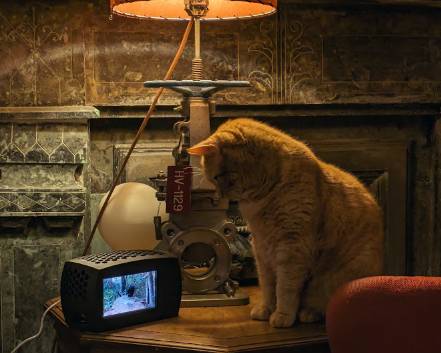
While chasing his own reflection in the mirror might have diverted her cat, Benchley, for a while, Becky thought it was about time he had something tailored specifically to his interests. “My cat loves watching TV. The Raspberry Pi streams his favourite YouTube channel, full of birds and squirrels.” Other feline goggleboxers may already be aware of Birder King, which is also beloved of parrots and dogs.
Tiny telly
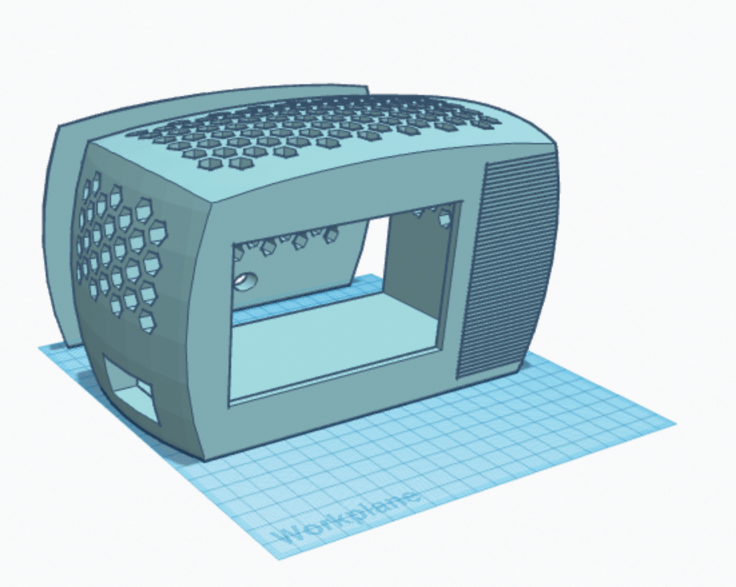
Becky chose Raspberry Pi 5 as the basis of Cat TV, since she wanted to stream video and wanted the extra processing power, but she has also tested it with Raspberry Pi 4. She had a five-inch touchscreen she was keen to use: “I knew I wanted to use this particular display from Elecrow, so I 3D-modelled an enclosure that would fit to its dimensions.” Becky used Tinkercad to design a CRT-style cabinet complete with ventilation holes so the miniature TV setup looked authentic. “I used the honeycomb shape generator in Tinkercad to make grids of holes that are too small for my cat to reach through,” she says. A bit of glitz was added by using Galaxy Black PLA filament for the front of the 3D enclosure. The whole project cost roughly $100, and Becky was able to get all the electronics she needed from DigiKey (where she works) including a USB speaker and keyboard. Due to Cat TV’s miniature proportions, she had to use a right-angle USB connector and a low-profile HDMI to micro HDMI adapter.
Once she was happy with how the TV cabinet and screen fitted together, she installed and set up the electronics, taping the display in place in case she needed any adjustments based on feedback from the ever-watchful Benchley. Becky explains that Cat TV doesn’t use any software besides Raspberry Pi OS: “I boot up, open the web browser, navigate to YouTube, make the video fullscreen, then unplug the keyboard. If I were to add some software, I’d write a startup script that performs the same steps.”
During trials, Becky discovered the touchscreen was a bit of a problem as the cats would paw the screen and pause the video, so she replaced the screen’s USB cable with a charge-only lead, disabling the data connection for the touchscreen. Once this was done she sealed the case and presented it to Benchley and his brother Hamlet. “Cat TV gets used every day! The cat loves it, though it would be cool to add some way for him to change the channel.”
The MagPi #142 out NOW!
You can grab the brand-new issue right now from Tesco, Sainsbury’s, Asda, WHSmith, and other newsagents, including the Raspberry Pi Store in Cambridge. It’s also available at our online store which ships around the world. You can also get it via our app on Android or iOS.
You can also subscribe to the print version of The MagPi. Not only do we deliver it globally, but people who sign up to the six- or twelve-month print subscription get a FREE Raspberry Pi Pico W!
3 comments
Simon Osborne
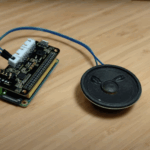
Re the second image and its caption: that’s not a Pi zero, it’s a Pi 5.
Raspberry Pi Staff Ashley Whittaker
You are a gentleman and a scholar, thank you.
(I don’t know if either of those things is true, I just heard someone say it once and thought it the most verbose way of saying “thanks” and adopted it)
Maeko
You wouldn’t really need any other software or scripts to have the Pi boot chrome in full screen kiosk mode. I run dakboard that way with an lxsession autostart configuration. Unless the latest version of the os has rendered this unusable.
Comments are closed