Bringing dinosaurs back to life, digitally | HackSpace #76
This time next week, a new issue of HackSpace magazine will hit the stands. However, that’s ALSO our very important third leap birthday, so we’re celebrating HackSpace a little earlier than usual. Here’s a sneak peek at one of our favourite things inside the next issue: it’s an interview with Tom Ranson, a 3D visualisation specialist at the actual Natural History Museum in London, no less, who is bringing dinosaurs back to life, digitally.
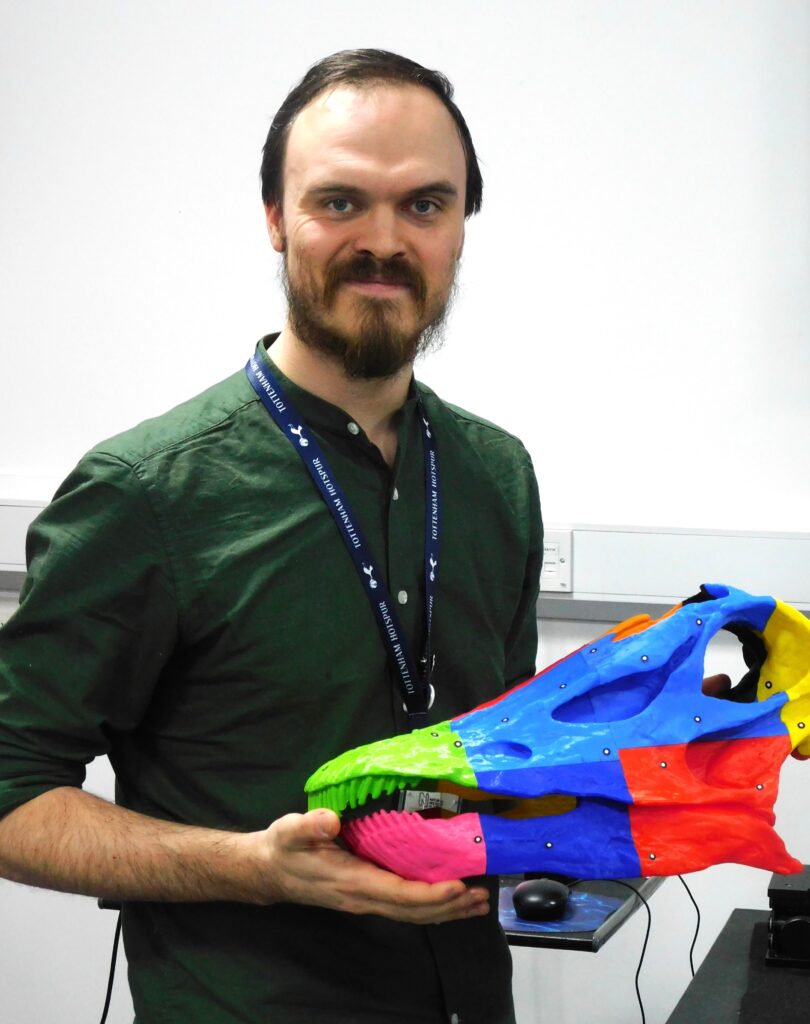
Tom Ranson is a 3D visualisation specialist at the Natural History Museum in London. This means that it is his job to scan anything that is or was part of the natural world, from dinosaurs to herring ear bones, and many, many things in between. Most of these scans are for researchers, but that doesn’t mean they’re locked away in digital ivory towers. Tom shares some of the Natural History Museum’s digital treasure-trove on Sketchfab. There, you can find scans of some of the museum’s most iconic animals, including Dippy the diplodocus and Hope the whale.
We got in touch with Tom to find out what goes on in the vaults under the Natural History Museum, and to learn what it takes to digitally preserve some of the rarest natural specimens around.
HackSpace: Thanks for talking with us, Tom. Can you tell us a bit about your setup?
Tom Ranson: I’ve got three different scanners in my lab.
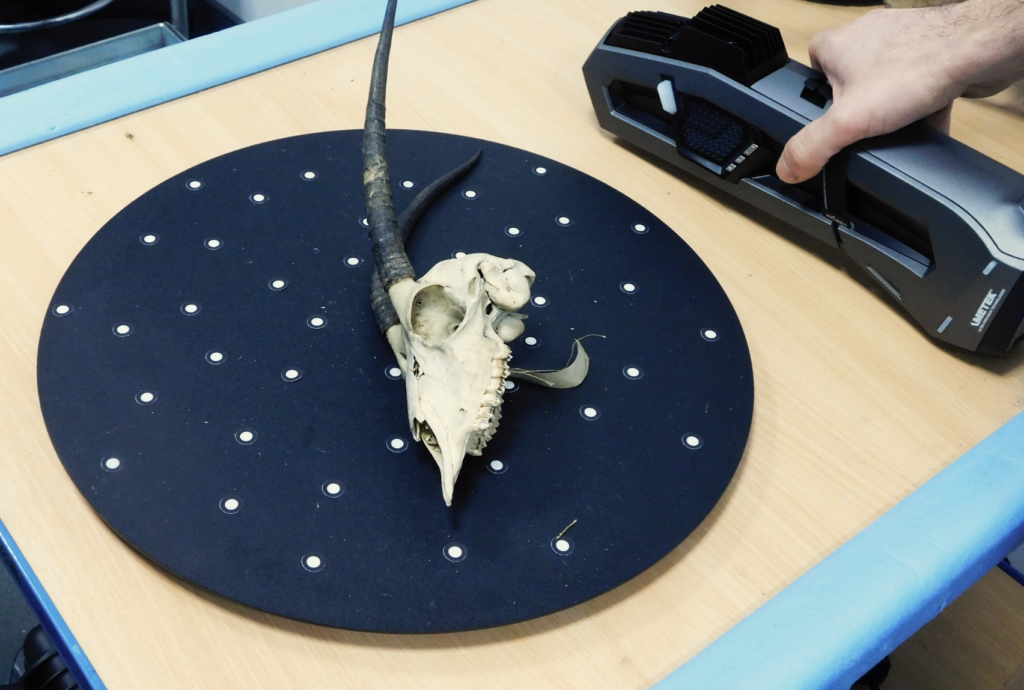
We’ve got two scanners from a company called Creaform: the Go!SCAN 20, and the Go!SCAN Spark is a brand-new one that just turned up this month. They are basically just flashing a pattern at an object and then reading that pattern something like 30 times a second, so the deformation in the pattern gives the machine the information it needs to know about what’s going on on the surface. That plugs into a laptop, and the scanner plugs into a battery pack I can wear. So as long as I can get to every part of an object, I can just carry on walking. I could just scan a massive object just by walking around it. We’ve used these objects to scan, for example, Hope the whale, the massive blue whale skeleton that’s in the Hintze Hall.
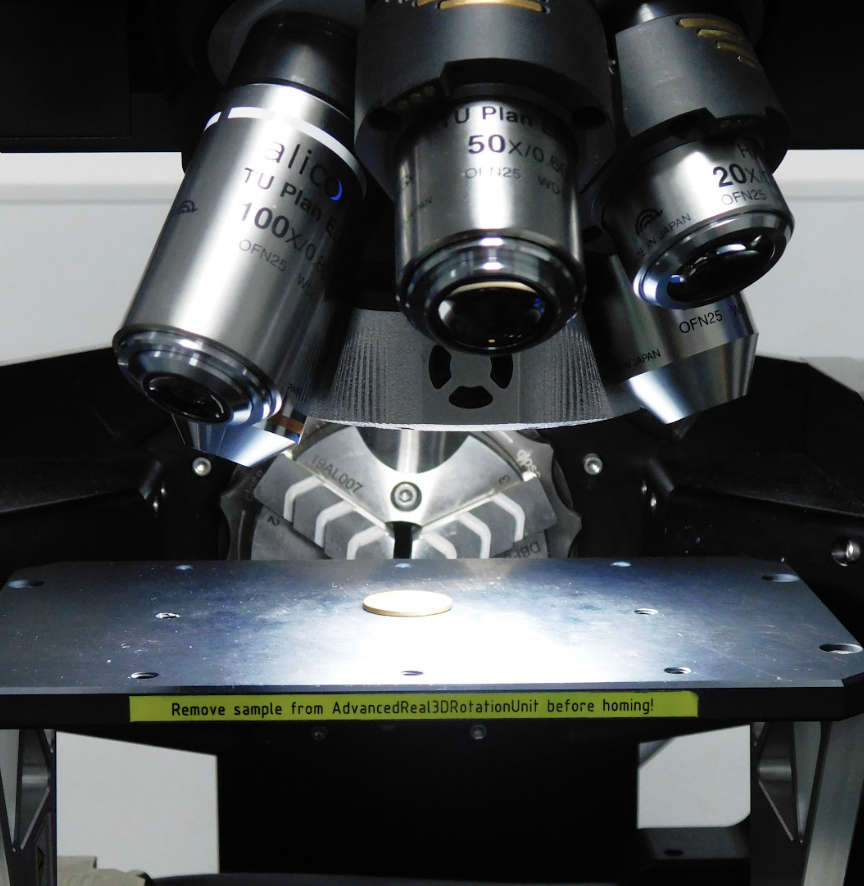
The next thing up accuracy-wise, is a laser scanner, which is attached to a granite table. It’s technically mobile, because the table has wheels, but it’s a bit difficult to move around. That’s accurate down to .01 of a millimetre, so 10 microns. So, I scanned, for example, an Iguanodon femur which is probably just over a metre in length. And I can image that whole thing in about 15 minutes. And then the next thing down, which can scan even smaller objects with higher accuracy, is something called the Alicona Infinite Focus microscope, which is basically just a microscope with a bunch of lenses. And it takes a whole ton of images, like 2–300 images in the Z-axis, the up and down, and then stitches together, gets rid of everything that’s out of focus, keeps everything that is in focus, and then it can stitch that as a 3D object. I used that microscope to scan a herring otolith, which is the ear bone. That’s about 3 mm in length, and I scanned it and then printed a 15-centimetre copy.
So, I can do anything, from tiny to a massive whale. And that just encompasses everything that’s in my lab.
HS: That’s epic! What happens next? Presumably you don’t generate 3D files just for the sake of it?
TR: From there, we can either send the data to researchers, or we use it in-house for our own research. My room is sort of split in two: one half is my big staging area where I teach and I scan. And then the other half is just where the 3D printers are. So I’ve got a Formlabs Form 3+. I’ve got two Prusa MK3S. I’ve got an Elegoo, a £200 SLA printer, and an UltiMaker.
I’ve got a stone slab here, with some fossilised footprints in it. The idea was that I scanned it and printed it, and then it goes to production, who can make a mount for it without ever having to touch the actual specimen. So it saves it from coming in and out of [storage] all the time. And, of course, if they drop this, I just print another one.
HS: So, rather than having this priceless, 500 million-year-old piece of fossil on someone’s workbench, they can make a copy and make their mistakes with that, until they’re ready to use the real thing?
TR: Exactly. Amongst our specimens in the collections, we’ve got stuff, for example, Charles Darwin’s personal fossil collection, which is insured
for millions and millions of pounds. If we can reduce the number of times that objects like that have to come out of collections, then we can cut down on risk and do more with what we have.
HS: Wow. Obviously, you don’t need .01 of a millimetre when you’re scanning a blue whale, right?
TR: No, it completely depends on what the data is being used for. A lot of stuff that comes through my lab are teeth, to study the micro-wear on them. And it’s to try and work out whatever this animal might have eaten; you can analyse the wear on the tooth, and then match that up to likely wear from greenery and whatnot, and take a guess as to what they ate.

I only started working here in August 2022, and one of the things that I quickly realised is that this is the Natural History Museum, and it’s all of natural history. It’s not just a bunch of dinosaurs: we’ve got everything. We’ve got an entire tower that’s just skulls and skins, of every species that has existed.
We’ve got a lot of things that we call holotypes, which is the reference object that people would come to us for. And you go in there – it’s just floor after floor of floor-to-ceiling cabinets, like rows and rows and rows, and you pull one open. And there’s just the skin of the animal and a skull of the animal, for cabinet after cabinet.
We’ve got the holotypes for a lot of Australian species. One of the cool things that I get to do with that is that a lot of Australian researchers will get in touch with me and say ‘I need to analyse this particular taxonomy, can you help?’ and then I scan it to .01 of a millimetre, make the data into a lovely high-definition mesh, and then send it to them. I can do that all within a day, and it saves their 18-hour flight from Australia to come and visit our collections. I’m trying to make the world that little bit smaller and make science a little bit bigger.
HS: That’s awesome. That reminds me of the coronavirus, when the researchers working on the first mRNA vaccines hadn’t actually looked at the virus itself – they just got a copy of its gene sequence in an email.
Are you trying to scan everything in the collection?
TR: I would love to scan everything in the collection, but we’ve got hundreds of millions of specimens. I don’t think it’ll happen in my lifetime! I would love to do that sort of thing.
What I want to try and do is let everybody know about the science that we’re doing. Millions of people come through these doors every year. And it’s definitely not something that I realised, but the footprint of the museum, there is that [amount of space] again in the basement full of labs.
We do so much science here that I just never realised. I’d love to be able to get out to the public with the stuff that I’m doing. There are a couple of things that we’ve got coming up. For example, some of our researchers want some of the data of the Triceratops and the T. rex skulls that we have out on display. And the conservation team were going backwards and forwards for like a month, trying to solve problems like, how do we get them down? How do we get the data off of them, they’re very fragile. If we move them, they might break. And then, I randomly got looped into the email chain sort of late on and I just said, ‘Give me a cherry picker. And I’ll go up there with my laser scanner. And I’ll just scan it.’ And then they’re like, ‘Ah, but it’ll have to happen before we open because we open at 10am every day.’
I could feasibly have done it before we opened, but I wanted to rope the area off and have some people from the public side of things, talking to the public about what I’m doing. I’ll answer questions, and we’ll do it all out in front of the public. Because I think if someone watched me do surface scanning, I think that in itself is a really interesting process. It just looks cool.
HS: You mentioned the Creaform scanner. How different is that to, say, the scanning capability you might get out of an iPhone? I don’t want people to think, ‘Oh this is very cool, but you need a massive budget to do it.’
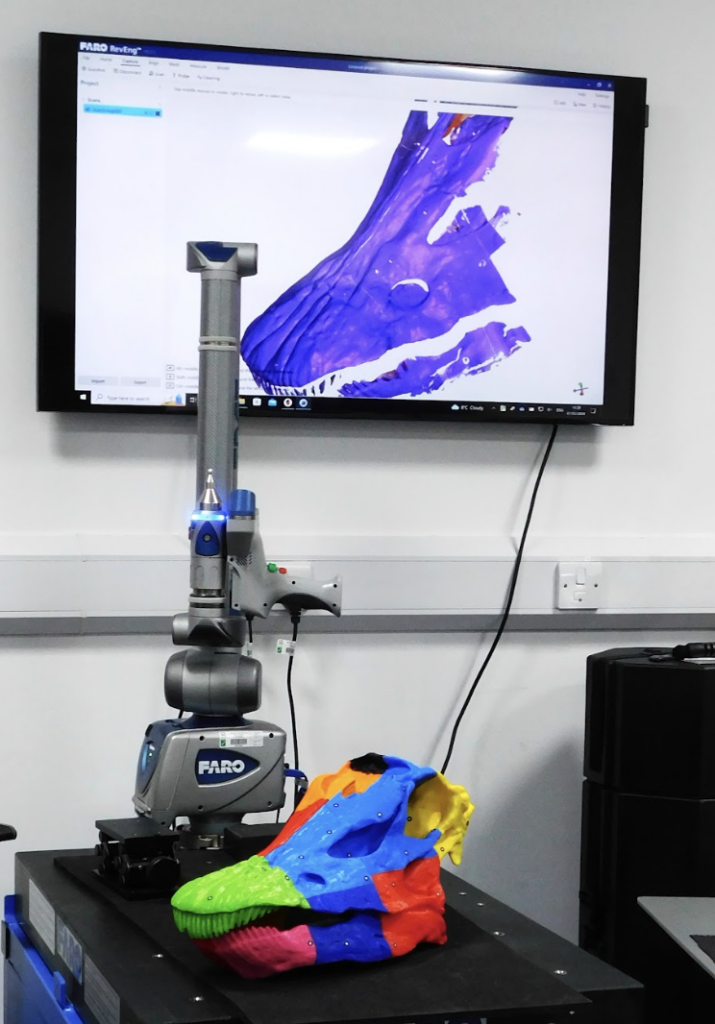
TR: The difference is the speed and the accuracy of the tiny area that it’s scanning. So the Creaform hand scanner is a £30,000 scanner. And it’s accurate to .1 of a millimetre. The FaroArm is the one that goes a bit further. And it’s designed specifically to track small objects.
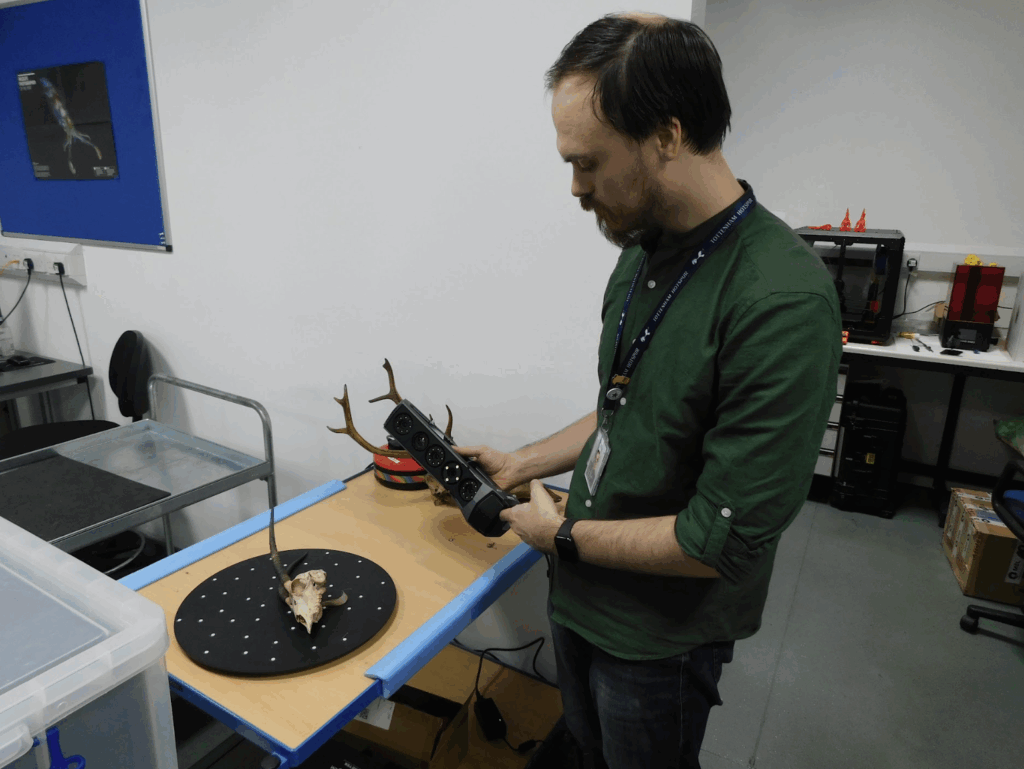
The wonderful thing about all of the hardware that I have is that I’m not using them in the way that the designers have intended at all. So, when we ask for help with scanning specific things, their engineers have no idea how to help us. So we have a lot of back and forth between them to help optimise their streams.
So the Creaform scanner uses these little tiny reflective dots that you put a bunch of them around the object and then the scanner is watching those and tracking where it is in 3D space, while it’s being moved around. It’s running at 30 or so frames per second, and taking a photo and looking at what it can see as a model and seeing what dots it can see. So, then it can use what dots it can see to understand where on the model that is, and then use the colour of the model and stitch all of those together. The iPhones have lidar scanning sensors in their camera setups now anyway. So you could do a pretty decent room-scale scan with an iPhone in a standard room. [With] the accuracy that an iPhone can afford you, the room would look quite nice. But when you start to try and scan, for example, something down to like the sort of tiny sizes, the Creaform is tuned to be able to pick something up like that. Whereas the iPhone starts to lose the detail of what you’ve got.
The FaroArm is a £90,000 scanner, that’s like another step up. The advantage of a scanner like that is that the laser is attached to an arm with a whole bunch of encoders in it. So the software has a couple of streams of information: the software knows exactly where the scanner is in 3D space, because the scanner is bolted to the table. And then you’ve got all of its encoders telling you where the scanner is. So then it doesn’t have to worry about positioning any of the images that it takes, because it already knows where it’s looking. All it needs to worry about is a blue laser line, and there are about 2000 points across the line that it measures.
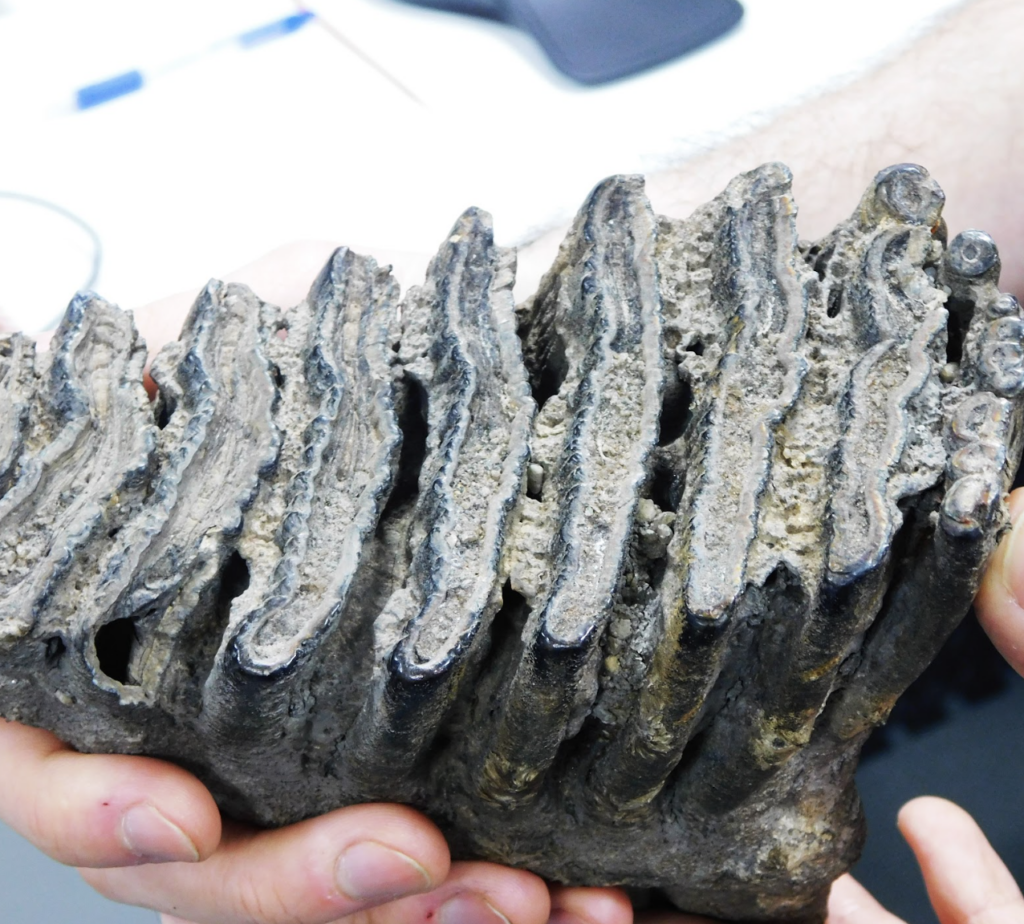
And it’s measuring those at about 25 times a second. So, you’re getting hundreds of thousands of points coming into the software. It’s accurate to .01 of a millimetre.
I always have little handling models in my lab. When you look at the collections we have and the hardware we have in the labs, that combination makes us probably the best in the world at what we do. Because you can come to our labs and get access to almost any species that you want, through all of mankind’s history, and get an incredibly detailed look at the surface, the internal structure.
HS: What are your top three models in the museum’s collection for 3D printing?
TR: There are a few things that I’ve scanned that are coming to light that haven’t gone on to the Sketchfab yet that I really like. One of the ones that I’ve just scanned, simply because it’s such a vast slab – because fossil is rock, so it’s huge and it’s just immovable. And the surface is actually fossilised dinosaur skin. We think that it was a very keratin-rich animal to have its skin fossilised like that, but it’s the most well-preserved bit of dinosaur skin that has ever been uncovered. That will be going on to the Sketchfab at some point, and it’s one of my favourites. The model is kind of nice; it’s very tactile to run your finger across. The idea that it’s dinosaur skin blows my mind. But I would say my absolute favourite, because it’s my favourite animal, and it’s one of the most complete specimens that exist in the world, is Sophie the Stegosaurus. We’ve got all of the data for Sophie. She’s the most complete Stegosaurus fossil skeleton in the world. And that is very satisfying to print out. It’s a nightmare to do it successfully, and you have to do it in tiny pieces.
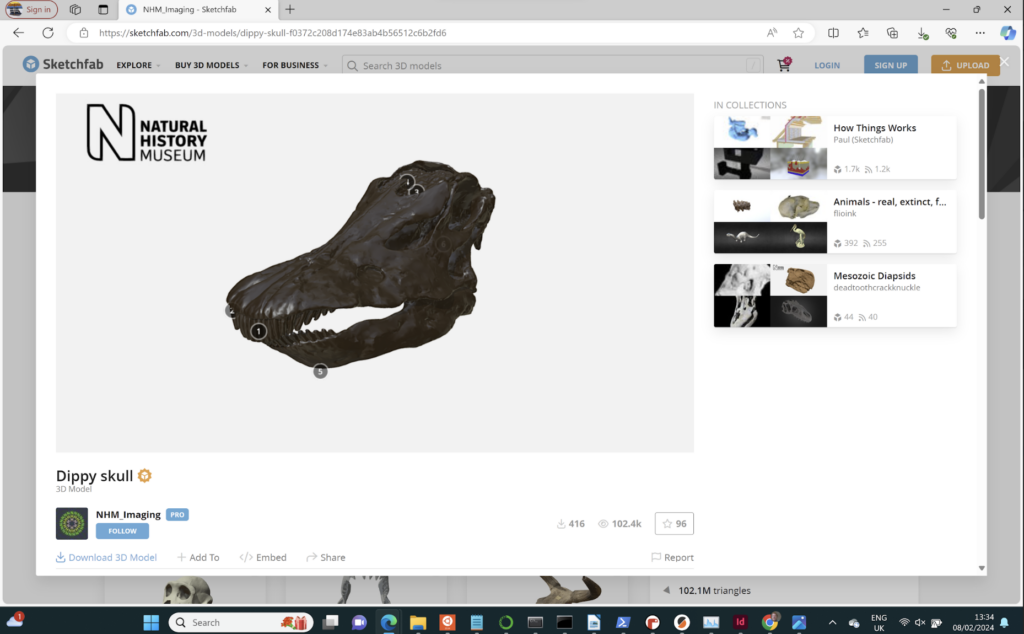
HS: At the moment, virtual reality, sorry, I mean spatial computing, is very much in the tech news following the release of the Apple Vision Pro. Do you expect that to change the work you’re doing?
TR: It’s another tool that just sort of augments what we can do. It’s something that I’m really passionate about. Before I worked here, I worked at the University of Suffolk and I built a Virtual University for the university staff. We had DK1 Oculus headsets, so that was right at the beginning.
This data that we’re scanning in the lab can be used with VR, because at the end of the day, I’m making an STL, or an OBJ file.
Before I did any of this, my actual degree was in digital film production – animation and suchlike. So I’m very familiar with building those sort of environments that you can plug into – you’ll notice the HTC VIVE headset in the corner of the room. So it’s something that we’re looking towards because it’s really easy. I’ve got terabytes of surface data of models and skeletons and stuff and I could just drop it into Unity.

Within 20 minutes, you could make a VR experience of picking up specimens. It would be incredible to take all the objects, 18 million specimens or something on site here, to be able to take a fraction of the locked-away specimens out into the world virtually, and give people the opportunity to play with without risking the specimen.
HS: Is there much difference in the way you scan an object if it’s for VR vs if it’s for 3D printing vs if it’s for research?
TR: Not in the way that we approach the scanning. The only difference is the degree that I would go to with the post-processing of the model. With the scanning that’s happening here, because the accuracy is all the way down to .01 of a millimetre at its highest resolution, Joe Public would never need that out of a mesh. And to be honest, the polygon count of a mesh that I produce would immediately crash any game if you tried to play it.
So, if it were for a researcher, they would want measurements down to fractions of a millimetre. If it were to go into a game engine, then I would have a polygon limit that I’d work to or the complexity of the geometry.
HS: You release some of your models on Sketchfab. How do you decide what to release?
TR: Up to this point, it’s been kind of ad hoc. What I would love to do is to have a point where I’m obviously doing custom scanning jobs for people and requests that come in, but also just have a constant working with the curators for interesting models just coming through the lab. I can digitise them, and then they go off on Sketchfab. Because, unless it’s owned by somebody who specifically doesn’t want the data to get out or department-sensitive research, there’s no reason. I have a vision that, in the future, there will be just thousands and thousands of specimens – just stick a headset on and go and play around.
No comments
Comments are closed