Beige is back: Remembering the BBC Micro with Raspberry Pi 500+
The BBC Microcomputer System, or BBC Micro, taught a generation how to use personal computers. Raspberry Pi exists partly because of that legacy. Our CEO and co-founder Eben Upton’s own journey began with a Beeb, and when he recently floated the idea of making a Raspberry Pi 500+ look like a BBC Micro, it felt less like a gimmick and more like a polite nod to four decades of British computing.
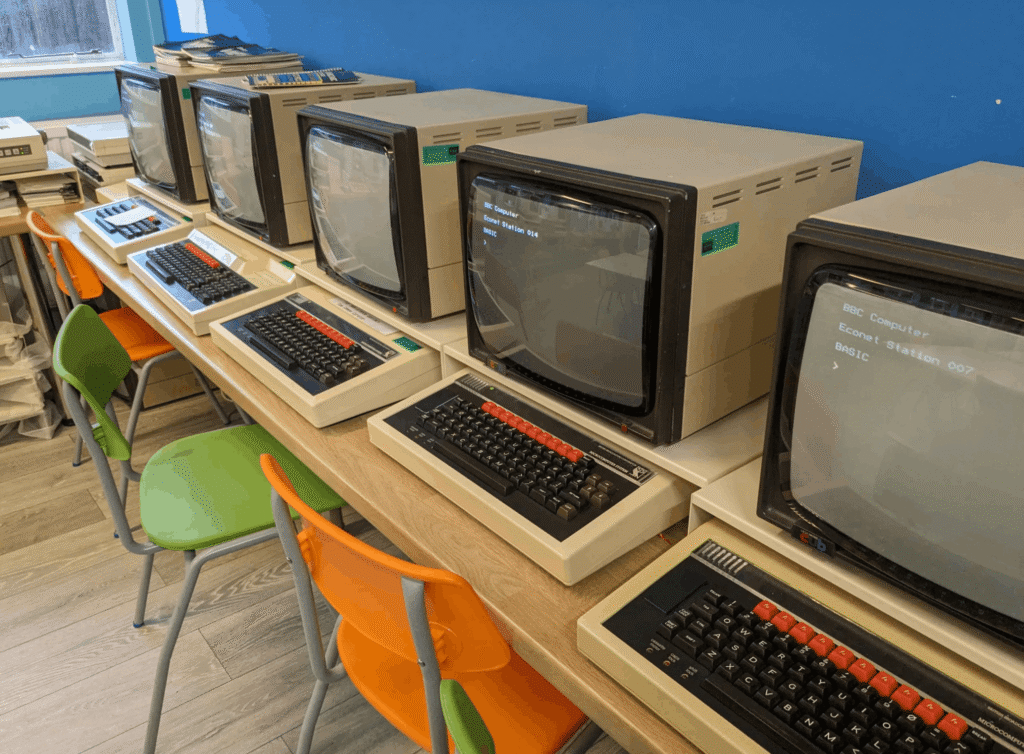
The BBC Micro was released in 1981. Manufactured by Acorn Computers, it had an 8-bit CPU running at 2MHz, and came in two main variants: the 16KB Model A, initially priced at £299, and the more popular 32KB Model B, priced at £399. According to the Bank of England’s inflation calculator, Model B would set you back something in the region of £1600 today. So, it was expensive to say the least. Despite this, it went on to sell over 1.5 million units, and was found in almost every UK school at the time. The BBC Micro’s entire memory could comfortably fit inside a modern emoji, but at the time it felt revolutionary, offering up a whole new world to the masses.
Back to BASICs
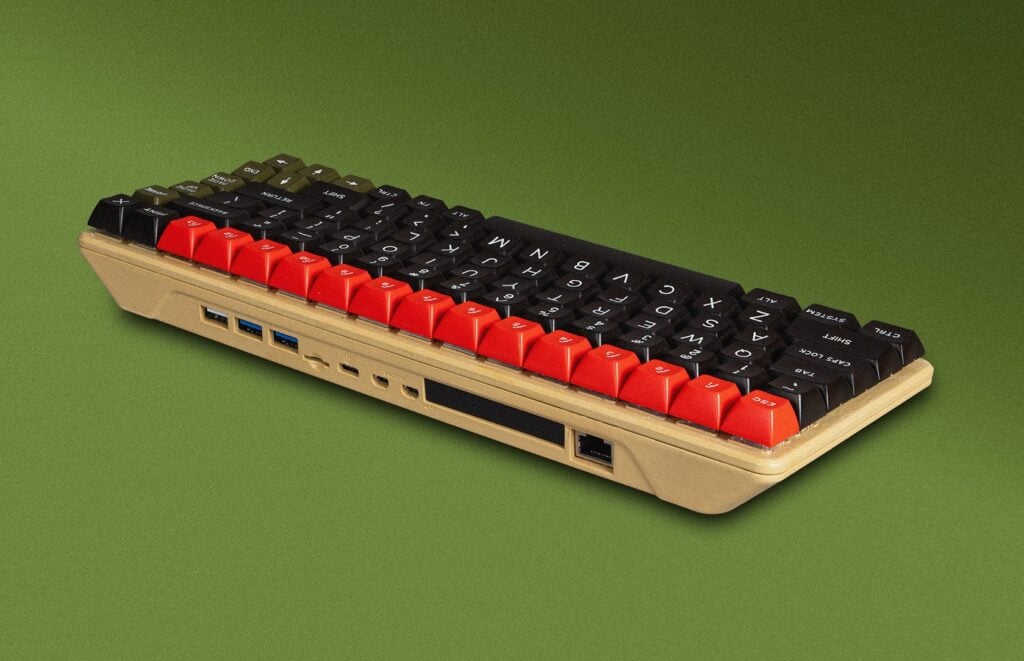
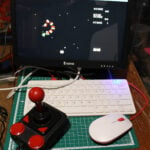
Within minutes of starting the makeover, I discovered that beige spray paint is unsurprisingly not very popular anymore — especially this exact shade, which reminds me of nicotine-stained pub wallpaper. A couple of purchases later, I found one that just about did the job. After a quick disassembly of a Raspberry Pi 500+ (which is designed to be taken apart so you can upgrade the SSD), a coat of primer, and a top coat of RAL 1001 Beige enamel spray paint, we had the base of our imitation Micro.
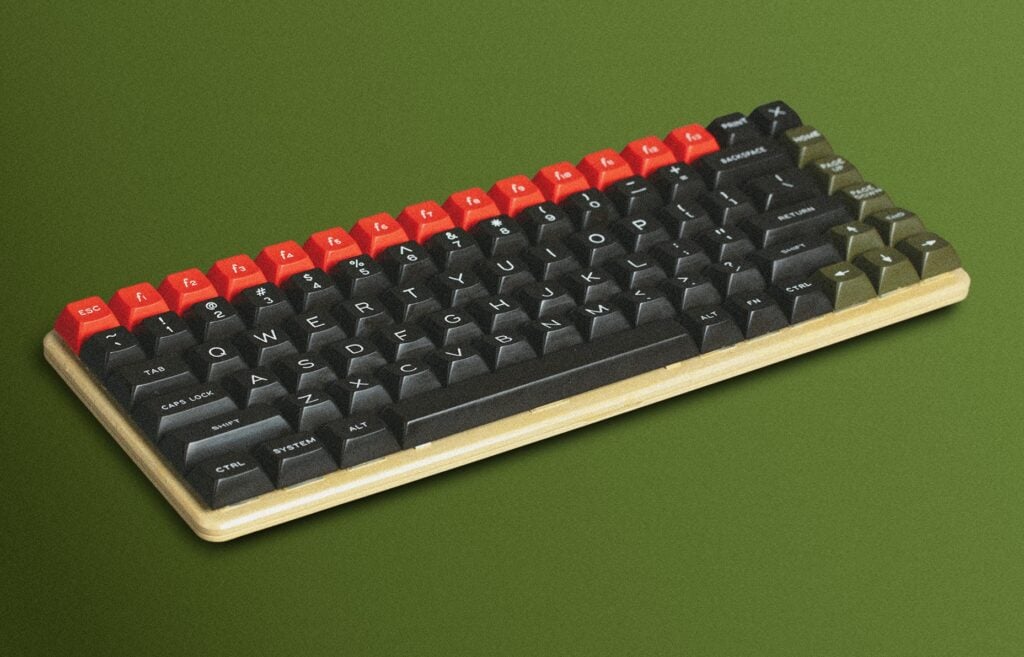
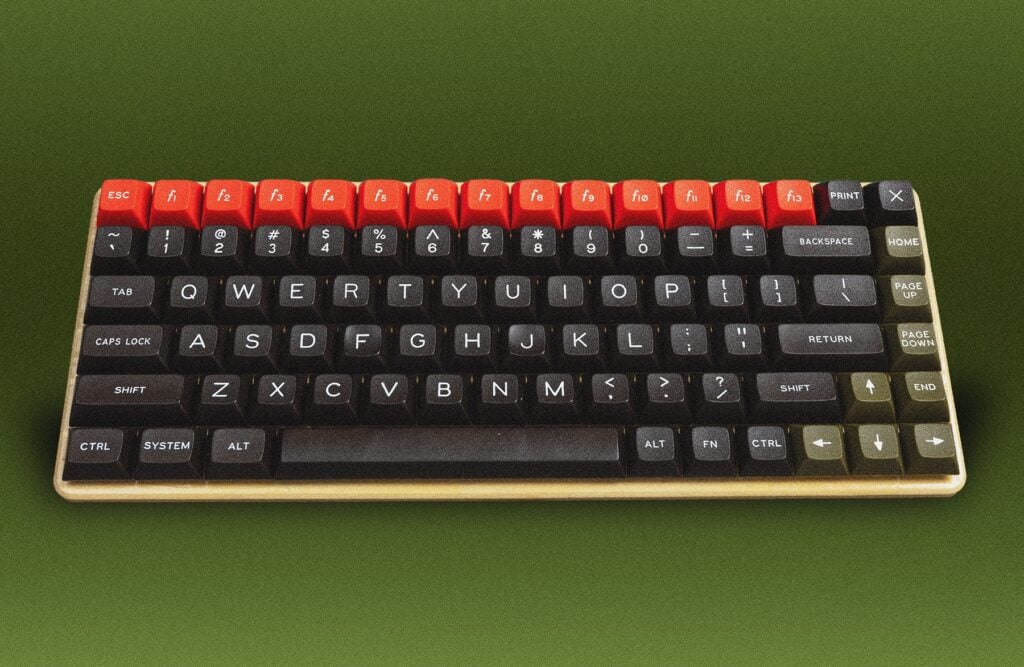
But that old-school beige was not the classic computer’s only distinguishing feature; the BBC Micro also had a very distinctive set of keycaps. For those above a certain age, the keyboard is instantly recognisable — mostly for its bright red function keys, which seem to cry out “we do something powerful”. In practice, they were programmable macros for BBC BASIC commands (RUN, LIST, etc.), and their vibrant colour made them feel special, almost like hardware buttons rather than just keys.
Because Raspberry Pi 500+ was built with customisation in mind, recreating this look was easy; the keycaps could easily be swapped out using the removal tool included with every purchase. Signature Plastics LLC offer a variety of unique, high-quality keycaps, and they certainly delivered on our request for this project. Within minutes, the transformation was complete. My hat respectfully doffed to an iconic British computer that introduced millions of people to computing.
Microcomputer, major impact
Raspberry Pi’s all-in-one PCs have always been inspired by the home computers of the 1980s, and much like the classics, they help put high-performance, programmable computers into the hands of people all over the world.
Raspberry Pi 500+ is our most premium product yet, giving you a quad-core 2.4GHz processor, 16GB of memory, 256GB of solid-state storage, modern graphics and networking, and a complete Linux desktop, all built into a beautiful mechanical keyboard. In 1981, this would have represented more raw processing power than every BBC Micro in a typical school combined. In simple terms, it delivers computing on an entirely different scale: around a million times more processing power, well over half a million times more memory, and several million times more storage. Not bad for the price of a routine car service — before they “find something”, anyway…
54 comments
Jump to the comment form
Raspberry Pi Staff Toby Roberts — post author
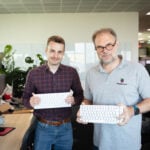
Thanks for the great photos of my build, Brian!
Xavier
Wonderful job! Inspiration for hundreds of BBC Master’s users!
tonny mulch
when and where to buy one?
Anderson
Really great look! Good job on your customization!
Any estimated date on when the Portuguese keyboard will be available for the 500+ in Brazil?
Blaz
Wouldn’t you just replace the keycaps with whatever you like on Pi500+?
Anderson
There are no resellers endorsed by Raspberry for any kind of keyboard layout in Brazil, for 500+.
I need a keyboard first, to be able to replace the keycaps.
Supermath101
Within the list of Raspberry Pi Approved Resellers, one of the ones under the “Brazil” section does have a bunch of “Raspberry Pi 500+ Desktop Kit – PT” in stock. Namely, Mouser.
Anderson
Thank you for your attention.
Mouser sells the products at US$ prices, with US companies as delivery options.
So it is not selling IN Brazil, it is selling TO Brazil.
As it would be an import, the price of the product can become a few times higher due to import taxes applied to final customers. The product is treated as a luxury item.
If the product could be imported by a company before being sold to final customers, less taxes would be applied, because the government would be allowing it.
James Hughes
I also cut my teeth on the BBC Micro, and also ended up working here at Raspberry Pi. I still have my BBC, in the loft, serial number 3336.
Raspberry Pi Staff Ashley Whittaker
<3 and look at you now, getting to work alongside other such geniuses as myself.
Raspberry Pi Staff PhilE
Don’t devalue the currency
Raspberry Pi Staff Ashley Whittaker
The indignity of being the person who has to let these comments through. I bring it on myself.
Jeunese
Harsh
ukscone
It’s a very short trip from genius to madness :P
A Stevens
This is gold! Well, beige. So many memories: my first real computer was a BBC Master 128, which was obviously slightly bigger than the Model B, but had the same splendid keyboard colour scheme. Those ‘goose poo green’ keys have always stuck in my mind, from the days of typing in BASIC code listings from magazines.
Gitesh
…this didn’t occur to me 40 years ago but now I will forever see them as goose poo green.
RoboJ1M
After losing mine in a Parent Related Accident, I now own a beautifully restored Master 128. And we can now do everything we couldn’t afford to then. And it’s a LOT.
I’m currently designing a sound card for the cartridge slot. BECAUSE I CAN! 🤩
Steviant
The best thing, I think, is the concept. The same idea could easily be adapted to evoke a wide range of bygone computers, a dedicated user could even take the keycaps off the keyboard and drape a rubber doormat with a qwerty layout and random words over it and simulate a ZX spectrum.
Ray Allen
Nice, used the BBC back in school but never could afford one for home use. I ended up with the Vic-20 and Atari 600XL, then 130XE and ST. Now I’m back with the Pi400 and Pi500.
So you know someone is going to make the Pi500+ into one of the ATARI machines. Maybe my next project so could be me :)
But his Beeb looks great. I learnt BASIC on it when at school.
Perhaps you’re going to start a trend of conversion kits for various 80s home computers. TI, Dragon, Tandy or Oric anyone ?
Nicholas England
Vic20 was my second machine.
10 poke 7680, 72
20 poke 7681,73
If I remember right
gus3
Back at ya! 😁
Anders
I’m here now having returned from the pihut website where I had immediately jumped to having seen the picture and not read the article…..
Tim Cliffe
I started my computer journey in 1977 on a Unix mainframe time-share dumb-terminal set-up; a black-ish screen (very similar to the one in the first photo above) with a green rectangular flashing cursor… no mouse, no clicking, no buttons, no windows manager – a keyboard and nothing else.
Then came the “BBC”! Alright, it was a bit rubbish compared with a mainframe but at around £1 million for a mainframe (in the 1970s!) the BBC was not only revolutionary, it was a bargain (even at £1,600 in today’s monopoly money).
In all fairness, the BBC was brilliant (besides, how many people had access to a mainframe in 1977?). Everyone wanted one or “What’s a computer?” was the other option… imagine that.
I loved my BBC, especially as it allowed me to do homework and experiment without dialing-in to the mainframe at college and using-up my allotted time-share.
Great memories, thanks.
ED
These look like keys that have much better readability too, or at least much more to my taste: bigger writing, more contrast, centred.
Anders
And probably not allowing backlighting through.
Giles
Submitted my A Level computer coursework on a BBC Model B. Great memories. Also, loved the Spectrum 48K. Now working for a major US IT company – had it not been for the BBC model B and Speccy.. who knows what I’d be doing.
Nicholas England
I wrote a video game for my gcse paper. Spent 35 years in IT after that.
Jon Jones
Want! Could you offer a conversion kit?
xeny
++ . I wonder how big the market is for a limited edition – presumably comes down to the demographics of potential 500+ purchasers.
RoboJ1M
Where did you get the keycaps?
We found the original manufacturer, who could even make more but the cost was… a lot.
Mike Quin
Article says they got them from Signature Plastics
Looks like it might be this set: https://spkeyboards.com/products/dss-microcomputer-presale
RoboJ1M
When the RPi first came out I loved it, still do, but missed the switch-on-instant-go and documented down to the PCB nature of the original Beeb. Turn on, type code, type assembler. It had the IO of the Beeb, but was too arcane in its working. Now the PICO. That was more like it. Power on, runs code. Except you can’t plug it into a TV and doesn’t have a keyboard.
I think a real love letter to the Beeb has a screen, a keyboard and instantly switches on and waits for you. In my mind it’s a Pico with a breakout to sockets with a keyboard, display and audio out and it runs a port of MOS. Or something MOSlike. That instantly NOT needing a PC or an SD card of Linux in there. The tactility of it, from showing five year olds how to use MOVE and DRAW commands all the way down to assembler furiously filling the shadow ram with bytes before VBlank (or whatever you call it when it’s Display port not Composite)
Is it necessary? Probably not as nobody will never not have a second computer to push binaries over to an Arduino or Pico. But a love letter is a love letter. And maybe some kids don’t have a second computer? No idea.
Michael Bernardi
If a Beeb emulator that was built as an image that booted straight to BASIC on the RPi could be built, you could have a working modern Beeb.
rclark
Tools are out there. Take the ‘Circle’ project ( https://github.com/rsta2/circle ). You boot straight to your C/C++ program… Or the Ultibo project in Free Pascal. No Linux, just your program running on an RPI! I haven’t done much with it except to see it run the examples, but has good potential for future projects — like bare metal emulation of your favorite old PC.
Nice key caps. I just replaced mine with a set of ‘retro’ like key caps for fun. Easy custom. Didn’t think of actually painting the case though!
AndrewS
Perhaps you’re looking for something like https://github.com/neotron-Compute/neotron-Pico or https://www.adafruit.com/product/6200 ?
mark
nice, please consider offering this or a variant of the pi 500+ keyboard as a standalone usb keyboard, without the lights or the raspberry pi itself.
a reasonably priced wired keyboard with nice keys would be great to use as an everyday keyboard for another existing computer, especially if it also had a numeric keypad.
Zephod Beeblebrox
Now we need one that looked like my first computer – a Vic-20
Liam
I still have a BBC Master 128, donated to me by my university when they cleared out a storeroom! Complete with green phosphor display. I currently have it hooked up to the TV with a SCART cable and a jerry-rigged 3.25” floppy drive, modified to think that HD discs are DD.
Gary Partis
Oh! Such Memories! I want one!
Theo Mol
I am very happy as I am. However, might there come a Pi 500+ with the looks of a Sinclair Spectrum, I would be in desperate need of one.
Nicholas England
Nice idea
Kevin Bowers
Your British reaction to the BBC Micro is pretty much identical to our Yankee rection to the Commodore 64. I have a 3D printed Commodore 64 case with a Pi 4B inside, same sort of homage.
Richard Paul Broadhurst
Lovely :)
Any chance of a bonus pack of the keys to make it a real beeb keyboard ? pretty please :)
Mark Gowdy
I hope you labelled the port on the right as “Econet”.
I still have my copy of the little blue book:
“THE ECONET MICRO GUIDE” – Christopher Dawkins
Randy Albright
Why does a BBC Micro copy have a US keyboard layout??? Good job, I’m just being a pain.
Gord Seifert
I see you moved the Home key above the page up and page down keys. I have done the same. It makes far better sense that way. That should have been the default!
horace
does this solve the problem with the wrong keycap profiles?
on a 500+ the right key column will only look correctly with flat profiles. otherwise some keys will stick out in an ugly way.
Anjo1920
I NEEEEEED IIIIIIIIIIIIT
Nicholas England
Are you going to start selling kits of replacements keys like this…seems a good idea to me..
Gerrard Shaw
I need that keycap set including the orange top row! Would love to build a custom PC mechanical keyboard in the Master Compact style, this is the closest repro I’ve seen yet :)
BJTallGuy
I have been resisting purchasing a pi500+ since it launched – but this!!!
I have already purchased all the parts and will be learning to spray paint computer cases while waiting for the keys to arrive from the US.
Adrian Price
Very nice. I was in the ZX Spectrum camp myself, can you get grey rubber key caps? :)
Christopher Becker
After owning two programmable calculators between 1978 and 1981, the TI-98C and Casio FX-602P I think, I bought the first computer I could afford: the Sinclair ZX81 in the USA for $99. God bless Clive Sinclair! And God bless all of you who make the Raspberry Pi possible! I love my 500+ and wouldn’t change a thing! Thank you sooooooo very much!
Matthew S
I really love my 500+ and am also looking to change it up with a new keycap set.
Doesn’t the 500+ need low profile keycaps? Do the keys used in this mod allow enough travel to activate without bottoming out? I’m having doubts! :D