3D printing a Raspberry Pi 5 in resin
Our new Maker Lab is the funnest place inside Pi Towers. Alongside pretty much every piece of equipment a hobbyist could ever want or need are two resin 3D printers, and our Maker in Residence, Toby, has finally got to try them out. After what he reports was a quick and easy self-tutoring experience with the help a few YouTube videos, he printed an outsized Raspberry Pi 5.
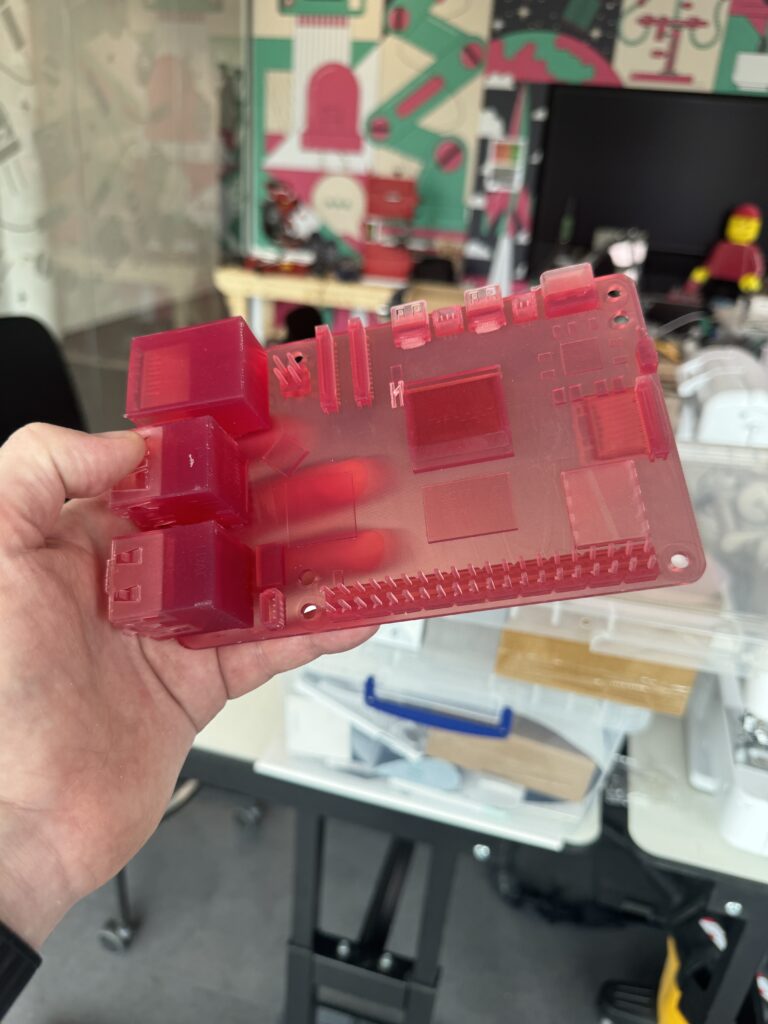
Resin 3D printing, also known as stereolithography (SLA), uses ultraviolet (UV) light to cure and solidify liquid photopolymer resin into solid objects.
How do you do it?
You start with a digital 3D model, which you can create yourself using CAD software, but this time Toby found a ready-made one on GrabCAD. People have modelled loads of stuff for Raspberry Pi and posted it there; take a look at their library if you want some ideas for your own prints. You then use specialised software (Toby used Chitubox) to slice your model into thin horizontal layers. This translates the 3D design into a series of layers which are demarcated in different colours and are received as instructions by the 3D printer.

The printer has a tank filled with liquid resin below a transparent platform at the bottom, and another platform, the build platform, above. The build platform moves up as the object is printed. Your designs are printed from the bottom up, and cured layer by layer with UV light. You then take out the finished print and wash it with isopropyl alcohol to remove any excess resin so it’s not all sticky. After that, you pop the print into another magic box, which which exposes it to UV light once again to make sure that it’s fully cured.
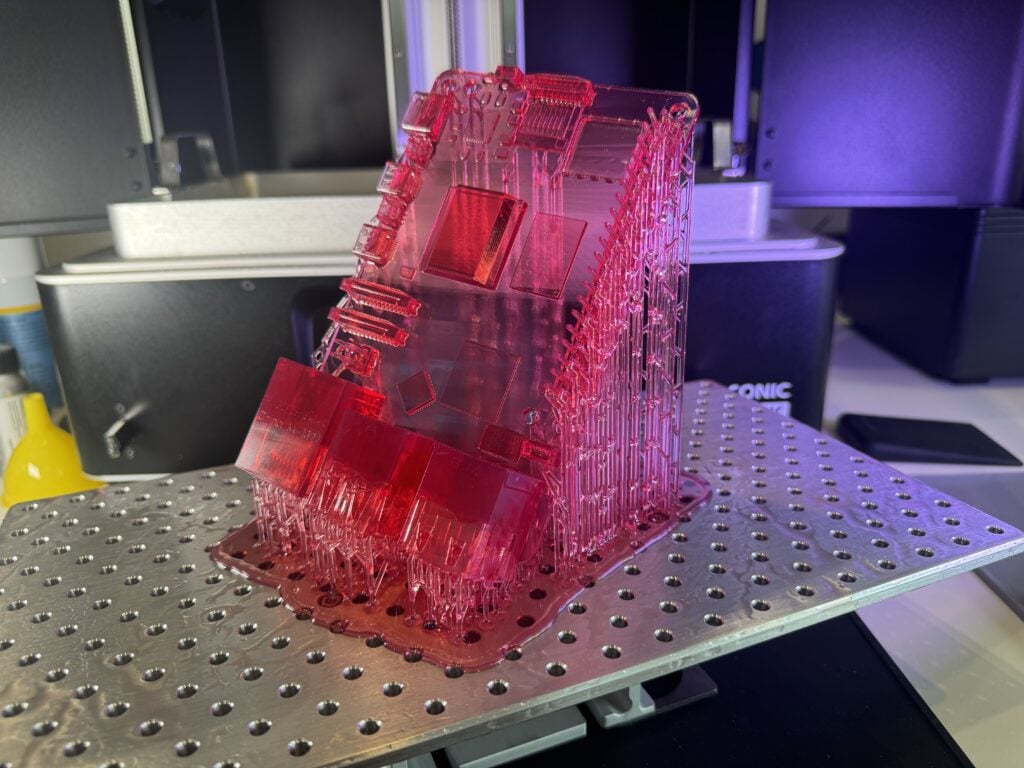
You’ll be left with lots of thin sticks of resin which acted as supports during the printing process; these snap off quite easily. 3D printing enthusiasts will quibble over whether it’s best to snap them off before designs are fully cured or afterwards. Toby did a bit of both.
Are resin printers better?
Resin printers can be more expensive than regular FDM printers which create designs with filament, but the level of detail they provide is unmatched. They’re big in the dental industry, but we’ll be printing much funner stuff with ours.



No comments
Comments are closed