3D-printed SD card holder helps Raspberry Pi engineers keep track of their stuff
I arrived at Pi Towers the other day to a sea of stumpy red and black cylinders dotted across all of our engineers’ desks. Now, we’re not allowed to take things off engineers’ desks in case they’re secret blueprints for Raspberry Pi 8 or something, but I checked the fine print and there’s nothing about playing with things on their desks, so I went to have a look.
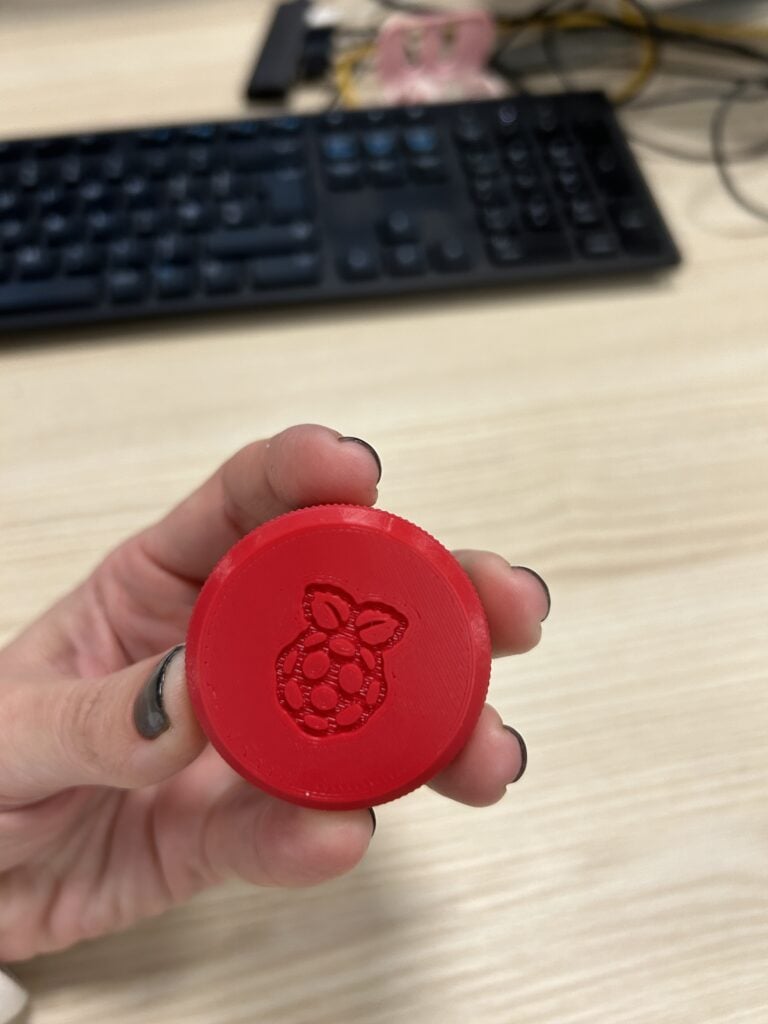
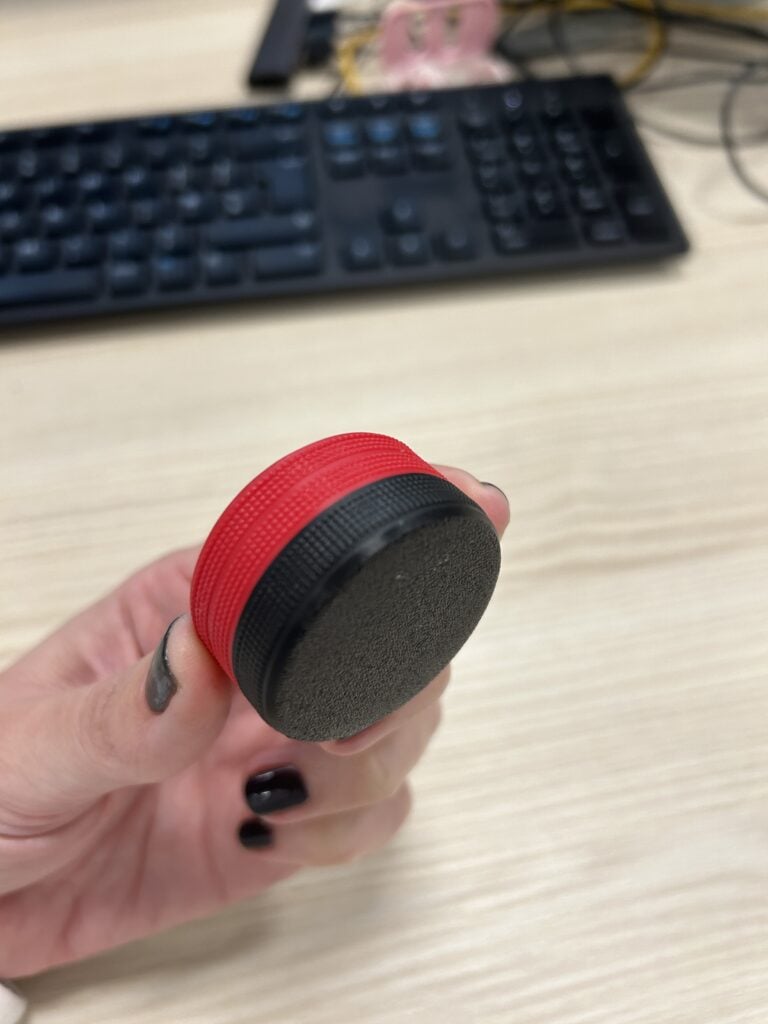
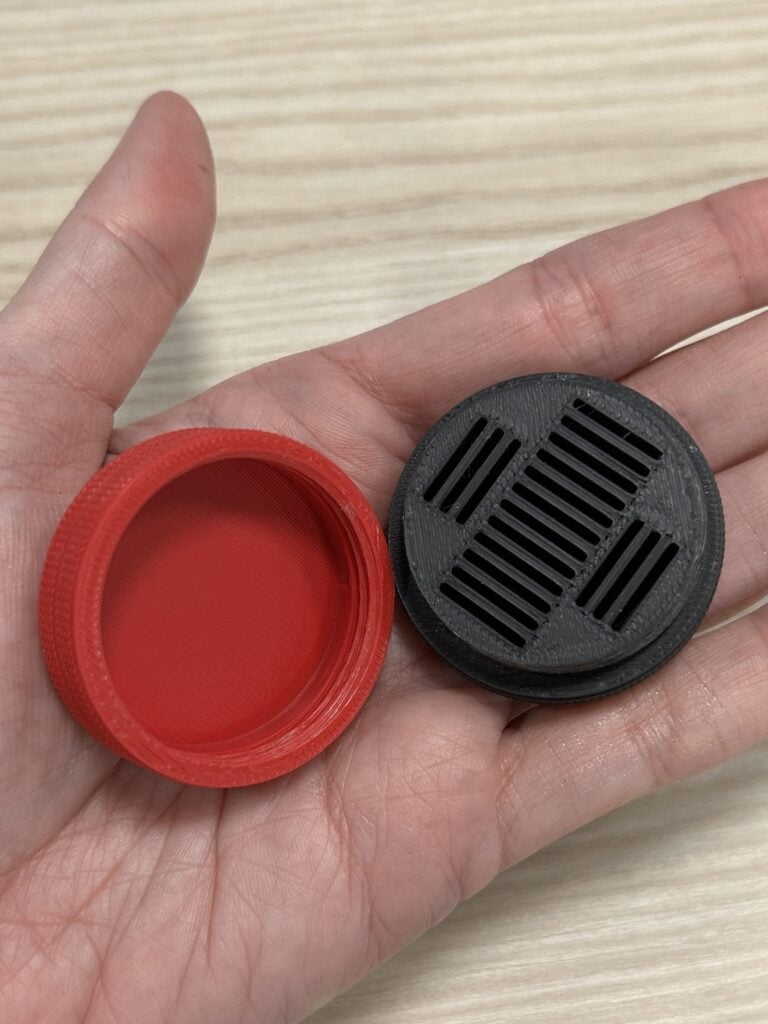
Turns out they were very neat SD card holders featuring a secure screw-top lid design with a Raspberry Pi logo on it.
SD card hoarder
On to the next question: what kind of person needs to carry around more than one or two SD cards on any given day? I asked our Maker in Residence, Toby, who made all of these miniature gifts. He explained that the engineer who originally requested a bespoke solution to organise his SD cards tests our hardware and software on many different operating systems, so he needs multiple SD cards flashed and ready to go with various bits of software.
A neat 3D-printed case is a much more attractive solution than a ziplock sandwich bag or a crumb-filled pocket, or whatever else my esteemed colleagues resorted to previously. I dread to think.
Lovingly recreated design
There was no need to reinvent the wheel. Toby found this microSD Card Case design by Tom on Printables. It’s one of three “threaded jar” designs featured on Tom’s profile; I especially like the bluey pinky dual-tone filament used for this one.
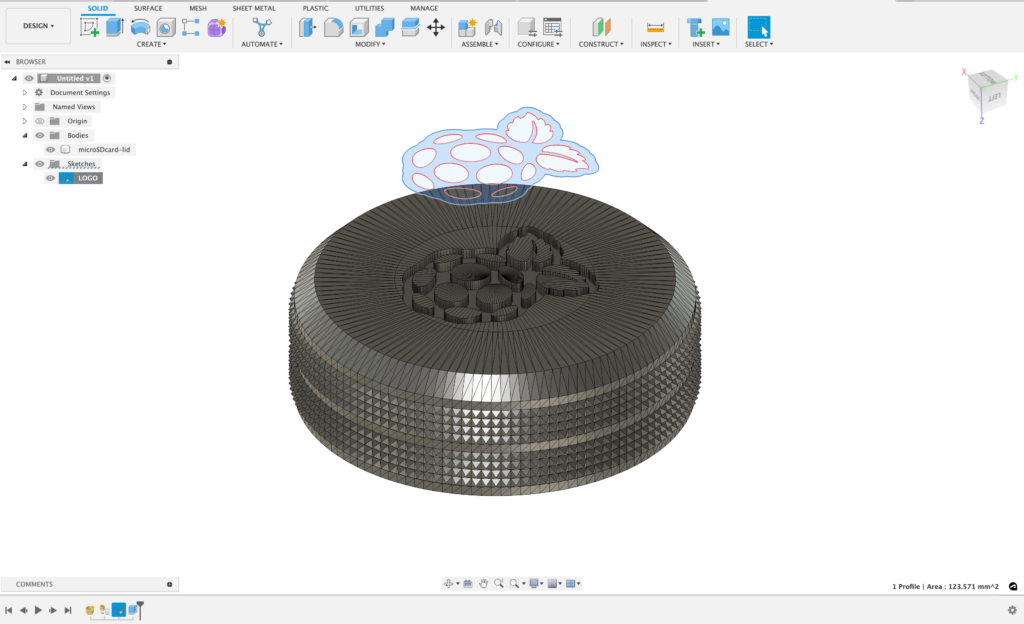
While Tom wins in terms of jazzy filament colours, our Toby wins for his addition of the Raspberry Pi logo to the lid. To do that, he took the .stl file of Tom’s lid and loaded it into Fusion 360. Then he changed the file to a mesh, imported a Raspberry Pi logo as a sketch, and extruded the logo to remove 1mm of the lid; this left the logo embossed.
Raspberry red filament
Toby printed the SD card boxes using the bespoke Raspberry Pi red PLA filament that Micro Center made for us for the lid, and normal black PLA for the base.
Bespoke gifts are the best kind
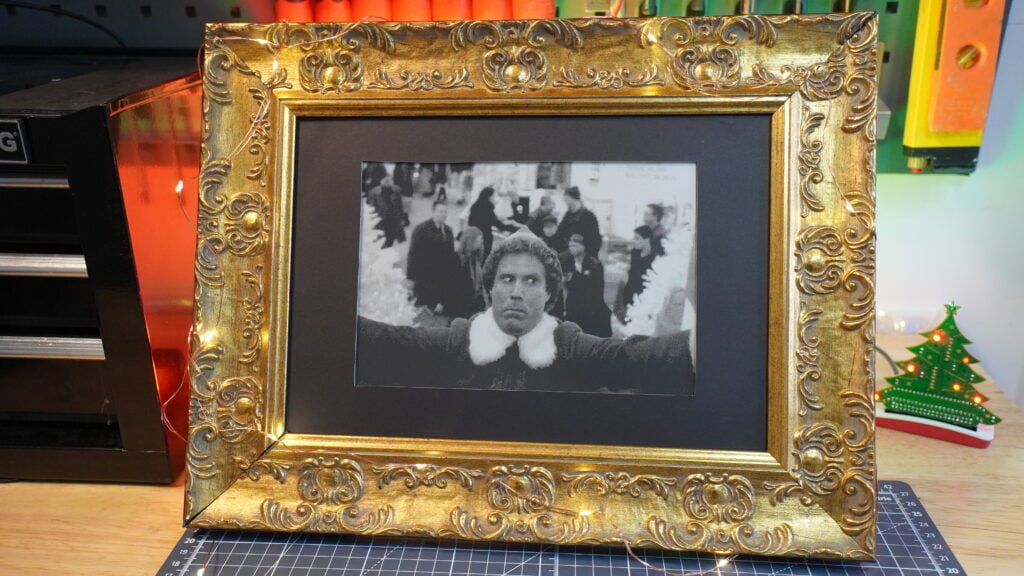
While I don’t need a case for the <0 SD cards [What? – Ed.] that I carry on my person, I don’t feel left out of the bespoke gift creation going on at Pi Towers. Just last month, I requested something practical and tasteful to help me perform my own job, and our maker in residence came through. Now my desk is adorned with this faux-Baroque frame housing an e-paper screen slowly crawling through Elf at a frame rate which stretches the film out across an entire month. It’s super helpful and just as fabulous as a Raspberry Pi-branded SD card box.




12 comments
nafanz
I think it’s a great idea for official products ;) You can experiment with other forms. Not everyone has a 3D printer, and printing itself is still inferior to factory casting.
Leandro
LOL you can reuse any plastic container that you can get from any other product. We don’t need another stupid and useless piece of plastic garbage in the world do we?
Aaron Kulkis
The advantage of these is that the jar is just a container of jumbled objects, compared to organized storage. Personally, I find myself resorting to ziplock bags, but they don’t have enough heft to notice if they’re with me in my pocket or not without specifically checking. And sitting on a table at home, it’s very easy for them to get thrown out by an absent-minded roommate thinking they’re just removing useless clutter. (Thankfully that’s never happened to me, but it’s easy to see that it’s a not insignificant chance.)
Someone at Pi Towers should put these into production using injection molded rubber for the base (can be used to clean the electrical contacts).
Kevin
Are the 3D printer files for the Raspberry Pi version of the SD case available for download anywhere?
Regards Kevin.
Eric M
I would like the files as well
Gavin McIntosh
My 3D printer arrived today, keyring version?
A bit smaller to hold a few “In case of emergency” OSes.
Perhaps one that reuses a milk bottle cap?
Hhelmbold
Very cool but once you open it, how do you know which card is which? MicroSD cards are way too small for my handwriting
Aaron Kulkis
I just put a 1 to 3 alphanumeric characters on mine. I keep a small notebook with a table
Code on the left, card contents on the right.
Leon Matthews
I’d appreciate it if Toby could please publish the be-logo’d case on Printables as a remix to Tom’s original.
In lieu of custom PLA colours, I have found that eSun Magenta a good match for Raspberry Pi Red. I’ve printed lots of cases in that and the grey from the same brand to good effect.
Leon Matthews
Thank you very much. I’ll post a print as soon as my daughter lets my use my printer!
Peter Lutz
With micro cards and adapters all over my desk, what I really need is a way to connect the cards outside with what’s loaded onto them. Best so far is a single letter, but that requires a spreadsheet. Any other suggestions?
AndrewS
I find coloured stickers like these to be a good solution https://www.amazon.co.uk/RubiGo-Coloured-Stickers-Assorted-Colours/dp/B0C46YQY8Z
Much quicker to identify a sticker-colour than it is a single-letter.
Comments are closed