This Pico-powered belt pulls you north
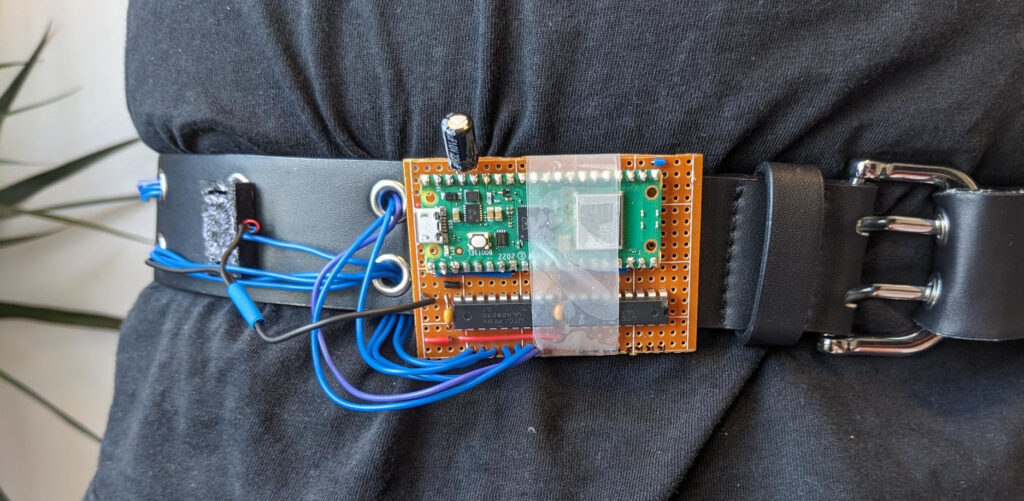
Most excellent maker Blinry decided no longer to let their lack of a sense of direction deter them from adventures, and built a Raspberry Pi Pico-powered belt to guide them north.
Affordable (and emo-friendly) tech
We are super into affordable technology around here so were thrilled to learn that the parts used in Blinry’s belted compass cost just €15 (around £13). It’s up to you how fancy you want to go with the belt itself, but you definitely need one with many holes for the wires. It’s also a good idea to have those holes trimmed with a hardy material, like the one shown in this build, so your wires don’t rub away at the belt as you navigate the landscape. My fashion sense was cultivated in the early 2000s, which means I am fully onboard with Blinry’s black leather and metal-trimmed eyelet choice of belt. Emo 4 lyf.

If you choose something without eyelets, you’ll have to think about how you mount the electronics to the belt.
How does it work?
The project is simplicity in motion. Blinry’s belt has a few vibration motors attached to it, and these tell the wearer which way north is. A Raspberry Pi Pico W controls the motors. It in turn receives its commands from a smartphone via USB.
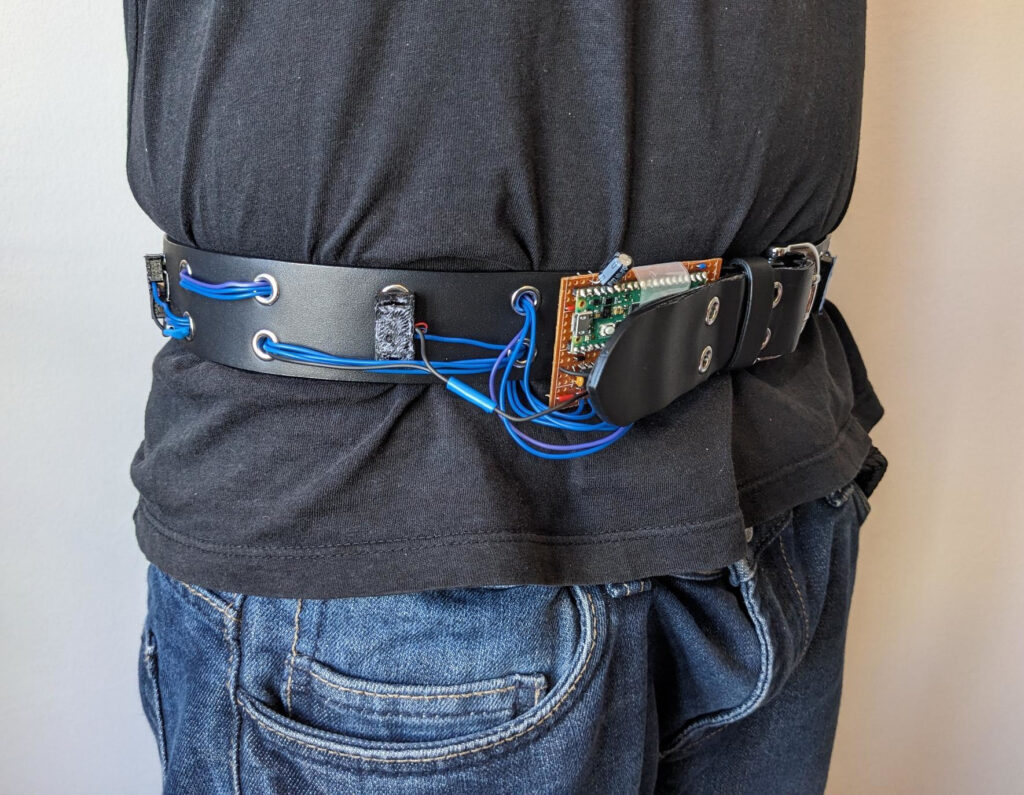
The smartphone is in charge of detecting where north is, removing the need for an extra magnetic sensor. That same smartphone also powers the entire setup, so you don’t need an additional battery. Blinry printed individual enclosures to house each motor and clip them onto the belt.
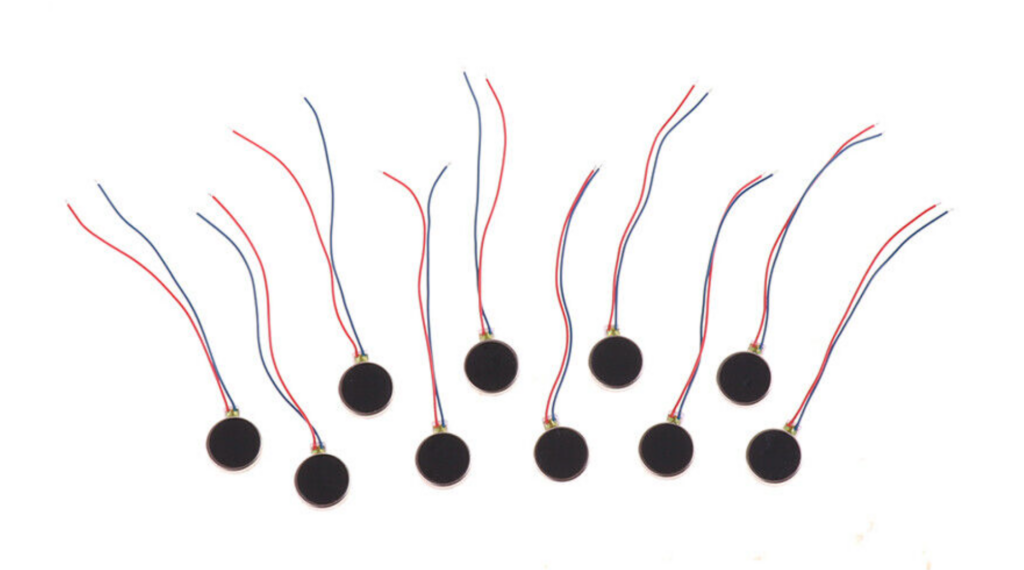
The motors here are eight coin vibration motors (like those pictured below). The Raspberry Pi Pico can’t support the current for all of them, so Blinry commandeered a transistor array chip called the ULN2803a.
Coding complications
There was a bit of a hoo-ha getting the smartphone to talk to the Pico via USB. You can read all about this in Blinry’s project post. The MicroPython on the Pico itself is pretty straightforward, though. In a nutshell:
“The firmware is pretty simple: It reads numbers between 0 and 1 from the serial connection via the USB cable connected to the Android phone, and then activates the matching motor. 0 means “at the front of the human”, 0.25 is right, 0.5 is back, 0.75 is left.”
blinry.org

While the tech sounds simple enough, I do not rate my general situational awareness enough to trust that I would walk in the direction of a vibrating motor attached to my belt. One thousand percent would end up in a ravine roughly eight miles from my intended destination. [Particularly impressive for someone who lives in the fens — Ed.]
Wireless upgrade
Blinry created an entire app to control this compass belt via a smartphone. They hope to upgrade their creation to get rid of the need for a USB connection to the smartphone, instead using Raspberry Pi Pico W’s Bluetooth capabilities.



6 comments
Graham Hughes
This is really good. I’ve got a good sense of direction but occasionally it goes awry especially if I just pop out of an unfamiliar underground station for example!
Raspberry Pi Staff Ashley Whittaker — post author
I haaaaaaaate the panicked seconds trying to get enough phone signal unerground so you know which way to pop up out of the tube station.
AndrewS
“which way to pop up out of the tube station.” – vertically?
SteamyTea
Can it take me North of North
Anders
This looks like a nerd project
MatSOBDev
For cleaner Android USB serial you can look at it: https://forbot.pl/forum/topic/19927-komunikacja-raspberry-pi-pico-z-aplikacja-na-androida-poprzez-przewod-usb-cjava – just put it together and works. I’ve built external ST7789 Android USB screen around it recently for example. Using Pico as I comment here :D
Comments are closed