Raspberry Pi Connect for Organisations, plus full-screen support
Earlier this year we told you all about our awesome new remote access service, Raspberry Pi Connect. We said we wanted to make it as useful as possible for our individual users, and provide it for free on Raspberry Pi devices. But we knew our industrial and embedded customers would like to use the functionality it provided, and more. Since launching Raspberry Pi Connect, we’ve been gathering information from these customers to understand what they are using it for and what they’d like to see.
Also, for all you individual users, we’ve not stopped developing the service, so read on for new functionality for you too!

Connect for Organisations
Feedback from our commercial customers shows that Connect has hit on a particular problem many of them have. When supporting their products in the field, whether that’s fifty metres up a radio transmission tower or at a customer site, it is difficult to maintain those systems when things go wrong. There are many commercial customers who have found Connect the perfect solution to this problem. But the service had a limitation: the devices are ‘owned’ by a single user, and no other users can access them. The worry one customer had, about one of their IT team disappearing with control of all their customers’ devices, was clear!
There are also situations where a customer has only a single Raspberry Pi, but wants to provide many users with access to it. Or where a school with a set of Raspberry Pis is giving each of their students access to them, so they can develop software remotely. Introducing Raspberry Pi Connect for Organisations!
Connect for Organisations allows you to create an organisation account which can own the Raspberry Pi devices registered to it:

Much like Raspberry Pi Connect for individual users, devices are added to the organisation’s account and can be controlled through the web page. To switch between your personal account and an organisation account, you can just click on the switch icon in the top left. Of course, now you have an organisation, it is going to need users:

Users can be invited into the organisation easily. Currently we’re not limiting the number of users or charging for the number of users — we don’t anticipate users per se to consume much bandwidth, storage, or processing resource, so we suspect that would be an unnecessary complication. As you can see, there are only two roles, administrator and member; only administrators can add or remove devices.
What does it cost?
We’ve kept pricing simple. Raspberry Pi Connect for Organisations costs $0.50 per device per month, based on the maximum number of devices registered in the month, and you get unlimited users.
Next up
Now that organisation functionality is available, we’ve got some other things to start working on. To give you an idea of where we’re going with Connect, some of these are:
- Device tagging: tag devices with your own labels, and use those tags to search and identify different classes of device
- Access control lists: using tags to give users different levels of access to devices
- Ability to sign devices up from Raspberry Pi Imager: boot direct to headless installation!
- Capacity for bulk provisioning of Raspberry Pi Connect device secrets during manufacture of Compute Module- and Raspberry Pi-based products
Now for the eye candy
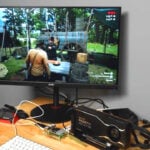
Some of you may have noticed a new button on the screen sharing interface:

The ability to enter full-screen mode at the click of a button is great for people who want to be able to get a better view of the destination screen, making it work more obviously — a little bit of useful functionality for all Connect users. We hope you like it!

14 comments
Ted J
This is great and I will look into it.
The feature I would like to see (it may be there already) is an Ansible like ability to run a script on remote devices.
Basically, the ability to run an update on a couple of devices, monitor connectivity, then trigger an update (custom script) to the rest of the devices (in the category?) later.
E.g. I pick on two specific Pis to update first. Four days later I want all the rest to update. If I see errors after the two update, I can cancel the other updates until I resolve the issue.
DmSh
Some other software can do that.
Check out the Raspberry Pi software partners page: https://www.raspberrypi.com/for-industry/powered-by/product-catalogue/?category=Software
R Okeson
Love the new full screen ability!
Piwi
Hi Gordon,
one of the best features ever! Great work. I tested it with CM4 headless devices.
RPI Connect could extended to a remote device management platform for xIoT devices, if you would add few more device + lifecycle management features to this service ;-)
e.g.
-MQTT Server
-RPi device performance dashboard
-dashboard designer to visualize application variables of sensor data
-dashboard to create automated business logic between various RPis projects
Rahul
I second this wish list!
xeny
Is there a cunning way to copy/paste to/from the remote host in full screen mode, or does one dip back into windowed mode at that point? Either way, full screen makes remoting from a 13 or 14″ laptop much more pleasant.
Raspberry Pi Staff Gordon Hollingworth — post author
At the moment yes, it seems that browsers do not support the ability to copy-paste through a javascript interface consistently. Firefox are refusing to ever support it.
It does make sense to have restriction, because otherwise some javascript would be able to capture your clipboard without your approval. As such they only allow the script to copy or paste if it was through a user interaction (i.e. you clicking on a visible button), not as a response to you hitting Control-C.
Helen McCall
Dear Xeny,
The most “cunning” method I can think of is to copy and paste into something like your Public folder, and then run a simple script using rsync to transfer the files to your Public folder on the host machine. The utility rsync is an amazingly powerful tool which is well worth learning to use effectively. Just spend the next wet Sunday reading through the rsync manpages, and trying out the examples.
Its_Padar
I wonder what the UI shown on device in the full screen screenshot is
AndrewS
It’s Raspberry Pi OS with the “Dark” theme enabled in “Appearance Settings”.
Khaled J
this is really great service to bypass the firewall.
with direct access to the raspberry pi..
are you planning to add static host for each device ?
it will be better to use my own ssh client. with 24h host available connected to each device.
Thank you.
David Kelley
Hi Gorden — This looks great! Are you eventually going to release any data storage, analytics or advanced security features? Thanks!!
d d
Why dont’ you provide a fixed price or say 5 users option? This is expensive, $50/year for people with just a few Pi.
Agung Mandala
Great product. Any plan to add Thonny remote sharing, on top of screen share and terminal?
Comments are closed