Introducing the Raspberry Pi AI HAT+ with up to 26 TOPS
Following the successful launch of the Raspberry Pi AI Kit and AI Camera, we are excited to introduce the newest addition to our AI product line: the Raspberry Pi AI HAT+.
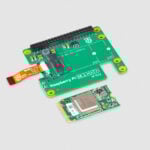
The AI HAT+ features the same best-in-class Hailo AI accelerator technology as our AI Kit, but now with a choice of two performance options: the 13 TOPS (tera-operations per second) model, priced at $70 and featuring the same Hailo-8L accelerator as the AI Kit, and the more powerful 26 TOPS model at $110, equipped with the Hailo-8 accelerator.

Designed to conform to our HAT+ specification, the AI HAT+ automatically switches to PCIe Gen 3.0 mode to maximise the full 26 TOPS of compute power available in the Hailo-8 accelerator.
Unlike the AI Kit, which utilises an M.2 connector, the Hailo accelerator chip is directly integrated onto the main PCB. This change not only simplifies setup but also offers improved thermal dissipation, allowing the AI HAT+ to handle demanding AI workloads more efficiently.
What can you do with the 26 TOPS model over the 13 TOPS model? The same, but more… You can run more sophisticated neural networks in real time, achieving better inference performance. The 26 TOPS model also allows you to run multiple networks simultaneously at high frame rates. For instance, you can perform object detection, pose estimation, and subject segmentation simultaneously on a live camera feed using the 26 TOPS AI HAT+:
Both versions of the AI HAT+ are fully backward compatible with the AI Kit. Our existing Hailo accelerator integration in the camera software stack works in exactly the same way with the AI HAT+. Any neural network model compiled for the Hailo-8L will run smoothly on the Hailo-8; while models specifically built for the Hailo-8 may not work on the Hailo-8L, alternative versions with lower performance are generally available, ensuring flexibility across different use cases.
After an exciting few months of AI product releases, we now offer an extensive range of options for running inferencing workloads on Raspberry Pi. Many such workloads – particularly those that are sparse, quantised, or intermittent – run natively on Raspberry Pi platforms; for more demanding workloads, we aim to be the best possible embedded host for accelerator hardware such as our AI Camera and today’s new Raspberry Pi AI HAT+. We are eager to discover what you make with it.


42 comments
Jim diGriz
Morning.
It looks most useful. Can I clarify a few points please.
A trained model still needs to be compiled from Tensorflow/Pytorch to Hailo using the Hailo software (which runs on x86) before it can be used? Your documentation : “Raspberry Pi 5 …, it automatically detects
the on-board Hailo accelerator and makes the NPU available for AI computing tasks”.
Also, it is a runtime NPU and irrelevant for speeding up model training?
Ta.
Helen McCall
Likewise, I would like to know how I can use it to build and compile my own models. These would not be vision related. I want to know how I can do low level programming of the device so that I could continue the pattern recognition research I was doing thirty years ago using a Sun Sparcstation 1+. As a former accredited expert in pattern recognition research, I find that everything is now obfuscated by the most appalling level of jargon.The RPi5 is vastly more powerful than the Sparcstation 1+ I used to use more than thirty years ago, and with this Hailo 8 device, I should be able to have the power of one of the Cray Supercomputers I used to drool over. But to use it the way I want to, I need to be able to design and compile my systems on my Raspberry Pi because I long since gave up with other computers, and only use Raspberry Pis now. I am a little old lady who first learnt to program in the ’60s, and who is now long since retired. I do not want to have to build an expensive x86 machine just to build and compile models, and would rather not have to learn the appalling mass of jargon which has proliferated since I retired.
Mike Hamer
Hi Helen, If anyone expert does reply I would be grateful if you could share it with me: being in exactly the same boat but not an expert in relevant algorithms! Mike Hamer
Anders
Hi Helen,
The information about developing your own models is on the HAILO site where you can find documentation and examples for their Data Flow Compiler toolchain.
You will need PC with an x64 CPU, and a GPU (the HAILO examples use an NVIDIA 4080) and 32GB RAM.
This is not special or unique to Raspberry PI, doing ML training does require some computing heft.
Jacob
Also useful to keep in mind that one doesn’t need to purchase a hefty system. You can grab one on GCP for a few dollars per hour.
Helen McCall
Dear Jacob,
Google Cloud Processing’s TPU service is a stand-alone training and inferencing system using Google’s systems. It is not a service for building models and compiling them for the Hailo on the Raspberry Pi AI Hat+.
Helen McCall
Dear Anders.
It should not be necessary to pay thousands of pounds for a high end x86 machine in order to properly use a Raspberry Pi hat. I was doing Machine Learning research more than thirty years ago, using a Sun Sparcstation 1+ for building models and running them. The Raspberry Pi 5 is vastly more powerful than the Sparcstation, and the 26TOPS of this AI Hat+ should boost it up to soemthing like the power of the Cray Supercomputers of thirty years ago. So all that is needed to make this hat fully useable on a Raspberry Pi 5 is for the model training software and Hailo compiler to be ported to the Raspberry Pi and Hailo, along with a proper description of the Hailo architecture to permit low-level programming. I have sufficient published research papers in this field for international journals to have used me for years in the 90’s to provide International Peer Review in this subject.
Anders
Hi Helen,
I am only giving you the information requested, there is no point complaining at me, I don’t decide what HAILO do or how they do it.
However, sounds to me like you could recreate your research work on a standard Pi 5. No need or use for a HAILO accelerator at all. Also, what the HAILO does and your previous work are probably very different.
Siamak
Hi Helen,
I am having almost the same issue with AI HAT+, I can not find any open-source LLM that can run on HAILO, or may be I am not looking at the right place.
I am trying to make some changes to an open-source software that I need to use AI to get there.
Would you be able to guide me in a right direction please?
Siamak
Tsuf
The Hailo accelerator runs neural network models. There are many ready to use, precompiled models. If you want your own neural network model, and you have already trained it on a strong machine, the result should be a trained Onnx or TFLite model.
This is the input to Hailo Data flow Compiler, that compiles the model to the Hailo accelerator. For the compilation process you can use a “weak” PC (without a GPU and even 8-16GB ram, you have that in most systems), BUT for large models, or to reach high accuracy (to run optimization algorithms like fine tune), a stronger machine is needed.
Nuno
Helen, never stop, very inspiring.
Bob
Hi Helen,
Note that there is a big difference between 26 TOPS and FLOPS
Srini
Does it supports photon vision
Jon Hat
Does this hat fit in the official case?
Helen McCall
Dear Jon,
To obtain suitable cooling, I would recommend housing your RPi5 in the new Bumper, and using the active cooler underneath the hat. Using the Bumper with the Active Cooler will then also permit you to fit the official Hailo cooling block to the mounting holes provided on the AI Hat+. This combination will give you a neat compact assemblage with the best cooling.
Jon Hat
Thanks for your thermal management insight Helen. I’m still not sure if this hat can be installed onto a pi5 that I have in an official pi5 plastic case or not. Could you answer that question?
Steve Sexton
NPU or NVME drive take your pick, unfortunately not both. Hopefully, PI 6 will have two M.2 at full non-bifurcated PCIE 3.0.
Arav Jain
I really hope so!
Helen McCall
At the rate that the Raspberry Pi team have been developing new technology, I wouldn’t be suprised if the Pi7 has a tiny integrated inflatable monitor which at the touch of a button expands to become a 32 inch touch-screen.
Peder Smart Sefland
I have used an dual nvme m.2 Hat. With m.2 disk and Hailo-8L, but yes the share the same pcie-port … But the write to disk performance is much better than SD-card
Arav Jain
Hi,
Really excited about this amazing new product! But, there’s and issue preventing me from buying it: if I use this, I can’t use my M.2 NVMe SSD. Is there a way to use this over USB instead of PCIe, or any other things like a “PCIe multiplexer”?
Tsuf
Yes there are PCIe multiplexes. But make sure the one you but has external power connection, so the power the rpi outputs if enough for both of them. Also this configuration is not checked, so please share your results (:
Matthias
Dear Raspberry Pi Team,
As a long-time fan with a significant investment in your products—including 5 Raspberry Pi 5 (8GB models), 10 Raspberry Pi 4 (8GB and 4GB models), 10 Raspberry Pi 3B+, 7 CM3 modules, along with numerous Picos, Zeros, cameras, and HATs—I’ve become increasingly disappointed with the direction of your AI products.
The Raspberry Pi AI HAT+ is limited to computer vision tasks and cannot handle large language models (LLMs), which are increasingly important in AI applications. Competing products offer much more flexibility in this regard. I want to continue using Raspberry Pi, but the current AI accelerator feels outdated for modern local LLM needs.
I see a trend toward very specialized products, which limits their broader application. Having purchased the standard AI HAT, I now find it lacks the versatility that modern AI workloads demand.
Thank you for considering my feedback. I hope future products will be more adaptable and offer wider AI support.
Best regards,
Matthias
Helen McCall
You have hit the nail on the head here. The RPi5 is by far the best and most versatile computer I have used in nearly 60 years of computing; but the AI hats are the opposite. I am completely unable to use my standard AI Hat to even repeat the pattern recognition research I published 30 years ago!
The Raspberry Pi community is made up of a wonderful polyglot of people with all sorts of levels of experience and skills, with the common factor being strong creative imaginations along with a willingness to experiment in all sorts of ways with their Pis. It would be in Hailo’s interest to open up more to the Raspberry Pi community so that we can do all the amazingly inventive things with their products that we do with our Pis. There would then be all the astounding designs, crazy attempts, and sheer potty gimmicks that make up the path of natural technological development. So a big PLEASE to Eben Upjohn to persuade Hailo to open up to us.
crumble
Specialized video AI is fine for me.
But it is quiet odd that they removed hardware support for their cameras and common web cams, did not replaced it with working software and show up with video AI.
Anders
LLMs require quite a bit more RAM than is available on the HAILO 8 devices and on the Pi itself.
There is a new device coming, the HAILO 10L that will extend low cost, low power devices beyond vision tasks. It has the required RAM onboard. It is M.2 form factor but I’ve no idea if it will work with Raspberry PI as it is Gen3 PCIe with 4 lanes. It would require the software component to be developed if it were possible use it on one lane.
Mark Tomlin
Any progress on getting Whisper AI working on any of these devices? Speech to Text would be _VERY_ helpful in the SDR (Software Defined Radio) world. Doing that on the edge device would be excellent.
Helen McCall
Dear Mark,
Processing of Speech-to-text, textual data, audio data, and numerical data, are all common fields for application of machine learning. All should be supported. From what little I can gather from the apparent architecture of the Hailo device, it would appear to use matrix operations which are integer only. This might limit the efficacy of any audio processing needing to use Fourier Analysis, or using Fourier Transforms. Likewise, the integer-only operations would limit the numerical data types which could be used with this device.
Anders
The floating point numbers are in the pre-compiled model and they are quantised down to what is used on the HAILO device.
Helen McCall
Dear Anders,
As I said; the Hailo device appears to use integer-only matrix operations. Digital images and video are comprised of integer matices. However, when working in the frequency domain, it becomes imperative to maintain a close control over sampling intervals used. This factor, along with the memory constraints within the Hailo device, may be what is causing them the problems in trying to port Whisper to the Hailo. Reducing floating point numbers to integer equivalents does require a careful choice of sampling intervals.
Alek V
Do y’all know if any efforts have been made to run optimized versions of open-source LLMs, like Mistral, on the Hailo boards?
Tony Abbey
For several years I have been running an AllSky Camera with an HQ camera and RPi 3. It uses the low noise aspects of the HQ to get successful 30s images. Would there be any use for this AI hat to flag special events (meteors, aurora etc) and switch the system to a different image mode. I guess that it would need a sensitive video surveillance camera as well as the long exposure and switch between the two interfaces. Thoughts welcome.
Anders
That is HAILO 10h not 10l.
I’ve no idea why I wrote l, not even close to h on the kb.
Helen McCall
Dear Anders,
Wait till you get to my age. Then you will find you make far more of these little errors. Errors like this which I have made on this discussion, and subsequently spotted, have included; leaving the “r” out of “matrices” to read “matices”, and unfortunately calling Eben Upton “Eben Upjohn”! I call these “Senior Moments”.
Givi
Hi,
Is it possible to attach a “Raspberry Pi AI HAT+” and a “SSD NVMe.2” to a RPi-5 by at the same time, by utilising a “GeeekPi Dual FPC PCIe HAT”? How much performance degredation can you expect? Or is there a better way to do that?
Many Thanks.
Helen McCall
Dear Givi,
The product brief for the AI Hat+ does not give its power requirements. The current requirement is going to be very much larger than for an SSD. Couple this fact to the AI Hat+ automatically switching the PCIe bus to PCIe3, which will probably increase the current draw of the SSD appreciably, and you should be able to see that this combination is quite likely to go over the Pi5 power budget. I wouldn’t like to guess what problems any such current shortfall would cause. I can only say that I wouldn’t attempt it myself. A better option would be to use two Pi5 computers, one for the workstation with SSD, and the other as a headless server with the AI Hat+. I like to err on the side of caution, though I accept you might be more willing to live dangerously. ;-)
Givi
Hi Helen,
Thank you for your kind response and good advice. The power issue wasn’t somethinig I was thinking about at all. So, what if I use the “Raspberry Pi 5 AI Kit” instead of “AI Hat+”, would that make it any better or less power consumption?
Thank you.
Eduard
Hi Helen,
Raspberry Pi 5 and AI HAT+ with 26 TOPS,
OS 64-bit October 22nd 2024,
Raspberry Pi Global Shutter Camera
! is it ERROR ?:
ed@ed:~ $ hailortcli fw-control identify
Executing on device: 0000:01:00.0
Identifying board
Control Protocol Version: 2
Firmware Version: 4.18.0 (release,app,extended context switch buffer)
Logger Version: 0
Board Name: Hailo-8
Device Architecture: HAILO8
Serial Number: ?
Part Number: ?
Product Name: ?
it is OK:
rpicam-vid -t 0 –post-process-file ~/rpicam-apps/assets/hailo_yolov8_pose.json –lores-width 640 –lores-height 640 –width 1456 –height 1088
Thank you.
Ed
Marccello Peres
I’m using the Raspberry Pi AI Kit with the Hailo-8L chip, and I want to confirm the power requirements for this setup. Does the Hailo-8L HAT receive power solely through the PCIe/M.2 interface, or does it also require power from the GPIO pins? My goal is to power the HAT only through the PCIe connection if possible.
Thank you for your assistance!
Jacob Gilbert
Would you be able to combine this with the AI Camera? Or are they not compatible in that way?
Danilo Pietro Pau
What sort of GenAI can run it ? Are these GenAI available through github ? Thanks
Bones
I have a question, the pi 5 has PCIe 3 X1 capabilities, but the 26 TOPS version runs x4? How do you utilize this module to its full potential? Surely there’s bandwidth issues?
Literally bought my first pi 2 months ago. Grew up with a windows xp pc in the early 2000’s. Im 35 i think, and Im gonna learn Pis and Arduinos and AIs now, on my own, with my ADHD and spare time/internet access.
TL;DR: Why is the hailo module built for x2/x4 PCIe but the Pi5 is x1?
Comments are closed