Raspberry Pi Pico chess timer
This #MakerMonday, we’re doing something a bit different by sharing an article from the previous issue of Raspberry Pi Official Magazine — there was just so. much. content. Plus, we like chess. A lot.
Maker Nirvaan Tandon’s path to becoming a coder started early — very early! He’s loved electronics from the age of four, which was when he got his first Snap Circuits kit. Nirvaan learnt programming at age six and encountered Raspberry Pi a year later when he attended Coolest Projects with his family. He’s built several Raspberry Pi–based projects since. In fact, this isn’t even the talented 14-year-old’s first appearance in Raspberry Pi Official Magazine. His Pico Chess Timer, featured in issue 163, is designed to improve strategy games with friends and family. “As we all know,” Nirvaan notes, “sometimes games can take too long.”
Exceptional diligence
Nirvaan is a lot more focused than the average teenager. Concerned that he might not stay on track with his studies, he came up with a Raspberry Pi Pico–based Pomodoro timer to help him focus on his exams. Some of those studies have a Raspberry Pi element too: he’s built several robots at school, as well as a smart light setup and a real-time energy price tracker. He eventually aims to automate his entire home and has already created a garage assistant with a map to show where the available parking spaces are.
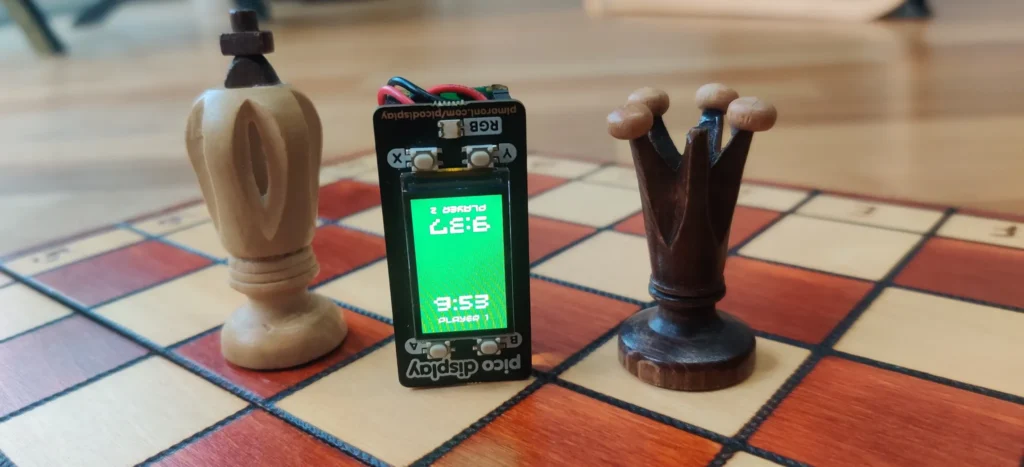
The Pico Chess Timer evolved from the Pomodoro timer idea, as well as a reaction game he wrote. Nirvaan already knew how to use the Pico Graphics library to create a user interface from previous projects. He used the same Pico Display Pack but rewrote the MicroPython code for two-player control, choosing Raspberry Pi Pico W for its wireless connectivity. His aim was to create a timer similar to the one on chess.com, providing a no-arguments countdown so each player knows exactly how long they have to plan and execute a strategic move.
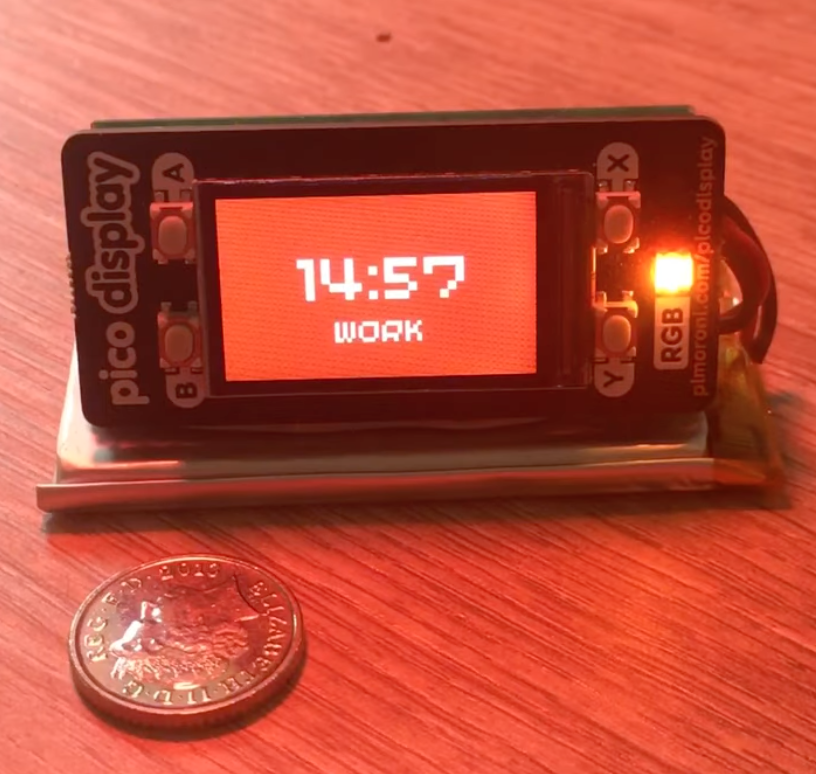
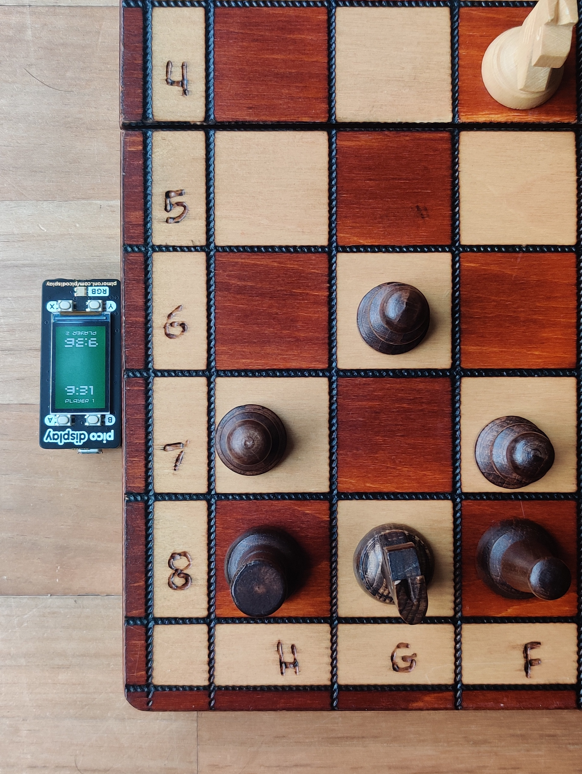
Raspberry Pi Pico W was ideal because it has low power requirements and can be battery-powered (Nirvaan attached a LiPo battery using a SHIM — an idea he picked up from a robot build). It’s also only as large as one of the king pieces, so setting up a chess game requires little extra time or effort. Nirvaan also observes that Raspberry Pi Pico works well with MicroPython and supports many accessories.
Players simply press the ‘start’ button to begin a countdown. The time allowance can be easily adjusted using the same incremental setup chess players use under the Fischer system. A second button press switches the gameplay to the other player. “Raspberry Pi Pico controls the entire project, running the program to set the time, count down the clock, and listen for button presses to switch turns.”
Ironing out kinks
Although this was a fairly simple build given Nirvaan’s experience, some aspects required finessing, particularly getting the buttons to switch players accurately. He found this to be the hardest part, as he needed to make sure it didn’t accidentally trigger twice. “I had to use a loop checking every 0.01s, which updates the time and checks for button pushes, then add a 20ms debounce to it.” Doing this fixed the issue.
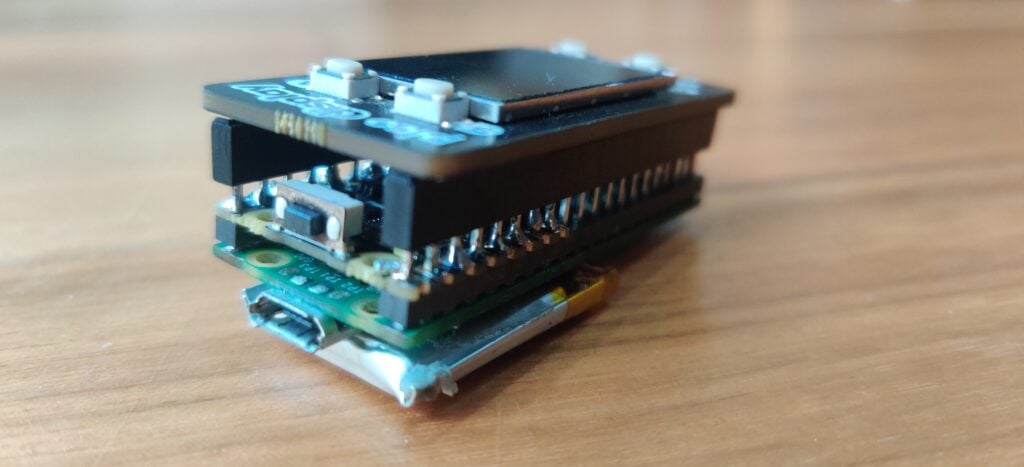
Getting the battery setup right was important too. Nirvaan found it very convenient to solder the SHIM to the Raspberry Pi Pico so that he could attach a LiPo battery. The SHIM added an on/off button and a JST connector, and had its own charging circuit. He began with a large battery, which he attached to the bottom, but soon realised that a smaller 150mAh battery would be more suitable and could fit snugly on the board. Better yet, “soldering the SHIM flush with the bottom of the headers meant I could attach the Pico Display on top, making a compact package.”
Conclusion
Nirvaan’s confidence in coding and tackling original projects is pretty impressive. He’s already assessed what he learnt from the approximately £30 project: knowledge of dynamic positioning and more experience with Pico Graphics were technical advances for Nirvaan, while the pragmatist in him realised that keeping things straightforward is often best. He advises other would-be makers to “experiment, play around, and keep trying. Simple is best — don’t overcomplicate things or repeat code too much.”
Nirvaan has an ongoing scorebook against his younger brother and, with versions of the Pico Chess Timer on his side, might well extend their friendly sibling rivalry to Scrabble and other board games, or even an against-the-clock Rubik’s Cube challenge!
Issue 164 of Raspberry Pi Official Magazine is out now!
This article appeared in issue 163 of Raspberry Pi Official Magazine, which you can access online. You can grab issue 164 from Tesco, Sainsbury’s, Asda, WHSmith, and other newsagents, including the Raspberry Pi Store in Cambridge. It’s also available from our online store, which ships around the world. And you can get a digital version via our app on Android or iOS.
You can also subscribe to the print version of our magazine. Not only do we deliver worldwide, but people who sign up to the six- or twelve-month print subscription get a FREE Raspberry Pi Pico 2 W!

No comments
Jump to the comment form