Bookshelf application revamped for Trixie
A couple of weeks ago, we released the Trixie version of Raspberry Pi OS. One of the changes we made was to revamp the Bookshelf application to give contributors access to subscriber-only titles, so we thought we’d talk a bit more about that decision.
Some time back, we made a change to how our e-books were distributed. Originally, we made all the PDFs of our books available for free on the day they were released, but in 2023 we began expanding the distribution of our print and electronic titles. Before then, our only third-party distribution was through resellers and booksellers in the UK and Ireland. We were entirely absent from e-book channels like Kindle, Google Play Books, and Apple Books, and our print titles were not reliably available from online or retail bookstore channels; when they were, they were typically marked up substantially by third-party sellers.
When we started selling e-books, free versions would only become available after a new edition was released. However, we maintained the same Creative Commons licence (CC BY-NC-SA), so in theory, anyone who obtained an e-book could share it and read it on any device they desired. Unfortunately, certain e-book platforms began making it more difficult to extract assets from books you’ve purchased. To address that problem while avoiding conflict with the channels where we sell e-books, we’ve instituted two ways you can get DRM-free e-books.
We’ll get to the second way in a bit, but first, anyone who makes a contribution of £5/€5/$5 a month is eligible to download not only PDFs from our books website but also ePUB versions, which are more suitable for e-book readers. Recurring contributors will also get early access to Raspberry Pi Official Magazine PDFs, three weeks before they are made freely available to all. If you signed up for early access to the magazine at £3/€3/$3, you’ll have access to both book and magazine PDFs at that rate — unless you cancel your recurring contribution.
What does this mean for Bookshelf?
Previously, we only showed free titles in Bookshelf, all of which could be downloaded by anyone. Now we show both free titles — which are still available to everyone — and contributor-only titles, which can only be downloaded by contributors.
When you first start Bookshelf, free titles are indicated with a cloud icon, as before, and can be downloaded and viewed by double-clicking. Contributor-only titles are indicated with a padlock icon, and if you try to double-click one of these, you will be notified that it is only for contributors.
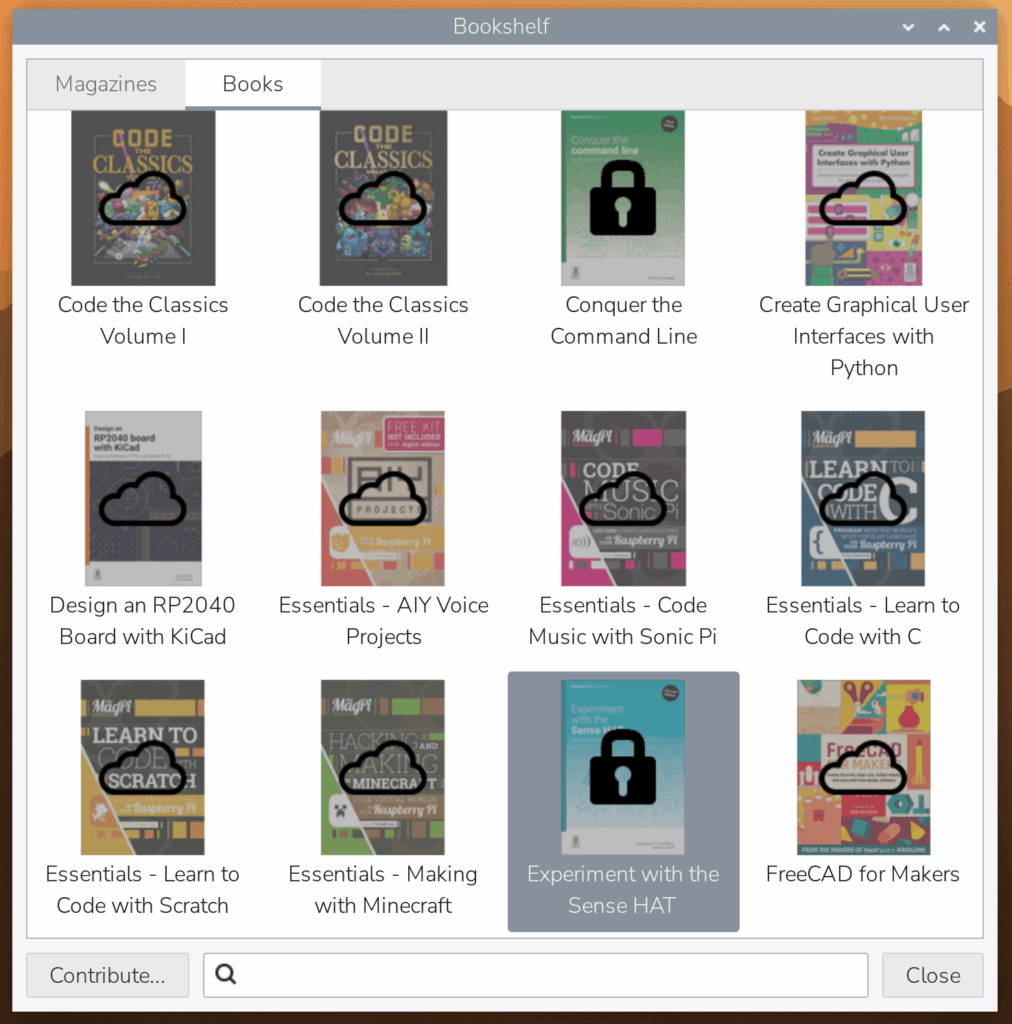
In order to unlock these titles, you will need to set up a contributor account. Click the ‘Contribute…’ button at the bottom left of the window to open the contributor pages on the Raspberry Pi website.
Contributions are linked to a Raspberry Pi ID, so you will need to set up one of these — if you are already using Raspberry Pi Connect, you can use the same ID, in which case you can simply log in with your existing username and password.
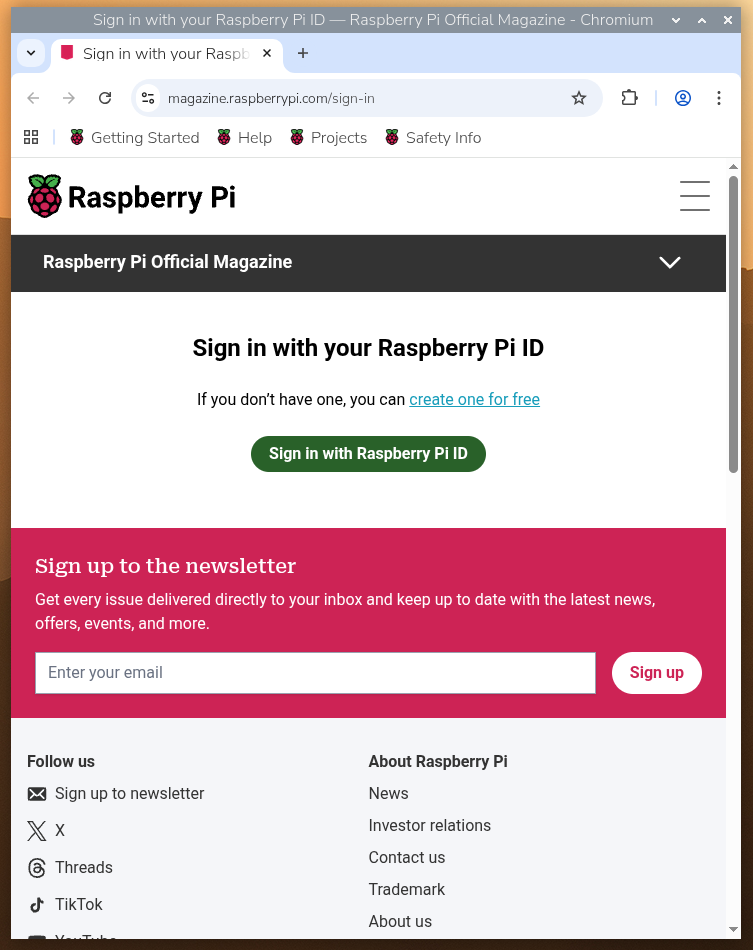
Once you have set up your ID, you will be asked to set up contributions associated with that ID.
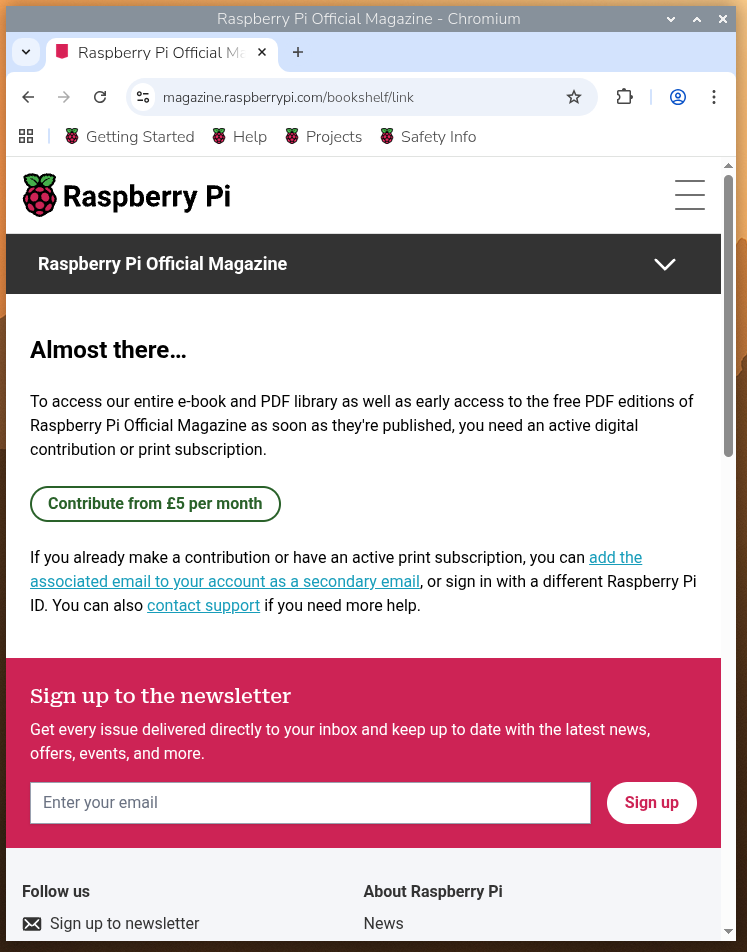
After you have associated your contributions with your Raspberry Pi ID, the page will prompt you to ‘Sign in to Bookshelf’.
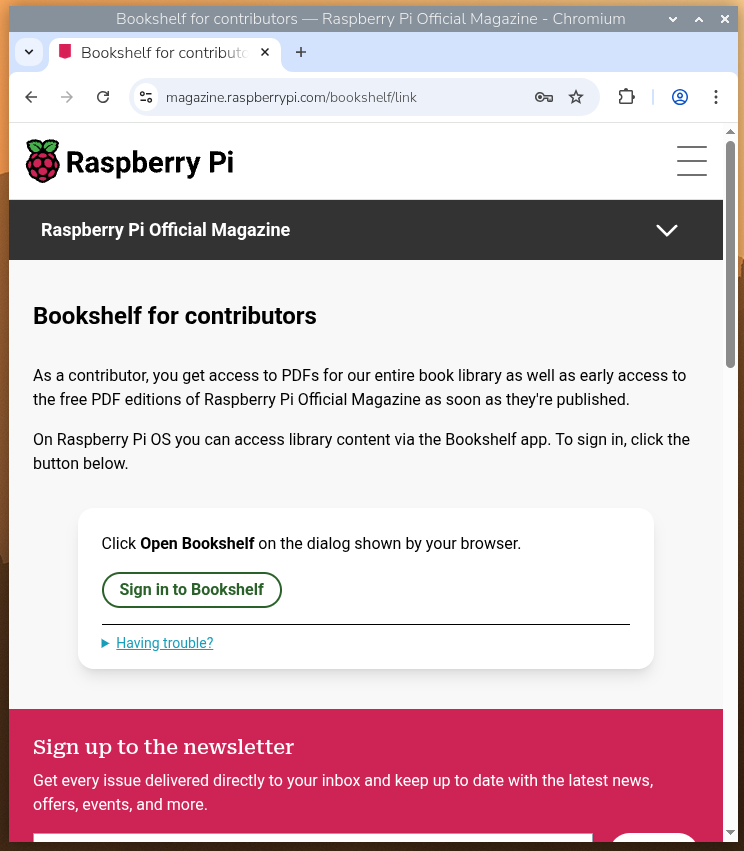
Clicking this link will open Bookshelf and store your ID, identifying you as a contributor. You will now see that the ‘Contribute…’ button has been removed, and titles which were previously marked with padlocks can now be downloaded.
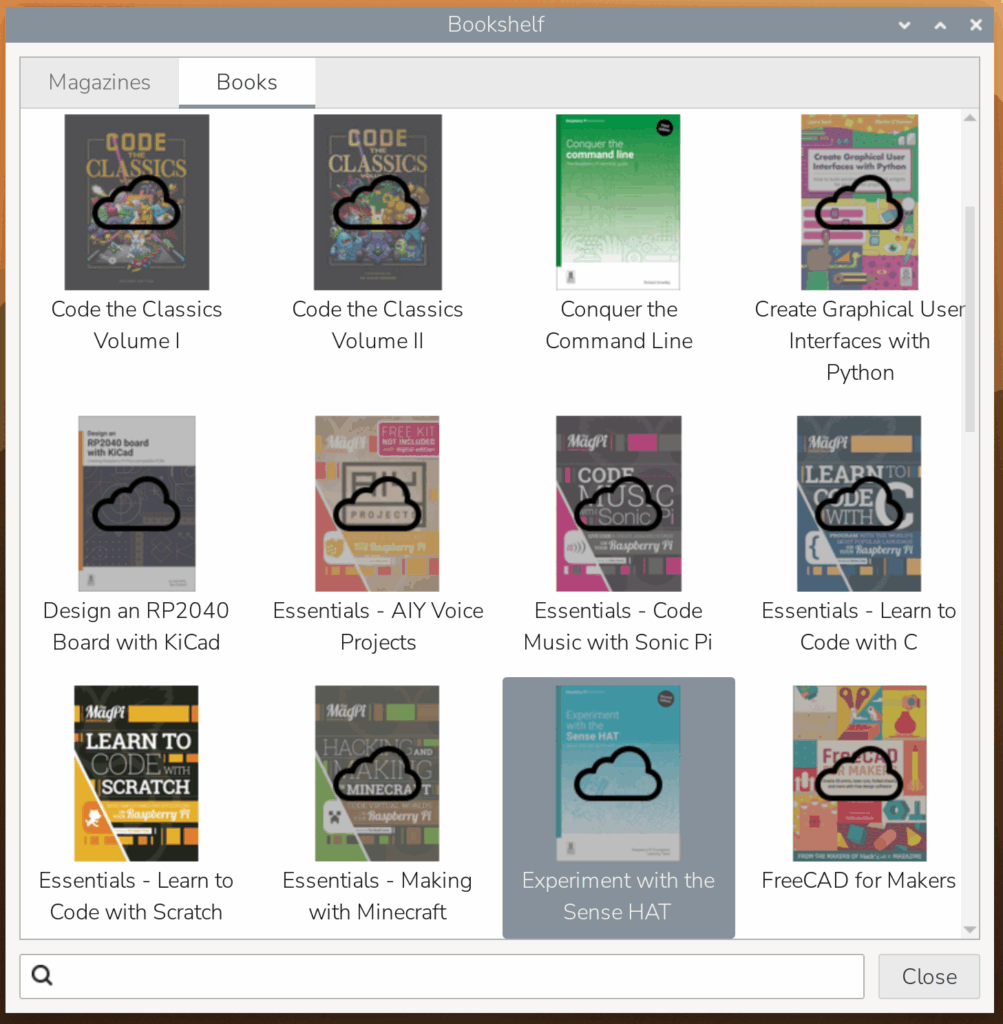
Even if you stop your contribution, you retain access to the titles that you have already downloaded — the PDFs are stored in the Bookshelf folder of your home directory, and will continue to appear in Bookshelf as titles you can double-click to open. (But you won’t be able to download them again without a new contribution, so don’t lose them!)
If you move to a new Raspberry Pi or flash a new OS image, you can just log in again with your contributor details and your titles will be unlocked on that Raspberry Pi as well. As long as you remain a contributor, you can access your contributor-only titles on as many Raspberry Pis as you want.
The second way we’re improving the accessibility of our e-books is by gradually making all of our titles free to download in Bookshelf. Just as the latest issue of the magazine is contributor-only for the first month and thereafter becomes free to all users, contributor-only books will also become free for all Bookshelf users several months after the e-book goes on sale worldwide. For those who download our e-books directly from our website, older editions will become free after a new edition is published, but all e-books will be accessible to those who make a qualifying recurring contribution.





19 comments
Jump to the comment form
Helen McCall
This looks well thought out and practical. I especially like the EPUB option which means I will be able to read these with my usual EPUB reader, just like all my other e-books. At last it looks like it will be worth it for me to become a regular contributor. Thanks for doing this useful bit of work.
Anders
I noticed also that the Alacarte menu editor was quietly slipped back in with today’s updates.
Raspberry Pi Staff Simon Long — post author
I was surprised by how many people said they still used it, so I thought I’d better put it back…!
Helen McCall
Thank you Simon. :)
Matthew
Nice article. I’m definitively going to contribute to get access to all the books and magazines.
One question. Is it possible to get the Bookshelf on other Linux distros?
Raspberry Pi Staff Simon Long — post author
Not at present, but it’s a good idea that we might consider in future.
Helen McCall
Hello Simon,
Please would you also consider adding The Debian Administrator’s Handbook to the Bookshelf? The addition of this would make Bookshelf a complete reference for Raspberry Pis.
Raspberry Pi Staff Simon Long — post author
I’m afraid that isn’t something we could do – it’s not ours to distribute. The authors / publishers of that title have their own mechanism for receiving contributions, which isn’t compatible with the payments for Raspberry Pi Press publications.
Nick
The license (CC BY-SA 3.0) allows redistribution, but the latest version of the book only covers Debian 11, so on that ground alone I would just leave it up to those interested to get the book from the Debian repositories or the official website if they really want it. It’s just too old to be relevant.
On top of that, the Raspberry Pi OS is not pure Debian, and the book is not written with spin-offs in mind, so some instructions are guaranteed to be detrimental to a RPi OS installation. That’s the second big reason to avoid that book in this context.
FredC
You said ..”contributor-only books will also become free for all Bookshelf users several months after the e-book goes on sale worldwide”.
I’ve just looked at the bookshelf and there are no titles available after September 2022. Is this something that will change, or does several mean 24?
Also you said that when a book is updated the older versions will become free, but the Offical user guides for 2024 and 2025 are still subscriber only, despite the publication of the 2026 version.
Brian Jepson
Hi Fred, are you using Raspberry Pi OS Trixie? This enhancement is for Trixie only, because we don’t generally backport changes to older versions. We make security updates to older versions as required by Debian, but for anything else, you would need to upgrade. If you are using Trixie, and you’re not seeing later books, please let us know, and we can look into why that might be. I tested this on a recent install of Trixie, and I’m able to access all but seven titles.
FredC
Hi Brian,
It’s just from the website, which I assume is the main repository for Bookshelf. example here
https://magazine.raspberrypi.com/books/handbook-2025
The latest verison is 2026, but the 2025 version shows contributors only.
Nick
Are there any plans to revamp the Android app?
– It’s called “Raspberry Pi Official Magazine” but when you open it, it still displays “MagPi” front and center.
– Under “Choose what to display” there is no book filter, despite some books being displayed at the end, when choosing “Display All”.
– “test 1” and “test 3” have been in the library for quite some time, and both of them are actually Issue 31.
– “Display All” doesn’t list publications under a labeled category, as delimiters, which would be a very simple nice-to-have.
– It has a “Sign In”, but no Register/Sign Up, and it doesn’t accept the Raspberry Pi ID.
– “App Instructions” doesn’t mention a thing about registering.
– “Contact App Support” automatically generates log.zip, as if every support request is supposed to be accompanied by a log.
– The general design doesn’t look newer than Android 2/3.
– etc. :(
Brian Jepson
Hi Nick, the Android app is managed by a third party that specialises in bringing magazines to mobile devices, so it’s limited in scope (and it does not integrate with Raspberry Pi ID). There aren’t any plans to replace the app with something newer and more features, but it’s something we’d like to consider in the future. It would mean writing an app from the ground up rather than enhancing the existing one, which is why we don’t have any immediate plans to pursue this. I didn’t see MagPi branding when I opened the app just now (it could be an application cache problem), but I do see the older test issues that you mention. There are indeed some bookazines in there from quite a while ago, during a time when the line between books and magazines here were a bit blurred.
Nick
Thanks for your reply! I’ve had the app installed for a long time, so I kept updating it. Since you confirmed MagPi doesn’t show up, I deleted the app data and the cache, and the correct image showed up after I started the app again, so that was just a cache bug.
I really hope you’ll be able to make your own app in the (near) future, for full control over its design and features – even the terminology, so when you filter stuff, it’s uses the same wording (Issues, Books).
In its state, this app looks pretty much abandoned, with only bugfixes and branding having been part of the updates in the last few years. That’s why I still haven’t tried to subscribe through the app, because it’s just too clunky and a struggle to work with (when it works at all). And after reading the comments for both phones and tablets, I noticed there are other issues too – even purchases that couldn’t be restored.
This is the kind of app that would be great on my tablet, for easy reading alongside my PC and Pis. If only it worked as expected. I hope you’ll take control over its development and make it great.
Brian Jepson
You’re welcome, Nick, and thanks. Mobile apps are major undertakings and require a substantial ongoing committment for maintenance, support, and security. It’s certainly something we’d like (for all the reasons you mention), but we can’t commit to anything right now.
Cliff Chism
Are there any plans to make the new Bookshelf app available in the Bookworm (irony much?) repos? I can’t upgrade to Trixie until some others are updated (notably Hailo). Great job!
David Haworth
Is not clear the difference between the five dollars a month and the three dollars a month contributor
Hamza Kassem
Hi,
I might have misunderstood the post, but if I don’t have a contribution, I can’t download ePubs, just PDFs. Is that correct?